
Copyright 2026 © swekartor. All Rights Reserved.


App Feature
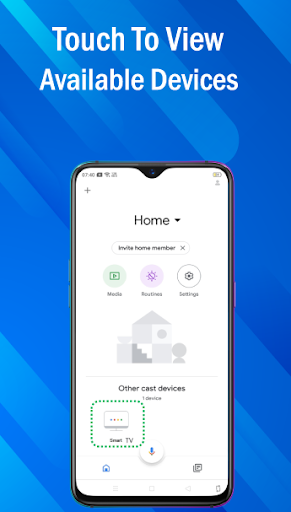
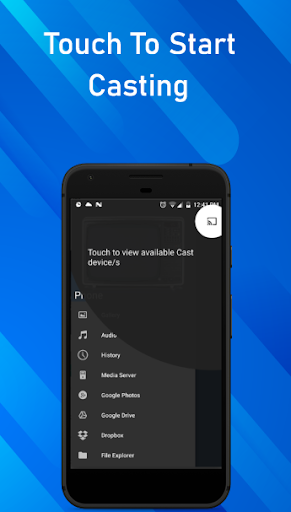
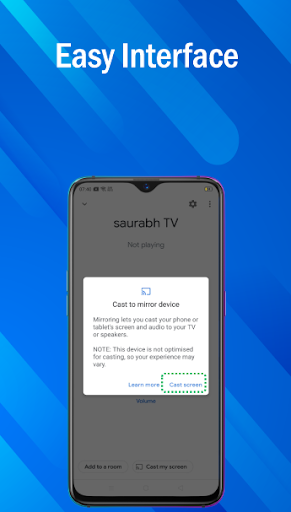
USB Screen Share - Phone to TV aims to mirror or extend your Android phone/tablet to a TV using a USB cable or wireless connection. It promises plug-and-play USB connectivity, real-time screen mirroring, remote-like controls, and basic display tweaks (resolution/aspect ratio) while supporting common media formats.
Verdict
Verdict: Convenient for basic phone-to-TV viewing if your hardware cooperates, but results vary and premium features may be required for the best experience.
Who is it for
Best for:
- Users with USB-wired projectors/TVs seeking a simple setup
- People comfortable toggling Android USB modes (MTP/ADB) for reliability
- Anyone wanting a quick way to view photos/videos on a bigger screen
Not ideal for:
- Users expecting guaranteed, true USB video-out on all phones/TVs
- Those who prefer frictionless casting (Chromecast/AirPlay/Miracast)
- Ad-averse users or those unwilling to pay for advanced features
Real-world User Experience
Users like it:
When it connects correctly, setup is straightforward and it works with USB-wired projectors and TVs for watching downloaded videos, photos, and presentations. Some users report automatic detection and stable playback after switching the phone’s USB mode (e.g., to MTP/ADB).
Users complain about:
Setup can be finicky, often requiring developer options and changing USB defaults; compatibility varies by device/TV; advanced capabilities appear paywalled; ads are present. Users relying on the Google Phone dialer may hit roadblocks during configuration.
Is it Worth Paying For?
There is a free tier with ads and optional IAP for enhanced features. Paying could be worth it if the free version connects reliably on your specific hardware and you need the extra functionality; otherwise, test thoroughly on the free tier first. The value hinges on your phone/TV’s USB capabilities.
How it Compares to Alternatives
Compared to wireless casting via Google Home/Chromecast or Miracast, this app focuses on USB wiring, which can reduce latency and avoid Wi‑Fi issues but depends heavily on device support (many Android phones lack native USB video-out). Alternatives like native casting, HDMI adapters (MHL/USB‑C to HDMI), or brand-specific solutions (Samsung DeX/Smart View) are often more predictable. This app stands out for users with USB-wired projectors/TVs who can configure MTP/ADB, but it’s less universally plug-and-play than mainstream casting.
Summary
USB Screen Share - Phone to TV offers an approachable path to mirror Android devices to TVs over USB or Wi‑Fi, with simple controls and format flexibility. Users who can switch USB modes and meet the right hardware conditions report smooth results, especially with USB-wired projectors. However, reliability depends on your phone/TV support, setup can require technical tweaks (developer options, MTP/ADB), and some features are behind a paywall with ads in the free version. If you need low-latency wired viewing and your devices cooperate, it can be a handy solution; otherwise, mainstream casting or HDMI adapters may provide a more consistent experience.
Ratings
Trending APP












Alternative to this app










