
Copyright 2026 © swekartor. All Rights Reserved.


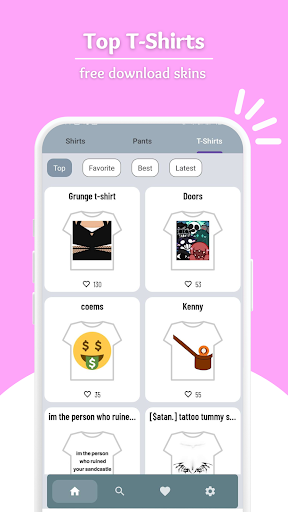
App Feature
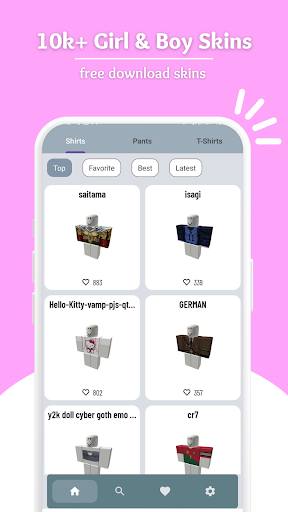
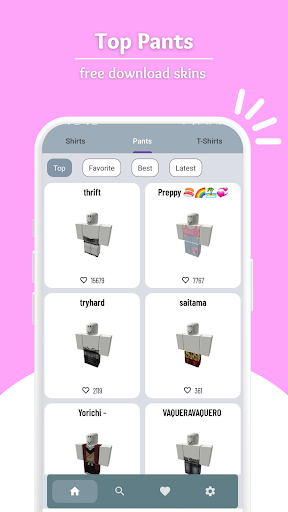
A free Roblox shirt skin editor that lets players design, color, save, and share custom shirts/outfits for their Roblox avatars, with a simple interface, wide color palette, and regular content updates. It is an unofficial tool and claims secure, ad-supported usage without in-app purchases.
Verdict
Verdict: A handy, free Roblox shirt editor for casual creators, but less ideal if you want one-tap in-game use or ad-free polish.
Who is it for
Best for:
- Roblox players who want quick, free shirt/outfit customization
- Beginners who prefer simple tools and ready-made ideas
Not ideal for:
- Users expecting direct, automatic wardrobe upload to Roblox
- Players who dislike ads or need advanced professional design features
Real-world User Experience
Users like it:
Easy to decorate avatars and make outfits; simple workflow once you learn to create and upload; helpful for players without Robux to design looks; many find it fun and “awesome,” with some sharing quick how‑to tips.
Users complain about:
Confusion about how to get designs into Roblox (upload steps); mention of a 10 Robux fee to upload clothing on Roblox can clash with the 'no Robux' expectation; likely ad interruptions and occasional polish issues reflected in the mid-range rating.
Is it Worth Paying For?
The app is free with ads and has no in-app purchases, so there’s nothing to pay for. It’s good value if you’re fine with ads; note that Roblox may charge Robux to upload certain clothing items regardless of the app.
How it Compares to Alternatives
Compared to other Roblox outfit/skin editors, it offers a straightforward editor, broad color palette, and save/share basics. Many competitors add templates, layering tools, or stronger onboarding; this app leans on simplicity and free access but may involve more manual steps when exporting to Roblox and shows ads.
Summary
Skins Master for Roblox Shirts focuses on making custom shirt and outfit design accessible and free for Roblox players. Its editor, color options, and save/share features help beginners craft looks quickly, and frequent updates keep content fresh. However, some users are unclear on how to move designs into Roblox, and Roblox’s own upload fees for clothing can surprise those expecting a purely no-Robux path. With ads and a mid-range rating, it’s best for casual creators who value simplicity over pro-grade tools. If you want a no-cost way to experiment with avatar styles and don’t mind learning the upload process, it’s a solid pick.
Ratings
Trending APP











Alternative to this app










