
Copyright 2026 © swekartor. All Rights Reserved.



App Feature
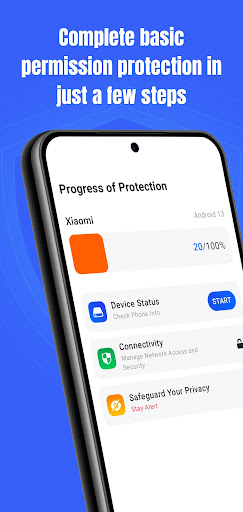
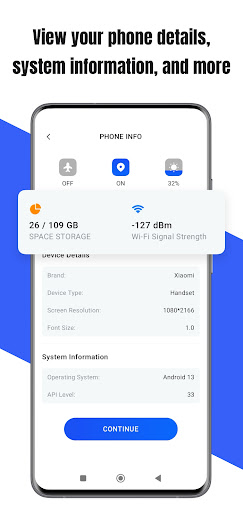
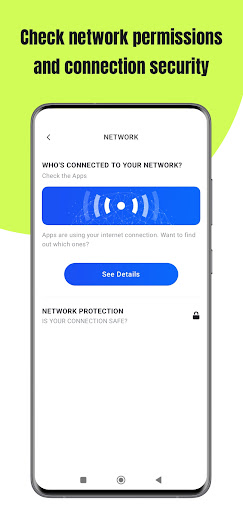
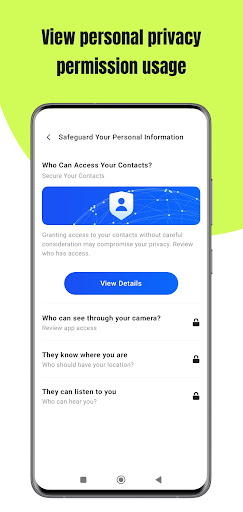
Permission Guard helps Android users monitor, manage, and audit app permissions. It tracks which apps access sensitive data (camera, mic, location, contacts), provides a timeline of accesses, lets you grant/revoke or set temporary permissions per app, and sends real-time alerts with optional automatic blocking. Usage reports highlight unusual patterns to inform privacy decisions.
Verdict
Verdict: A clear, effective permission manager for privacy-minded users, though not a full antivirus or security suite.
Who is it for
Best for:
- Privacy-conscious users who want visibility and control over app permissions
- People who prefer real-time alerts when apps access camera/mic/location
- Those who value easy, non-technical summaries of permission activity
Not ideal for:
- Users seeking full malware/antivirus protection or system-level cleanup
- Power users needing deep OS-level controls or enterprise policy features
- Anyone who dislikes ad-supported apps
Real-world User Experience
Users like it:
Reviewers report immediate peace of mind, fewer intrusive behaviors, and a cleaner-feeling phone after installing the app. Many praise the prompt alerts that catch permission use as it happens and appreciate that the free version already blocks or curbs unwanted access. Several highlight that it is easy to start using and helpful even for non-technical users.
Users complain about:
Some users seem to expect virus removal or factory-reset-level fixes, which the app does not provide; this can lead to confusion. A few hint at a learning curve in deciding what to allow/deny, and the potential for alert fatigue. Because it contains ads, those sensitive to ads may be annoyed.
Is it Worth Paying For?
The app is free and does not offer in-app purchases. Value is strong if you tolerate ads; there is no paid upgrade to remove them, so if ad-free use is essential, you may prefer alternative paid tools.
How it Compares to Alternatives
Compared with Android’s built-in permission manager, Permission Guard adds real-time access alerts, timelines, and trend reporting that make activity easier to interpret. Versus focused apps like Bouncer (temporary permissions) or App Ops (granular, power-user controls), Permission Guard strikes a more approachable, dashboard-style balance with clearer reporting and automation but fewer deep tweaks. It is not an antivirus or network firewall like Norton/Malwarebytes/GlassWire; pair it with those if you need malware scanning or traffic analysis.
Summary
Permission Guard delivers a practical, user-friendly layer of transparency and control over app permissions. It monitors sensitive access in real time, surfaces clear timelines and reports, and lets you quickly adjust or restrict permissions per app. With a high rating and substantial install base, it appears dependable for everyday privacy hygiene. However, it is not a malware remover or full security suite, and its ad-supported model may not suit everyone. If your goal is to understand and limit what your apps can access—without diving into complex settings—Permission Guard is a strong, lightweight choice that complements (rather than replaces) antivirus and other security tools.
Ratings
Trending APP












Alternative to this app










