
Copyright 2026 © swekartor. All Rights Reserved.



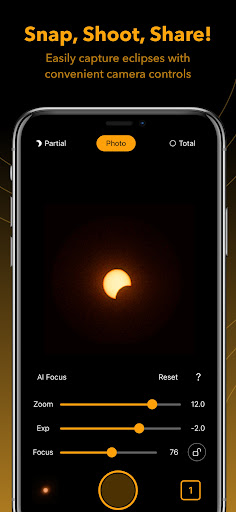
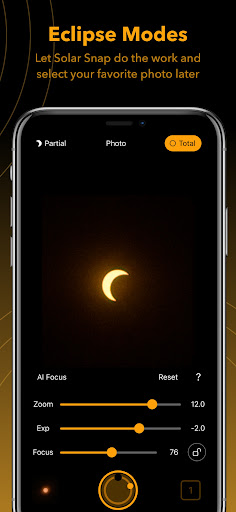
App Feature
Solar Snap is a free mobile tool for designing virtual solar panel layouts, running realistic energy simulations that account for sunlight angle and intensity, and offering interactive tips to improve energy efficiency and understanding of solar performance.
Verdict
A capable, educational solar design simulator for enthusiasts, but not a substitute for pro-grade planning tools.
Who is it for
Best for:
- Students and hobbyists exploring how solar panels work
- Homeowners evaluating basic layout ideas and energy potential
- Educators seeking interactive demonstrations of solar concepts
Not ideal for:
- Professionals needing site surveys, financial modeling, or permitting workflows
- Users wanting utility-grade accuracy and bankable simulations
- Teams requiring advanced collaboration and CAD/GIS integrations
Real-world User Experience
Users like it:
With a 4.1 rating and 50K+ downloads, users appear to appreciate the approachable panel design tools, clear visual simulations of sunlight effects, and practical efficiency tips that make solar concepts easier to grasp.
Users complain about:
Feedback at this rating level often points to limits for advanced or professional use—such as lack of detailed site-specific modeling, export/reporting options, or deeper analytics—along with occasional UX quirks typical of simulation apps.
Is it Worth Paying For?
The app is free, and no in-app purchases are indicated here. For learning, quick experiments, and conceptual planning, it offers good value at no cost.
How it Compares to Alternatives
Compared to educational solar apps, Solar Snap stands out with more hands-on design and sunlight-angle simulations. Against professional platforms (e.g., desktop/web tools with shade analysis, LCOE, incentives), it lacks comprehensive site data, financial modeling, and pro workflows but is far easier to use on mobile for rapid exploration.
Summary
Solar Snap delivers an accessible way to design virtual solar arrays, visualize how sunlight angle and intensity affect output, and learn efficiency best practices. Its combination of interactive layout tools and realistic simulations helps beginners and curious homeowners build intuition about solar energy without the overhead of pro software. While it won’t replace professional tools for detailed site assessments or financial analysis, its free price, ease of use, and educational focus make it a solid pick for learning, quick what-if scenarios, and classroom demonstrations.
Ratings
Trending APP












Alternative to this app










