
Copyright 2026 © swekartor. All Rights Reserved.


App Feature
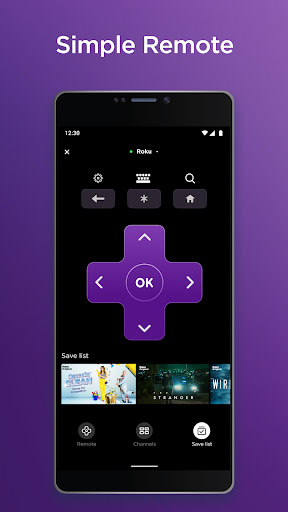
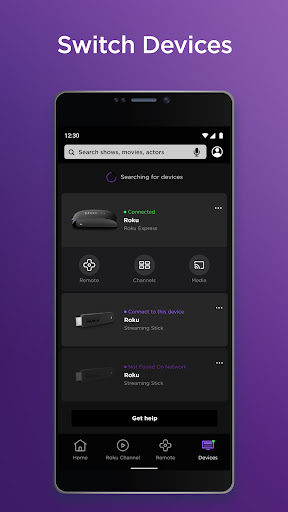
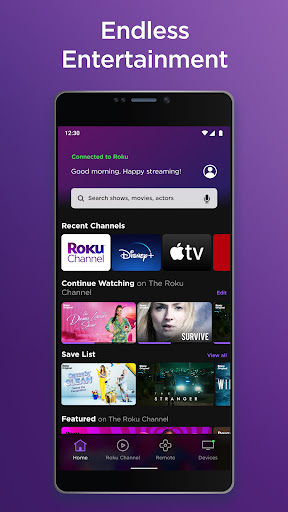
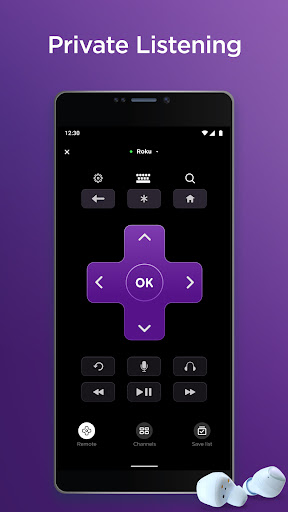
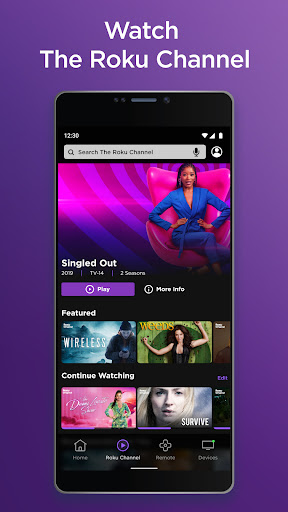
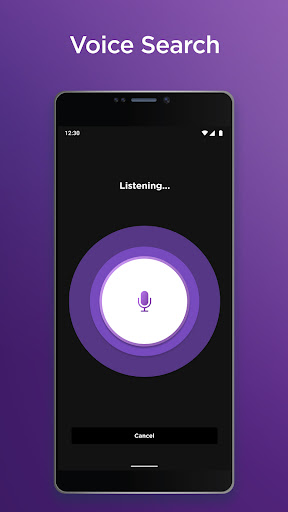
Turns your phone/tablet into a full Roku companion: a Wi‑Fi remote with directional controls, voice search, and a mobile keyboard; private listening via wired/Bluetooth headphones; quick channel launch and management; casting local photos/videos; and access to The Roku Channel (region‑dependent). Requires being on the same network as your Roku device; some features vary by country.
Verdict
Verdict: An excellent, free Roku companion that outclasses the stock remote, with minor caveats around Wi‑Fi dependence and regional feature limits.
Who is it for
Best for:
- Roku owners who frequently misplace or dislike the physical remote
- Viewers who want private listening via phone headphones without TV Bluetooth
- Households managing multiple Roku devices and channels from one place
Not ideal for:
- Users expecting it to work without the Roku device already on the same Wi‑Fi
- People outside supported regions who need voice search or The Roku Channel
- Anyone wanting an offline IR-style remote for non‑Roku TVs/devices
Real-world User Experience
Users like it:
Setup is fast and reliable for most; many prefer it to the physical remote for its keyboard, voice search, and private listening. It works without line‑of‑sight, controls multiple Rokus, and feels responsive; headphone listening sync is often spot‑on (even over Bluetooth). Channel management and remote replacement convenience get frequent praise.
Users complain about:
Historically inconsistent releases caused occasional bugs (e.g., selector sensitivity) though fixes followed. The app depends on the Roku being on the same Wi‑Fi—if the TV isn’t connected or is freshly reset, you still need a physical remote to join a network. Some users report intermittent disconnects when the TV turns off or after network changes. Regional restrictions limit features like The Roku Channel and voice search.
Is it Worth Paying For?
It’s free and ad‑supported with no in‑app purchases. Given the robust feature set—private listening, voice/keyboard entry, casting, and channel control—it’s absolutely worth using at no cost.
How it Compares to Alternatives
Compared with generic universal-remote apps, Roku’s official app is cleaner, more reliable on Roku hardware, and avoids heavy ad clutter or sketchy permissions. Versus Google TV/Android TV and Amazon Fire TV remote apps, feature parity is strong: all offer Wi‑Fi remotes and voice input; Roku’s private listening via the phone is a standout for TVs lacking Bluetooth. Manufacturer apps like Samsung SmartThings or LG ThinQ control broader smart‑home features, but for Roku streaming control, this app is more focused, faster, and better integrated.
Summary
The Roku App (Official) is a polished, high‑rated companion that meaningfully improves the Roku experience: it replaces the physical remote, speeds up searches with voice and a real keyboard, enables private listening through your phone’s headphones, and lets you manage channels and cast local media. Reviews highlight reliable performance, quick setup, and flawless audio sync for many, with occasional hiccups tied mostly to network dependence and past UI tweaks that were addressed. It’s free, widely adopted, and purpose‑built for Roku devices—an easy recommendation for any Roku household, especially those prone to losing remotes or wanting late‑night, quiet listening.
Ratings
Trending APP





Alternative to this app










