
Copyright 2026 © swekartor. All Rights Reserved.



App Feature
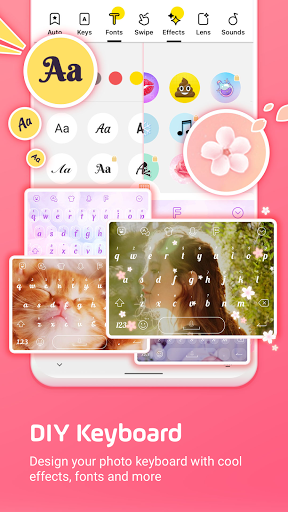
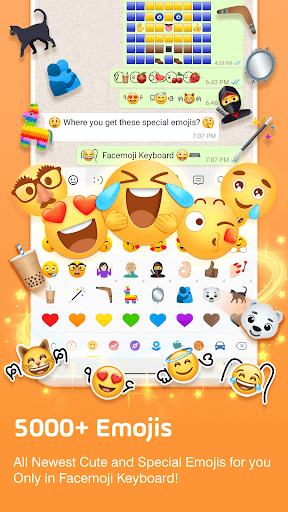
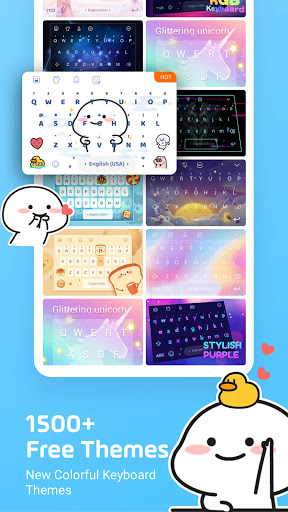
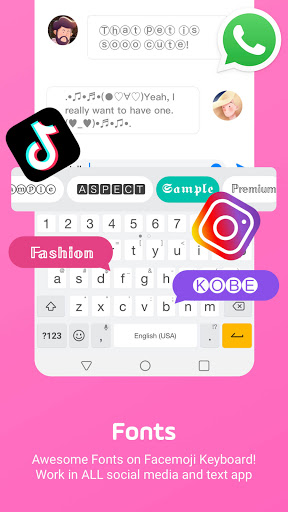
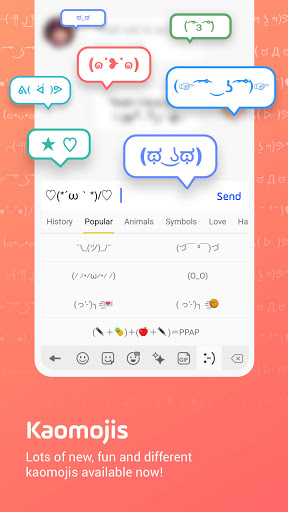
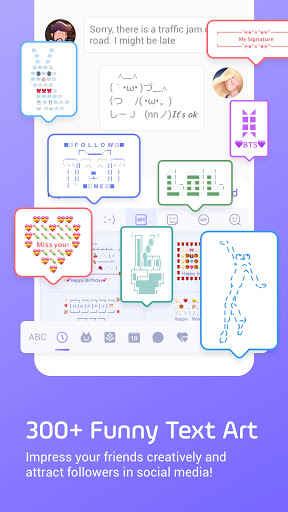
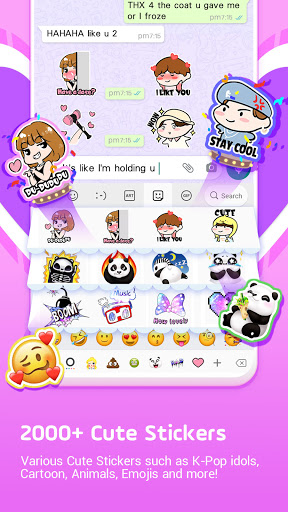
Facemoji AI Emoji Keyboard is a free, highly customizable Android keyboard focused on expressive typing. It offers 6000+ emojis and stickers (including TikTok/hidden sets), an AI-powered Genmoji-style emoji/sticker maker, 1500+ themes (plus DIY photo themes), 100+ fonts and unicode symbols, kaomoji/text art, swipe typing with autocorrect, smart emoji/sticker predictions, clipboard and auto-paste tools, and an ASK AI assistant for suggestions.
Verdict
Verdict: A fun, feature-packed keyboard for heavy customizers and emoji lovers, but power typists may miss some precision tools.
Who is it for
Best for:
- Users who prioritize themes, fonts, stickers, and deep keyboard personalization
- Social media users who want flashy text styles, emoji art, and shareable custom keyboards
- Fans of K‑Pop/cute aesthetics and Genmoji-style custom emoji creation
Not ideal for:
- Power typists who need advanced editing controls (e.g., reliable cursor glide on spacebar)
- Users who prefer a minimalist, productivity-first keyboard with top-tier prediction and multilingual tooling
- Anyone who dislikes ad-gated content or occasional cosmetic bloat
Real-world User Experience
Users like it:
Extensive free customization (themes, photo wallpapers, sounds, animated effects), large emoji/sticker and font selection, smooth typing feel, easy DIY keyboards that sync across use, and frequent new content. Many note it’s more entertaining and flexible than stock keyboards.
Users complain about:
Missing or inconsistent cursor control via spacebar glide; occasional bugs with fonts/options disappearing; AI toolbar previously felt bulky (now toggleable); some translation/IME quirks in certain apps and orientations; limited offline use for some features (e.g., Instamojis); desire for more masculine/darker themes; ad views required to unlock some content.
Is it Worth Paying For?
Yes for customization-focused users. The core experience is free, with ads occasionally used to unlock themes and optional IAP for premium packs. If you value aesthetics, emoji creation, and playful features, the free tier is generous and IAPs are a reasonable upgrade; if you just need fast, precise typing, paid add-ons won’t add much value.
How it Compares to Alternatives
Compared to Gboard, Facemoji wins on personalization, emojis, and creative tools (Genmoji-style maker, themes) but trails on editing controls, multilingual prowess, voice typing, and overall polish. Versus Microsoft SwiftKey, it offers richer visuals and sticker culture, while SwiftKey leads in prediction and swipe accuracy. Alternatives like Kika/FancyKey are similarly decorative, but Facemoji’s content depth, weekly themes, and social/Genmoji features feel more modern and expansive.
Summary
Facemoji AI Emoji Keyboard excels as a playful, endlessly customizable keyboard with a massive emoji/sticker library, Genmoji-style creation, and DIY themes, making chats more expressive and visually distinct. Its swipe typing, autocorrect, and smart suggestions are solid for everyday use, though not as refined as Gboard/SwiftKey for power users. Reviews praise the generous free features and creative freedom, with common asks around cursor control, minor bugs, offline access for certain features, and broader style diversity. If your priority is fun, flair, and social-ready expression, it’s an excellent pick; if you need best-in-class productivity tools, you may prefer a more utilitarian keyboard and keep Facemoji for its creative extras.
Ratings
Trending APP








Alternative to this app










