
Copyright 2026 © swekartor. All Rights Reserved.



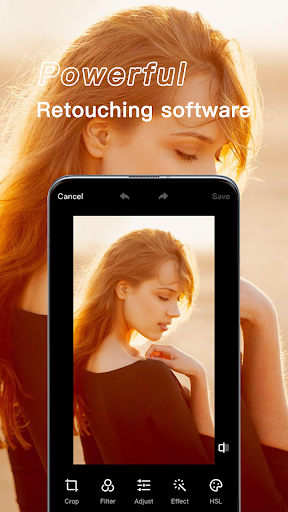
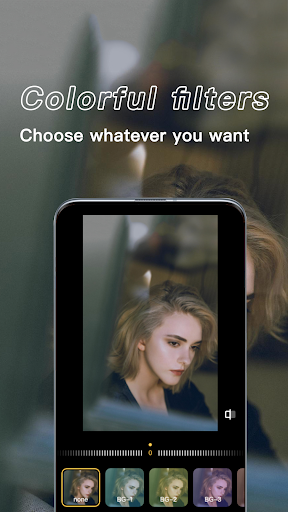
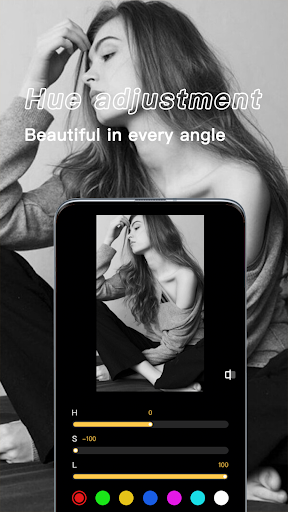
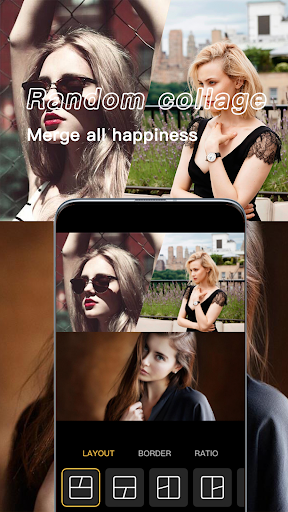
App Feature
X PhotoKit is a free photo editor focused on quick, high‑quality enhancements. It combines an intuitive interface with a broad toolkit—basic adjustments (crop, rotate, resize), filters, effects, and retouching—and streamlines posting to major social platforms.
Verdict
Verdict: A capable, beginner-friendly photo editor with smooth social sharing, though power users may crave deeper pro controls.
Who is it for
Best for:
- Beginners and casual editors who want fast, polished results
- Social media users who value one-tap sharing workflows
- Anyone needing an all-in-one, no-cost photo toolkit
Not ideal for:
- Professional photographers seeking RAW, layers, or granular masking
- Users who require batch processing or complex workflow management
- Editors needing fine-grained color grading and advanced tone curves
Real-world User Experience
Users like it:
The clean, easy-to-navigate UI and wide range of editing tools make quick enhancements straightforward; sharing to Instagram, Facebook, and Twitter is seamless. The overall satisfaction is reflected in a strong 4.3 rating and 10M+ downloads.
Users complain about:
Some users may want more advanced, pro-level controls (e.g., detailed color grading, RAW workflows, or layers) and more granular fine-tuning than the app emphasizes.
Is it Worth Paying For?
The app is free, and no in-app purchases are indicated here. Given the robust feature set and smooth sharing, it offers strong value at no cost.
How it Compares to Alternatives
Compared to Snapseed, X PhotoKit is more streamlined for quick edits and sharing, while Snapseed offers more granular tools (e.g., selective edits, RAW). Against Adobe Lightroom Mobile, it’s simpler and less technical—Lightroom has pro-grade features and cloud sync. Versus VSCO, X PhotoKit provides a broader general editor and direct social posting, while VSCO leans into filmic presets and its own community.
Summary
X PhotoKit delivers a polished, user-friendly photo editor that covers the essentials and then some—basic adjustments, filters, effects, and handy retouching—wrapped in a clean interface with effortless social sharing. With a 4.3 rating and 10M+ downloads, it clearly resonates with users who want fast, reliable results without a steep learning curve. While professionals may miss advanced workflows like RAW processing, layers, or deep color grading, the app’s combination of accessibility and practical tools makes it an excellent everyday editor—especially for social-first creators and casual photographers.
Ratings
Trending APP












Alternative to this app










