
Copyright 2026 © swekartor. All Rights Reserved.



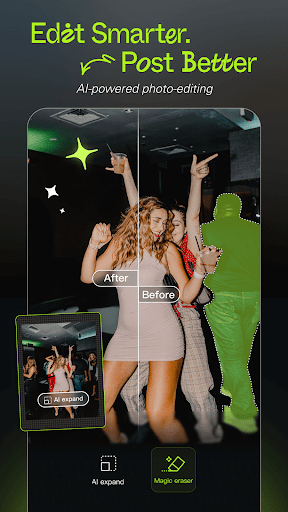
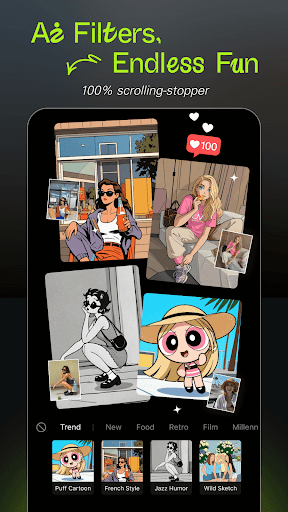
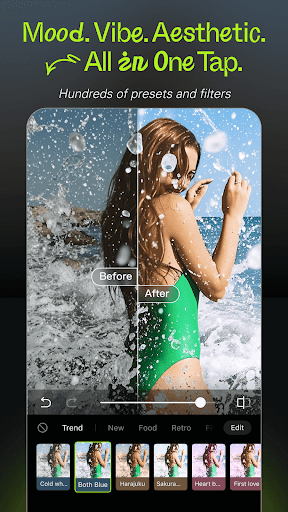
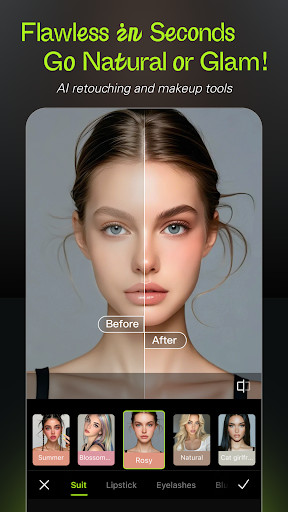
App Feature
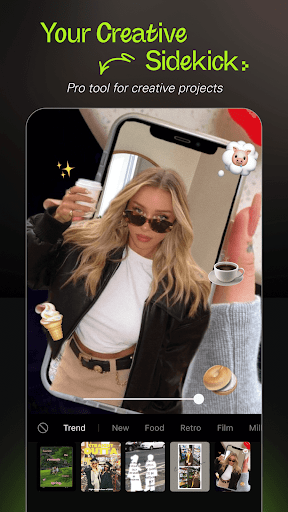
Hypic - Photo Editor & AI Art is a free, AI-powered photo editor focused on fast enhancements, mood-based filters, and creative AI art effects that turn everyday photos into polished, stylized images with minimal effort.
Verdict
Verdict: A capable AI-first photo editor for quick polish and creative effects, best if you value speed and style over granular pro controls.
Who is it for
Best for:
- Casual creators who want one-tap AI enhancements and filters
- Social media users seeking trendy looks and art-style transformations
- Beginners who prefer simple, guided editing over manual tweaking
Not ideal for:
- Photographers needing precise, pro-grade manual controls and RAW workflows
- Users who dislike AI stylization or prefer subtle, fully manual edits
- Older-device users if heavy AI effects strain performance
Real-world User Experience
Users like it:
Given its strong 4.3 rating and large install base, users often praise the quick AI enhancements, plentiful filters, and eye-catching art effects that make photos social-ready with minimal effort.
Users complain about:
Common pain points for apps in this category include occasional aggressive upsell prompts, potential watermarks or paywalls on premium effects, and slower processing on low-end devices—expect similar trade-offs here.
Is it Worth Paying For?
The app is free to download. If optional in-app purchases or subscriptions are offered, the core AI enhancements and filters should be enough to evaluate fit first; consider paying only if you rely on specific premium effects, watermark removal, or higher-resolution exports.
How it Compares to Alternatives
Compared to PicsArt, Hypic leans more into fast AI stylization than social/community tools. Versus Snapseed or Adobe Lightroom, it emphasizes one-tap creativity over fine manual control and RAW editing. Against Prisma, it offers a broader set of edits beyond art filters. Remini excels at face/detail restoration, while Hypic balances enhancement with diverse filters and creative AI art.
Summary
Hypic focuses on accessible, AI-driven photo enhancement and stylized art effects, turning everyday shots into polished images in a few taps. Its strengths are speed, simplicity, and a wide filter catalog that fits social sharing. While it may not satisfy professionals who want granular control or RAW workflows, it’s a compelling choice for casual editors and creators who prioritize quick results and bold looks. Try the free tools first; unlock premium features only if they meaningfully improve your workflow (e.g., watermark-free exports or specific AI styles). Overall, it’s a well-rounded AI photo editor that delivers strong value for effortless creativity.
Ratings
Trending APP












Alternative to this app










