
Copyright 2026 © swekartor. All Rights Reserved.





App Feature
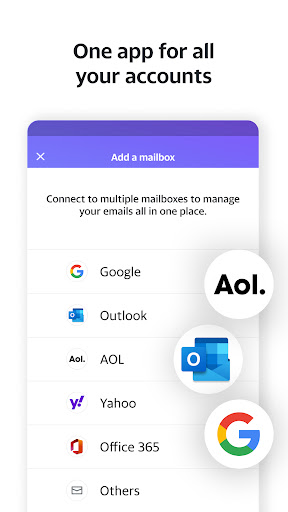
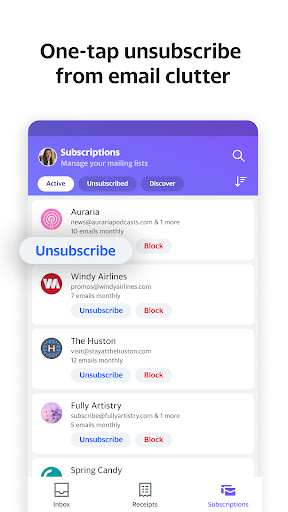
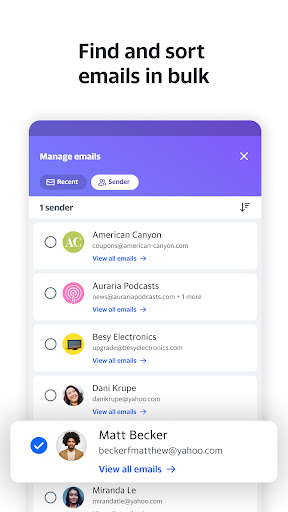
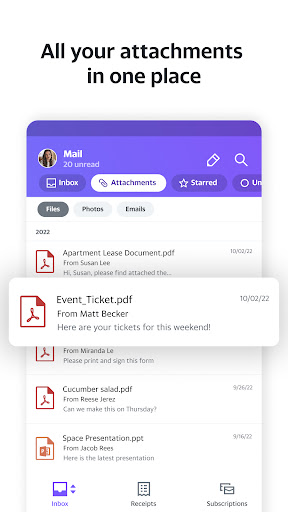
Yahoo Mail is a free email client focused on a clean, simple interface and easy inbox management. It supports customizable categories, themes, sounds, and navigation, offers fast search across contacts/files/photos, enables secure password‑free login, and integrates with Google Drive and Dropbox for convenient file access and sharing.
Verdict
Verdict: A polished, customizable email app that prioritizes simplicity and efficient inbox control for everyday use.
Who is it for
Best for:
- Users who want a clean, clutter‑free mailbox with minimal setup
- People who value personalization (themes, sounds, custom navigation)
- Users needing quick search and cloud‑drive integration
Not ideal for:
- Power users needing advanced automation or niche enterprise features
- Anyone who dislikes service tie‑ins and prefers a very bare‑bones client
- Users who require deep offline workflows or pro‑grade filters
Real-world User Experience
Users like it:
The streamlined pages reduce accidental taps and make navigation intuitive; customizable categories and a configurable inbox help keep mail organized; quick search and password‑free login improve day‑to‑day convenience; Drive/Dropbox links simplify file sharing.
Users complain about:
Advanced or highly granular options may feel limited due to the simplicity‑first design; reliance on integrations may not suit users who prefer local‑only workflows; some users may still perceive promotional content despite filtering choices.
Is it Worth Paying For?
The app is free, and no in‑app purchases are indicated. Given the feature set (customization, strong search, cloud integrations, password‑free login), it offers solid value at no cost.
How it Compares to Alternatives
Compared with Gmail, Yahoo Mail emphasizes user customization (themes, sounds, bottom‑nav tweaks) and a simpler, more approachable layout, though Gmail typically offers deeper ecosystem automation. Versus Microsoft Outlook, Yahoo Mail feels lighter and more personal, while Outlook leans toward work/enterprise features and calendar/task depth. Compared with other third‑party clients, Yahoo Mail’s password‑free login and native Drive/Dropbox links are competitive perks.
Summary
Yahoo Mail delivers a clean, approachable email experience that trims complexity without sacrificing key conveniences. Its customizable look and layout, category controls, and quick search make daily triage straightforward, while password‑free login and cloud‑drive integrations streamline access and sharing. It’s a strong everyday client for users who value simplicity and personalization over heavy automation or enterprise‑grade controls, and its free price point makes it an easy recommendation for most personal email needs.
Ratings
Trending APP








Alternative to this app









