
Copyright 2026 © swekartor. All Rights Reserved.



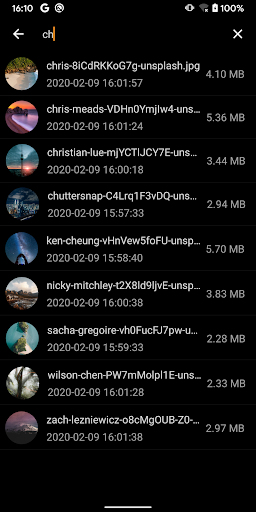

App Feature
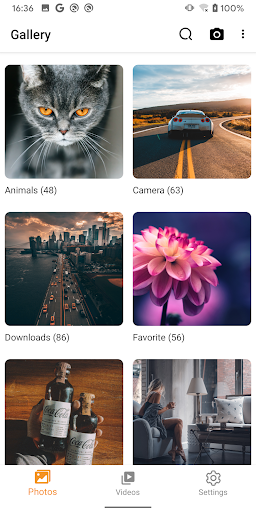
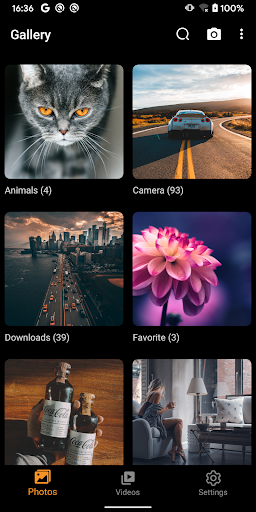
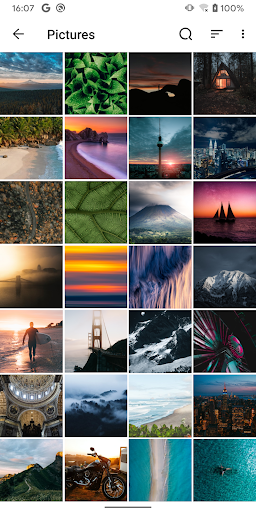
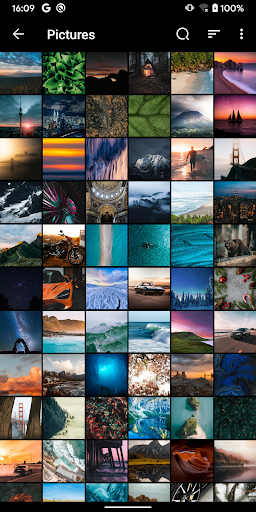
A fast, lightweight gallery and photo manager focused on local viewing, organizing, and basic edits. Core tools include album/folder management, quick search, multi-select move/copy/delete, rename, details view, slideshow, set-as-wallpaper, gesture zoom, and dark mode.
Verdict
Verdict: A clean, no-nonsense gallery that excels at local photo organization, but not ideal if you want cloud features or advanced editing.
Who is it for
Best for:
- Users who want a simple, fast, ad-light gallery to organize local photos/videos
- People frustrated with Google Photos’ cloud-first approach and complex UI
- Anyone needing reliable folder/album control with quick search and batch actions
Not ideal for:
- Power users seeking advanced editors, AI search, or cloud backup/sync
- Those who need system-level folder locking or built-in video editing
- Users relying heavily on SD-card write/delete workflows (may be inconsistent)
Real-world User Experience
Users like it:
Simplicity and speed; intuitive folder/album organization; easy multi-select move/copy/delete; clean layout with separate Photos/Videos tabs; minimal, non-intrusive ads in free tier; stable favorites and reliable local management; customizable themes/dark mode; one-time premium option appreciated.
Users complain about:
Occasional permission prompts when deleting (especially in bulk); some report SD card delete failures; sorting by 'date taken' not always respected on imported media; occasional scroll-to-top after operations; a few note increased ads over time; requests for clearer selection highlight in dark mode, album size options, longer captions, and basic video editing.
Is it Worth Paying For?
Yes, if you use it regularly and want an ad-free experience. Reviews indicate a small one-time purchase (around $6) removes ads without a subscription, which is good value given the app’s stability and focus. Premium appears primarily to remove ads; don’t expect major feature unlocks.
How it Compares to Alternatives
Compared to Google Photos, this is faster for local file management and album control, but lacks cloud sync, AI search, and shared libraries. Versus OEM galleries (e.g., Samsung), it offers a cleaner, consistent experience across devices. It fills the gap left by QuickPic with a modern UI. Against alternatives like Simple Gallery, it’s similarly lightweight; choice comes down to preferences on UI, sorting, and SD-card handling.
Summary
Gallery - photo gallery, album delivers a straightforward, fast way to browse and organize local photos and videos without cloud complexity. It nails the basics—albums/folders, quick search, batch operations, slideshow, and dark mode—while keeping ads unobtrusive for free users and offering a low-cost, one-time ad removal upgrade. Real-world feedback highlights strong usability and reliability, with some caveats around deletion prompts, SD-card operations, and occasional sorting inconsistencies. If you want a dependable, minimalist gallery to manage files on-device, this is an excellent pick; if you need cloud sync, AI features, or advanced editing, look elsewhere.
Ratings
Trending APP












Alternative to this app










