
Copyright 2026 © swekartor. All Rights Reserved.



App Feature
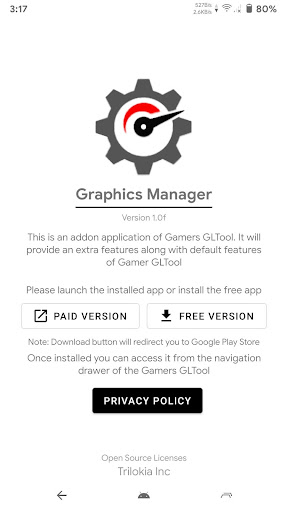
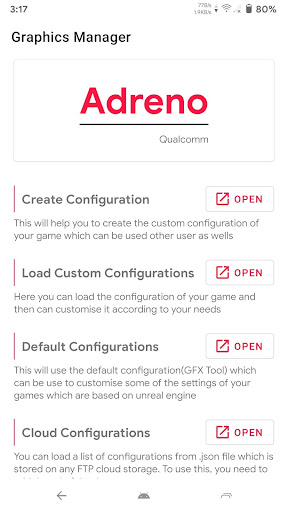
An add-on for Gamers GLTool that unlocks deeper graphics customization on Android games, including resolution, FPS, anti-aliasing, and texture controls to enhance visual quality and performance. Requires Gamers GLTool v1.4+ and is accessed from its navigation drawer.
Verdict
Verdict: A handy, free companion for Gamers GLTool users wanting finer graphics tuning, but irrelevant if you don’t use the main app.
Who is it for
Best for:
- Gamers already using Gamers GLTool who want extra graphics controls
- Players aiming to balance visuals and FPS on mid-range devices
- Tinkerers who like granular resolution, anti-aliasing, and texture tweaks
Not ideal for:
- Users expecting a standalone GFX tool (it requires Gamers GLTool)
- Players who want one-tap ‘zero lag’ with no manual tuning
- Casual gamers satisfied with in-game default graphics settings
Real-world User Experience
Users like it:
Noticeable graphics improvement and the ability to push beyond default device/game presets, with smoother visuals and higher perceived quality.
Users complain about:
Requests for a dedicated ‘zero lag’ option; some expectations that it should eliminate lag entirely rather than provide tuning controls.
Is it Worth Paying For?
It’s free and contains no ads or IAP, so there’s no direct cost. Value is strong if you already use Gamers GLTool (free or pro).
How it Compares to Alternatives
Compared to standalone GFX tools, this integrates tightly with Gamers GLTool and extends its workflow rather than replacing it. Versus in-game settings, it offers more granular control over resolution/FPS/anti-aliasing and textures, useful for squeezing performance or quality on a wider range of devices.
Summary
Graphics Manager with GFX is a focused, free add-on that enhances Gamers GLTool with advanced graphics tweaks like resolution, FPS, anti-aliasing, and texture controls. It’s simple to access from the GLTool navigation drawer and aims to help users trade off visual fidelity and performance for smoother gameplay. Feedback highlights meaningful visual gains, though some users want an easy ‘zero lag’ toggle. If you already rely on Gamers GLTool, this add-on is a low-friction way to expand your tuning options; if you need a standalone solution, look elsewhere.
Ratings
Trending APP











Alternative to this app










