
Copyright 2026 © swekartor. All Rights Reserved.


App Feature
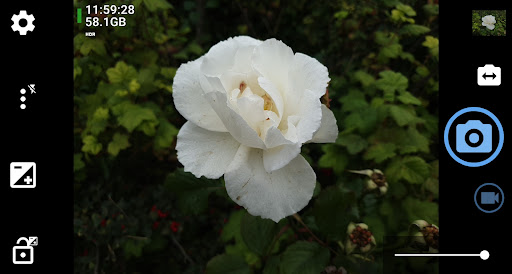
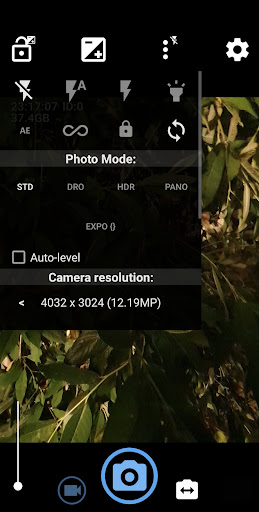
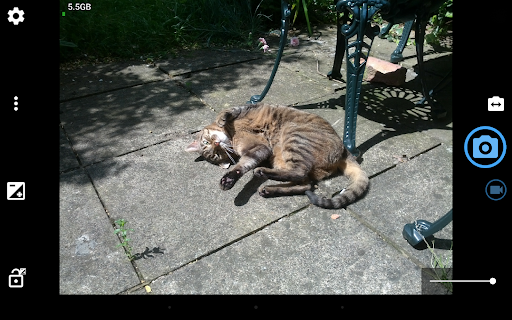
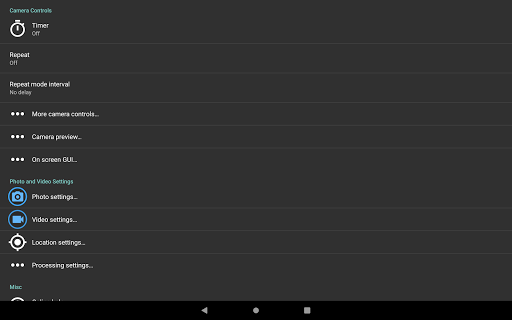
Open Camera is a free, open‑source photography app that exposes deep manual controls and pro tools on Android devices: manual exposure/ISO/white balance/focus (Camera2), RAW (DNG), HDR/DRO, exposure/focus bracketing, panorama, slow‑motion (where supported), high‑bitrate video, log profile, on‑screen histogram/zebras/focus peaking, grids/level, geotagging and time/date overlays, remote triggers (timer, voice, Bluetooth), and extensive UI/shortcut customization.
Verdict
Verdict: A powerful, ad‑free pro camera for Android tinkerers, but uneven across devices and less polished than OEM/computational alternatives.
Who is it for
Best for:
- Photographers who want manual controls, RAW, and flexible video bitrates
- Power users needing overlays, metadata stamps, and automation/remote triggers
- Anyone frustrated by limited OEM camera settings or defaults
Not ideal for:
- Point‑and‑shoot users seeking simple, highly automated results with no tuning
- People relying on proprietary computational features (Night/Portrait/AI enhancements)
- Devices with weak Camera2 support or users expecting guaranteed multi‑lens access
Real-world User Experience
Users like it:
Long‑time users praise the extensive manual control and configurability missing from many stock apps (exposure/ISO/WB, RAW+JPG, HDR/DRO, bitrate control), quick access to key settings from the main screen, useful overlays (level, grids, histogram), and practical features like timestamps, geotagging, silent shutter, and remote triggers; many report it revives or surpasses OEM camera quality, especially for work photos or when OEM apps lock resolution/compression.
Users complain about:
Steeper learning curve and dense settings; occasional device‑specific issues like freezes or delays when galleries are overloaded, inconsistent access to all camera lenses, and metering that can fluctuate without adjustment; a few want easier default gallery integration and finer UI niceties (e.g., auto‑level visuals, focus controls). Stability and feature availability depend on hardware/Android support.
Is it Worth Paying For?
It’s free, open source, and has no in‑app purchases; there are no third‑party ads in the app. Given its pro‑level toolkit, it offers exceptional value at zero cost.
How it Compares to Alternatives
Compared to stock Samsung/OnePlus cameras, Open Camera offers far more manual control, RAW, and bitrate tuning, though OEM apps are usually simpler and better integrated with multi‑lens and computational tricks. Versus Google Camera (GCam), it lacks Google’s proprietary HDR+/Night Sight/Portrait pipelines, but wins on manual/video control and customization. Against paid “pro” camera apps, Open Camera matches or exceeds features for free, though UI polish and device‑specific tuning can be rougher and performance varies with Camera2 support.
Summary
Open Camera is a feature‑rich, open‑source camera app that unlocks manual photography and video on Android. It covers everything from RAW capture, HDR/DRO, and focus/exposure bracketing to high‑bitrate and log‑profile video, with pro overlays and extensive customization. Reviews highlight how it overcomes OEM limits (resolution, compression, missing controls) and fits both creative and practical workflows (timestamps, geotagging, remote triggers). The trade‑offs are a busier UI, a learning curve, and uneven behavior across devices—especially where Camera2 or multi‑lens access is restricted. If you value control and flexibility over automated computational magic, it’s one of the best free options on Android.
Ratings
Trending APP












Alternative to this app










