
Copyright 2026 © swekartor. All Rights Reserved.










App Feature
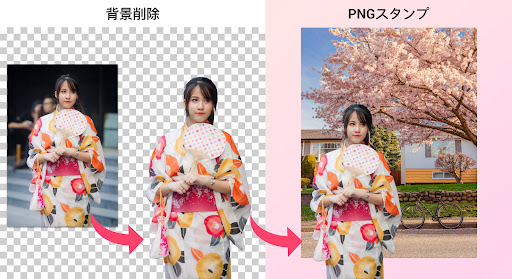
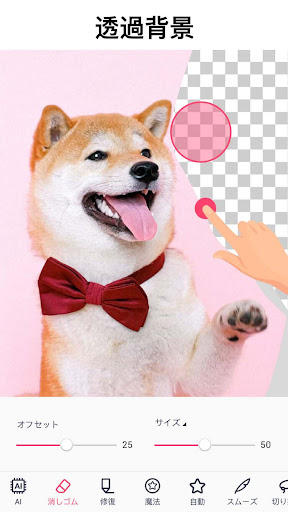
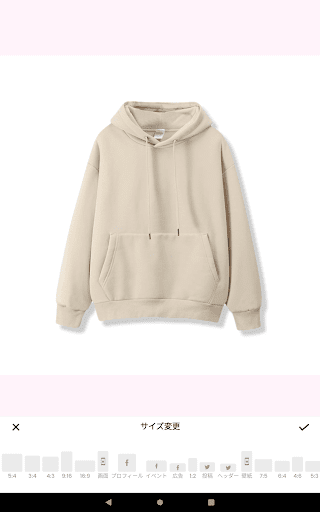
Background Eraser - Remove BG is a free, AI-powered background remover and photo editor that auto-detects subjects, creates transparent PNGs, swaps or generates backgrounds, and offers precise, quick, and manual cutout modes alongside shape cropping, AI expand, and basic editing tools.
Verdict
Verdict: A remarkably accurate, beginner-friendly background remover with generous free tools, best for fast cutouts and PNG exports with minimal fuss.
Who is it for
Best for:
- Creators needing quick transparent PNGs, thumbnails, stickers, or social posts
- Small businesses and hobbyists who want accurate auto cutouts without learning pro software
- Users who value simple controls with optional manual refinement
Not ideal for:
- Designers needing multi-layer workflows, drafts/versioning, and advanced alignment tools
- Those who want zero ads or fully offline, pro-grade retouching features
- Heavy compositors requiring unlimited items per project and detailed layout controls
Real-world User Experience
Users like it:
Highly accurate one-tap background removal (even hair/fur), intuitive UI with pinch-zoom and offset brush, clean edge handling, ability to combine images and add backgrounds, broad usefulness for social posts, D&D maps, stickers, and blog art, and ads that are generally unobtrusive in the free tier.
Users complain about:
No draft/project system to revisit edits, limits on number of items per canvas and lack of auto-align/level tools, occasional need for manual touch-ups, and ads that sometimes trigger on save (some users want fewer interruptions).
Is it Worth Paying For?
Yes for frequent editors: the free version is generous with minimal, mostly unobtrusive ads. The subscription (reported around $5.99/month or ~$8.99/year at the time of a user review) unlocks more features and removes ads, making it good value if you rely on it regularly; casual users can comfortably stay free.
How it Compares to Alternatives
Compared to PhotoRoom and Canva, this app is more focused on precise cutouts and transparent PNGs with fewer paywalls, though it lacks their rich template libraries and brand tools. Versus remove.bg, it offers on-device editing and compositing rather than batch web processing. Against Adobe Photoshop Express/Mix, it’s far simpler and faster for background removal, but misses pro-grade layer management and alignment features. Overall, it leads on speed + accuracy for basic to intermediate background tasks at a low cost.
Summary
Background Eraser - Remove BG delivers fast, accurate AI cutouts, transparent PNG exports, and handy extras like AI background generation, shape cropping, and AI expand in a streamlined package. It stands out for edge quality and ease of use, making complex backgrounds (hair, fur) manageable and letting users quickly composite with built-in or custom backgrounds. While the lack of drafts, limited item counts, and absence of alignment tools limit deeper workflows, the free tier is generous and ad impact is light for most tasks. If you primarily need reliable, quick background removal and simple edits without learning pro software—or paying premium prices—this is one of the best options on Android.
Ratings
Trending APP












Alternative to this app










