Copyright 2026 © swekartor. All Rights Reserved.



Information about Move to iOS
App Feature
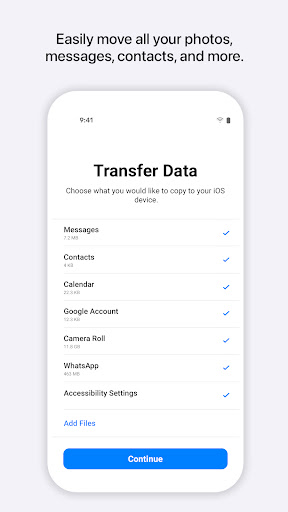
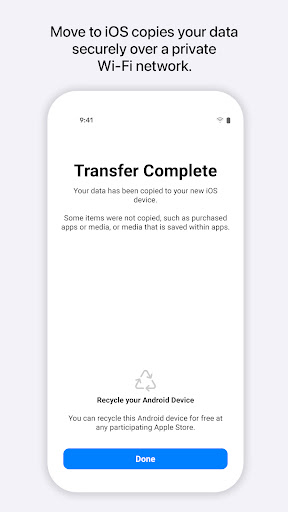
Move to iOS securely migrates data from Android to iPhone/iPad during initial setup, transferring contacts, messages (including MMS), call logs, calendars, mail accounts, photos/videos, voice memos, WhatsApp content, and select apps over a private local Wi‑Fi link with a simple code-based pairing.
Verdict
Verdict: A reliable, no-cost way to switch from Android to iOS if you follow setup directions and have patience for a sometimes lengthy transfer.
Who is it for
Best for:
- Android users moving to a new iPhone/iPad who want a free, first‑party transfer tool
- People needing SMS/MMS, contacts, photos, and WhatsApp chats moved in one go
- Users comfortable running the migration during iPhone’s initial setup
Not ideal for:
- Those expecting plug‑and‑play speed or perfect app/data parity without hiccups
- Users who already completed iPhone setup and prefer not to erase to retry
- People with very large local libraries who can’t keep devices awake and nearby
Real-world User Experience
Users like it:
Many report smooth, complete transfers (often in 20–60 minutes, sometimes longer), including large SMS/MMS histories and WhatsApp chats with media. Tips that improve success include keeping both phones plugged in and awake, staying near the router, turning off mobile data/using airplane mode on Android (while letting the app handle Wi‑Fi), and not interacting with the devices once the transfer starts. Users appreciate that it’s free, secure, and places content correctly on iOS.
Users complain about:
Some encounter dropped connections, frozen timers, or restarts—often if screens sleep or devices are used mid‑transfer. Big data sets can take hours and occasionally produce duplicates (e.g., photos). A few note that certain items (e.g., Notes or some apps/data) may not migrate and that it generally must be done during initial iPhone setup, requiring a reset if you already finished setup.
Is it Worth Paying For?
It’s free with no ads or IAP and is the official Apple solution; there’s nothing to pay for and no third‑party purchase is needed.
How it Compares to Alternatives
Compared to third‑party transfer tools (e.g., AnyTrans, MobileTrans) that charge for similar functionality, Move to iOS matches or exceeds core data coverage (including WhatsApp) at no cost and with better privacy assurances. It’s more relevant than Samsung Smart Switch (Android↔Samsung) or Google cloud backups when moving into Apple’s ecosystem, though it generally requires running during iPhone setup and may be less flexible than paid tools that offer post‑setup or selective transfers.
Summary
Move to iOS is Apple’s official, privacy‑minded bridge from Android to iPhone/iPad, handling most essentials—messages, call logs, contacts, calendar, mail, photos/videos, voice memos, and WhatsApp—over a direct, private Wi‑Fi link. Real‑world results are often excellent when you follow best practices: keep both devices plugged in and awake, stay near your router, disable mobile data on Android, and let the app manage the connection without touching either phone mid‑transfer. Expect anywhere from minutes to hours depending on data size, and know that certain categories or niche app data may not move perfectly. With over 100M installs, a 3.7 rating, and zero cost, it’s the first solution to try when switching—especially if you haven’t completed iPhone setup yet and want a secure, all‑in‑one migration.
Ratings
Trending APP



Alternative to this app