Copyright 2026 © swekartor. All Rights Reserved.



Information about Smart Home Manager
App Feature
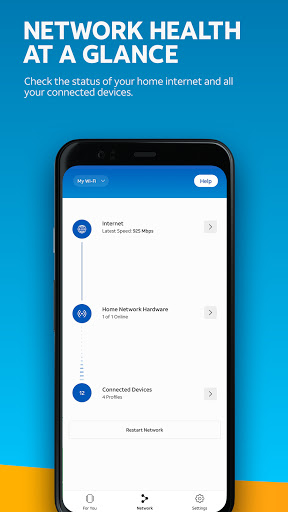
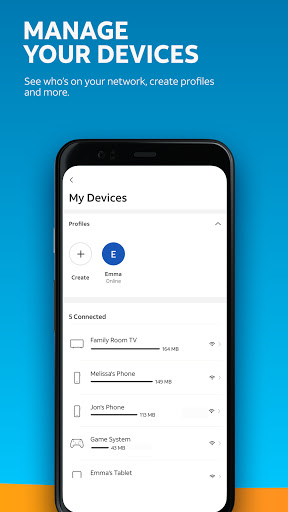
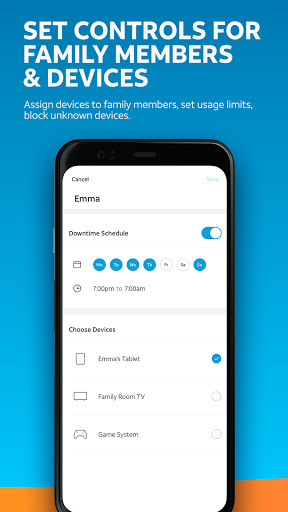
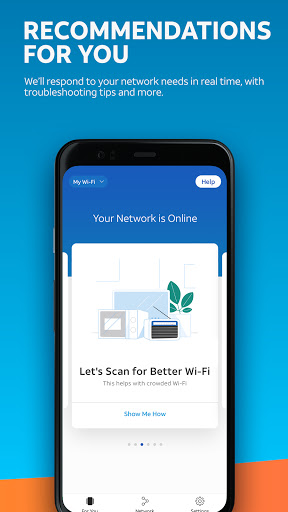
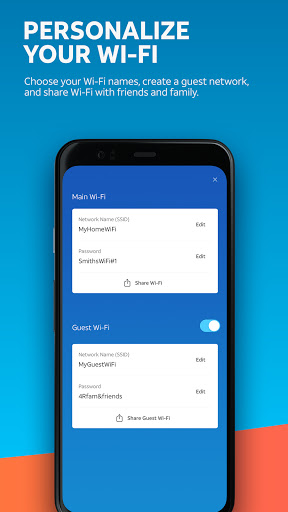
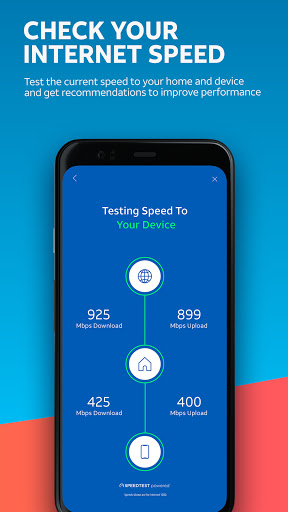
Smart Home Manager is AT&T’s companion app for managing your home Wi‑Fi. It guides self‑setup, shows connected devices, lets you rename devices, change SSID/password, run speed tests, pause internet per device, set parental controls/downtime schedules, check network health and outages, and restart the AT&T gateway — all in one interface (AT&T Internet with compatible gateway required).
Verdict
Verdict: A strong, free Wi‑Fi management app for AT&T customers, but too limited if you want advanced router controls or true cross‑brand smart‑home automation.
Who is it for
Best for:
- AT&T Internet customers who want simple, centralized Wi‑Fi management
- Households that need parental controls, device pausing, and easy SSID/password changes
- Users who value outage visibility and self‑service troubleshooting without phone support
Not ideal for:
- Non‑AT&T users or those without a compatible AT&T gateway
- Power users needing granular router features or custom firmware
- People expecting full smart‑device automation (lights/locks/thermostats) across different brands
Real-world User Experience
Users like it:
Clear self‑help tools (virtual assistant, guided troubleshooting), reliable speed tests, easy SSID/password updates, and visibility into all connected devices. Users appreciate quick outage info and the ability to pause devices or set downtime schedules, with several noting smooth navigation and accurate device lists. Positive experiences include efficient problem resolution and even hardware replacements coordinated after app‑guided diagnostics.
Users complain about:
Occasional reliability issues (showing network offline, inconsistent device load), especially with certain setups like Internet Air. Device identification can be confusing (cryptic names/IPs). Parental pause timing parameters can be finicky, and live chat can disconnect if inactive. Some find the support primarily virtual, with limited direct human assistance.
Is it Worth Paying For?
The app is free with no ads or in‑app purchases. For eligible AT&T Internet customers, it delivers strong value at no cost; there’s nothing to buy, and its features replace many support calls.
How it Compares to Alternatives
Compared to Google Home, Eero, Xfinity xFi, or Plume, Smart Home Manager offers a similar core set of consumer features (device list, pausing, parental controls, speed tests) but is tightly integrated with AT&T’s gateway and outage/support systems. It lacks the cross‑ecosystem smart‑home device control and broader automation that dedicated smart‑home hubs provide. Versus mesh‑focused apps (Eero/Plume), it’s less about optimizing multi‑node mesh and more about AT&T account/gateway management.
Summary
Smart Home Manager focuses on making AT&T home Wi‑Fi simple: set up your gateway, rename devices, change Wi‑Fi credentials, pause access for kids, check speeds, and get proactive outage/health alerts—all from a clean, centralized app. User feedback highlights dependable self‑service tools and transparent outage tracking, though some experience hiccups with certain hardware (e.g., Internet Air), imperfect device naming, and a chat system that can time out. It’s an excellent, no‑cost companion if you’re on AT&T Internet and want practical control of your home network without logging into a router UI, but it’s not a replacement for advanced router administration or a full smart‑home automation hub.
Ratings
Trending APP












Alternative to this app