
Copyright 2026 © swekartor. All Rights Reserved.



Information about Cleaner Toolbox
App Feature
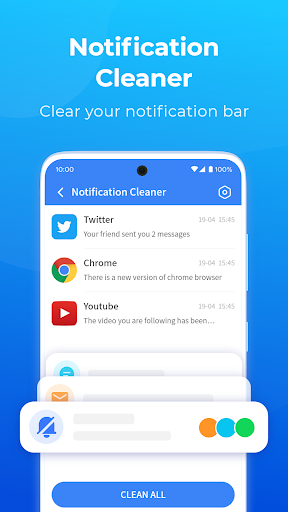
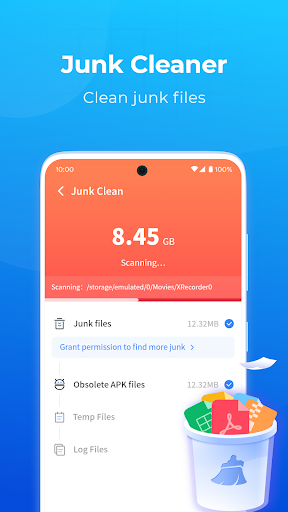
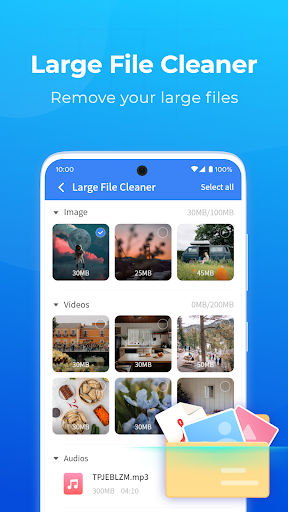
Cleaner Toolbox is a free Android utility for decluttering and optimizing phones: it clears cache and residual junk, shows battery info, lets you uninstall unused apps, and surfaces/background processes to close for smoother performance.
Verdict
Verdict: A capable, no-cost cleaner that boosts day-to-day performance, but ad interruptions and occasional prompts may frustrate power users.
Who is it for
Best for:
- Users who want a simple, all-in-one cleaner without sign-ups or payments
- Older/entry-level devices needing quick cache and junk removal
- Non-technical users who prefer guided suggestions for apps/processes to close
Not ideal for:
- Users who dislike ads or pop-up prompts during use
- Power users seeking deep system tools, automation, or granular cleanup rules
- Privacy-focused users who prefer fully offline, open-source, or ad-free utilities
Real-world User Experience
Users like it:
Smooths sluggish phones, frees storage quickly, and stays straightforward to use—many praise the all-in-one approach, minimal setup, no banking info required, and effective junk detection. Several report noticeable speed gains, fewer app issues, and easy navigation suited to less tech-savvy users.
Users complain about:
Ad frequency can be intrusive for some, with pop-ups appearing at inconvenient times and occasional prompts to try other apps/services. A few note over-eager notifications, confusion about 'harmful sites' alerts, and isolated quirks (e.g., conflicts with VPN settings).
Is it Worth Paying For?
There is no paid plan or IAP—it's free with ads. If you can tolerate occasional ads, the value is strong; there’s no upgrade path to remove ads.
How it Compares to Alternatives
Compared to Files by Google, Cleaner Toolbox offers process/background management and battery info but has more ads and fewer safety cues; Files is ad-free and trusted for storage cleanup. Versus CCleaner or Avast-style cleaners, it’s simpler, free, and lighter but lacks advanced scheduling, health dashboards, or premium privacy features. Power users seeking deeper controls may prefer SD Maid (more granular cleanup and rules, with a learning curve and usually a paid Pro).
Summary
Cleaner Toolbox focuses on quick, practical wins: clearing cache/residual files, guiding you to remove unused apps, and managing background processes to reclaim speed and storage. With 10M+ installs and a 4.4 rating, it resonates with users who want simple, effective cleanup without subscriptions. Expect ads and occasional prompts, and don’t rely on it for deep system tuning or advanced privacy tools. For everyday tidying on a budget—especially on older or cramped devices—it’s a handy, no-cost option; if you need ad-free, privacy-first, or expert-level controls, alternatives like Files by Google or SD Maid may fit better.
Ratings
Trending APP










Alternative to this app










