
Copyright 2026 © swekartor. All Rights Reserved.



Information about Email - Fast & Secure Mail




App Feature
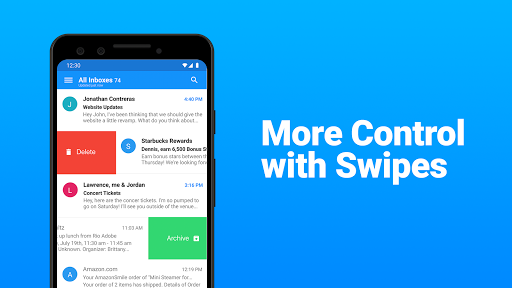
Email - Fast & Secure Mail (Edison Mail) is a fast, unified email client that connects unlimited accounts (Gmail, Outlook/Office 365, Yahoo, iCloud, IMAP/Exchange) and helps you quickly triage with a focused inbox, powerful search, one‑tap unsubscribe, sender blocking, customizable swipes, templates, and bulk cleanup tools—delivering a secure, ad‑free, streamlined inbox.
Verdict
Verdict: A polished, speedy unified email app that excels at spam control and inbox cleanup, though premium extras may feel pricey for casual users.
Who is it for
Best for:
- People managing multiple email accounts who want a unified, fast inbox
- Users frustrated by spam/newsletters who want easy unsubscribe and blocking
- Anyone seeking an ad‑free, customizable email client with reliable syncing
Not ideal for:
- Users who need advanced premium features but dislike subscriptions
- Those requiring strict app‑level PIN/biometric lock or cross‑device settings sync
- Power users needing deep enterprise features beyond standard IMAP/Exchange
Real-world User Experience
Users like it:
Consistently praised for speed, reliability, and a clean interface; unified inbox across accounts works smoothly; spam handling, one‑tap unsubscribe, and sender blocking dramatically reduce junk; easy bulk delete and folder management; no ads; solid widgets and a capable rich editor.
Users complain about:
Some features sit behind a subscription (e.g., detailed read receipts), and pricing feels high to a few; requests for app‑level PIN/biometrics and better cross‑device sync of accounts/settings; occasional wishes for larger text size options, auto‑empty trash, or faster multi‑select (drag‑select).
Is it Worth Paying For?
The free version is excellent for most, offering speed, unified inbox, spam controls, bulk actions, and no ads. The paid tier (Edison Mail+) adds security and advanced features like enhanced anti‑phishing and read‑receipt insights, but several users view the subscription as expensive—worth it only if you specifically need those extras.
How it Compares to Alternatives
Compared to Gmail, Edison offers easier bulk cleanup, stronger unsubscribe/blocking, and no in‑app ads; versus Outlook, users report better stability, speed, and fewer glitches; it’s generally preferred over BlueMail for spam control and interface simplicity, and more polished than K‑9 for everyday users. It focuses on fast triage and privacy‑minded inbox control rather than heavy enterprise tooling.
Summary
Edison Mail delivers a fast, unified, and ad‑free inbox that genuinely cuts through clutter with powerful search, one‑tap unsubscribe, and robust sender blocking. Setup is straightforward across Gmail, Outlook/365, Yahoo, iCloud, and IMAP/Exchange, and the app’s customization, widgets, and rich editor make daily use pleasant. Real‑world users highlight dramatic spam reductions, reliable performance, and easy bulk actions; common requests include optional app‑level PIN/biometric lock, better cross‑device settings sync, and more granular text sizing. The free version covers most needs, while the subscription targets users who want enhanced security and analytics. If you’re juggling multiple accounts or battling newsletter overload, this is one of the best, most reliable Android email clients available.
Ratings
Trending APP












Alternative to this app









