
Copyright 2026 © swekartor. All Rights Reserved.



Information about Gamu: Retro Game Hub
App Feature
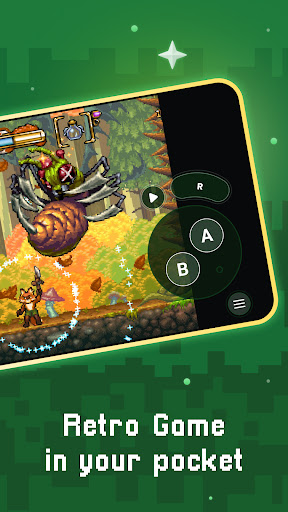
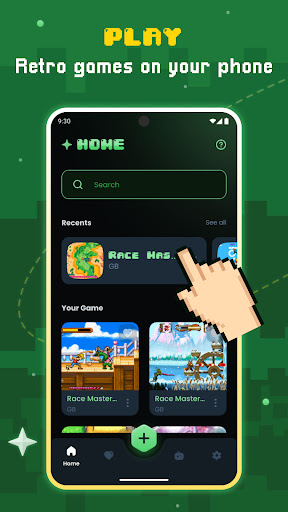
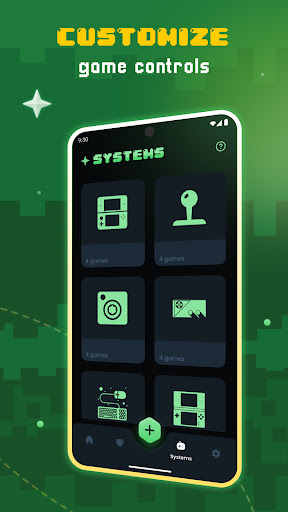
Gamu: Retro Game Hub is a free, open‑source, Libretro-based emulator frontend that unifies multiple classic console systems (e.g., NES, SNES, Genesis) under one app. It offers customizable virtual controls, save states and quick slots, cheat code support, controller/gamepad compatibility, visual filters (CRT/LCD), fast‑forward, cloud save sync, game file scanning/cataloging, compressed ROM support, and local multiplayer.
Verdict
Verdict: A polished, beginner‑friendly multi‑system emulator hub with strong customization, tempered by ads and setup requirements.
Who is it for
Best for:
- Players seeking an all‑in‑one retro hub with easy setup and virtual controller customization
- Users who value save states, cheats, visual filters, and controller support
- Anyone wanting cross‑device continuity via cloud saves and local multiplayer on Android
Not ideal for:
- People expecting built‑in games (you must supply legally acquired ROMs)
- Users who want an ad‑free experience or ultra‑granular per‑core tuning without tweaks
- Those targeting cutting‑edge systems on low‑end hardware (performance varies by device)
Real-world User Experience
Users like it:
Smooth multi‑console emulation; easy to use; customizable touch controls; reliable save/load; good controller support; works well once set up; nostalgic experience with a wide game range; helpful for titles that otherwise aren’t playable on mobile.
Users complain about:
Ads can be frequent; initial setup and file extraction can confuse newcomers; some users expect preloaded games; requests for clearer guides/optimization settings for low‑end devices; occasional refund/value gripes after switching to real hardware.
Is it Worth Paying For?
The core app is free and ad‑supported with optional IAP. Given the robust feature set (save states, filters, controller support, cloud sync), it delivers strong value at no cost. Paying (if IAPs offer ad removal or extras) is worth it if you want an ad‑free experience and use it regularly; otherwise, the free tier suffices.
How it Compares to Alternatives
Compared to RetroArch (also Libretro), Gamu leans more plug‑and‑play with friendlier defaults and touch control customization, while RetroArch offers deeper per‑core configuration and a larger ecosystem for power users. Versus single‑system emulators like PPSSPP or Dolphin, Gamu trades peak performance/tuning for breadth and convenience. If you need one app for many classic consoles with minimal fuss, Gamu is compelling; if you want maximum control for a specific console, a dedicated emulator may be better.
Summary
Gamu: Retro Game Hub consolidates multiple classic systems into a clean, capable Android emulator experience. Backed by Libretro, it delivers essentials like customizable virtual controls, quick save/load, cheat support, filters, gamepad compatibility, fast‑forward, and cloud sync, plus extras like ROM scanning and local multiplayer. User feedback highlights smooth performance and ease of use once configured, though ads and the initial setup curve can frustrate some. It does not include games—you must provide your own legally obtained ROMs—and performance depends on your device. For most retro fans who want a straightforward, feature‑rich, multi‑system solution, Gamu is an excellent pick; power users seeking exhaustive per‑core tuning or a strictly ad‑free environment may prefer alternatives.


Ratings
Trending APP












Alternative to this app









