
Copyright 2026 © swekartor. All Rights Reserved.



Information about Health Connect (Beta)
App Feature
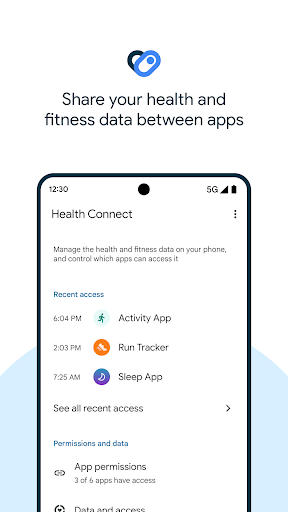
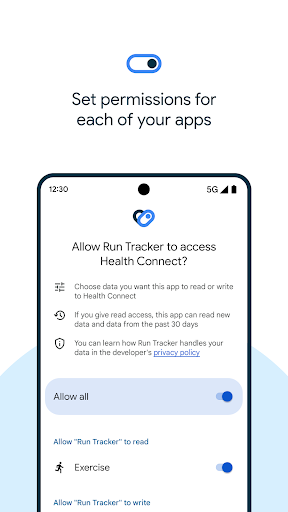
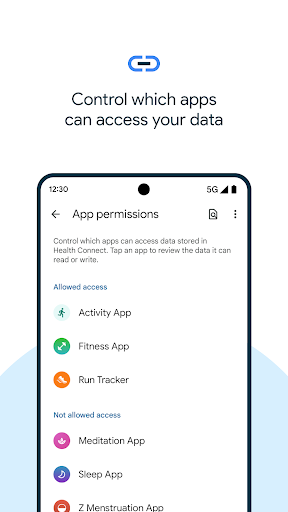
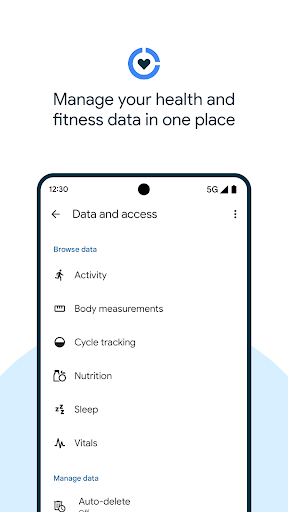
Health Connect (Beta) is a system-level hub that securely stores health and fitness data on-device and lets supported apps (e.g., Fitbit, Google Fit, Strava, Withings, MyFitnessPal) read/write selected data types you approve. It centralizes permissions, keeps data offline on your phone, and acts as a bridge so your apps can share steps, sleep, weight, nutrition, and other metrics without needing separate one-off integrations.
Verdict
Verdict: A useful privacy-conscious data bridge if you want your health apps to sync, but not a tracker or dashboard and can be finicky with sync timing.
Who is it for
Best for:
- People using multiple health/fitness apps who need data to sync between them
- Users who value centralized, granular privacy controls and on-device storage
- Anyone treating Google Fit or another app as a central hub, with others feeding it
Not ideal for:
- Users expecting a standalone health app with charts, coaching, or community
- Those wanting instant, always-on bi-directional sync without delays or hiccups
- People who prefer a single-vendor ecosystem (e.g., only Fitbit or only Samsung Health)
Real-world User Experience
Users like it:
Clear purpose as a background connector; once configured, it successfully bridges data among apps (e.g., Fitbit/Withings → Google Fit → other apps). Users appreciate the centralized permissions, on-device storage, and the ability to avoid vendor lock-in by letting different ecosystems talk to each other.
Users complain about:
Frequent confusion that it lacks an interface or visible app icon; inconsistent or delayed syncing (especially steps after large bursts), occasional failures for specific metrics (e.g., weight, water goals), and variable reliability across different app pairs. Some expect it to display data or act like a tracker, leading to mismatched expectations.
Is it Worth Paying For?
It’s free with no ads or in-app purchases. There’s nothing to pay for, and its value comes from enabling cross-app data sharing at no cost.
How it Compares to Alternatives
Unlike full health apps (Google Fit, Samsung Health, Fitbit), Health Connect is middleware: it doesn’t visualize or coach— it just brokers data with tighter, centralized permissions. Compared to third‑party sync utilities, it’s native, free, and privacy-forward, but real-world reliability can vary by app, and some third‑party tools may offer more granular or faster vendor-specific sync in certain scenarios.
Summary
Health Connect (Beta) is best understood as Android’s privacy-centered spine for health data: it lives in Settings, not your app drawer, and coordinates which apps can read or write specific health metrics stored on your device. When it works, it unlocks scenarios that used to be painful—like syncing steps, sleep, and weight across Fitbit, Google Fit, MyFitnessPal, and others—while giving you simple, centralized control over permissions. However, it’s not a data dashboard and can feel invisible by design, which leads to confusion. Users also report occasional sync delays and metric-specific hiccups (e.g., weight, water goals, or burst-step days). If you need your apps to share data and want to keep control of what’s shared, it’s a valuable, free backbone—but don’t expect instant mirroring or a glossy UI.
Ratings
Trending APP









Alternative to this app























