
Copyright 2026 © swekartor. All Rights Reserved.



Information about Milanote
App Feature
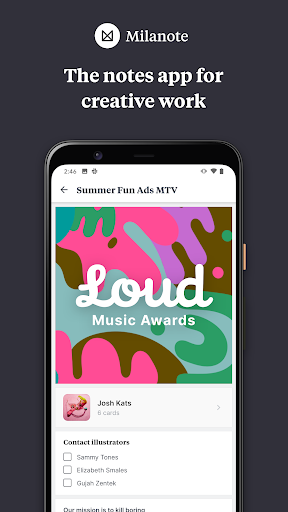
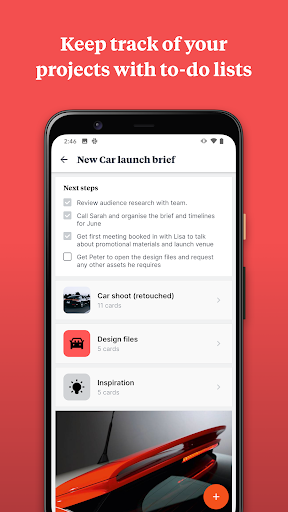
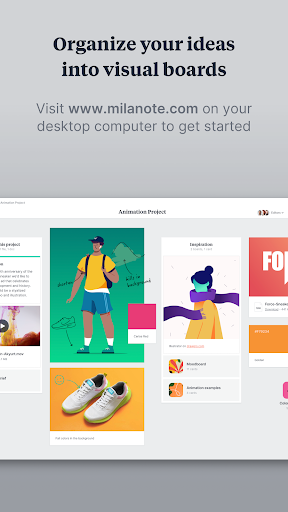
Milanote is a visually oriented note-taking and project organization app for creatives. It lets you capture notes, images, videos, sketches, and files; arrange them on flexible boards with drag-and-drop and templates; and collaborate in real time with teammates across devices.
Verdict
Verdict: A powerful visual workspace best used on desktop, with a mobile app focused on quick capture rather than full editing.
Who is it for
Best for:
- Designers, writers, and creative teams who think visually
- Users who capture ideas on mobile and organize deeply on desktop
- Teams needing simple, shareable moodboards and project hubs
Not ideal for:
- Users who need full-featured board creation and layout tools on mobile
- Those wanting traditional, text-first note apps with databases and heavy structure
- People who require offline-heavy workflows or advanced mobile diagramming
Real-world User Experience
Users like it:
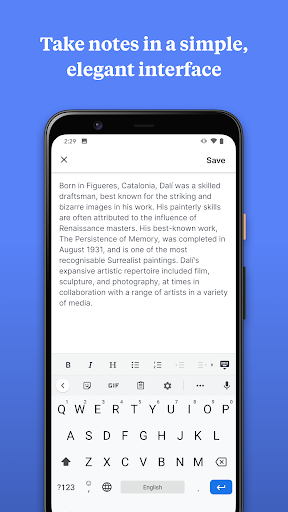
Quick, distraction-free capture on mobile and a robust, highly visual desktop experience for organizing boards later; smooth syncing and collaboration features.
Users complain about:
Limited ability to create or extensively edit boards on mobile (e.g., adding arrows/boards), and a desire for faster sketch/drawing capture directly as quick notes.
Is it Worth Paying For?
The app is free with no ads or in-app purchases, so there’s no cost barrier—it's worth trying, especially if you plan to do most organizing on desktop.
How it Compares to Alternatives
Compared to Notion and Evernote, Milanote emphasizes freeform visual boards over databases or long-form notes; versus Trello, it favors moodboards and creative mapping over strict Kanban; next to Miro, it’s more of a creative scrapbook/project hub than a full whiteboard. Its desktop app is a standout, while rivals generally offer more capable mobile editing.
Summary
Milanote brings creative projects together in flexible, visual boards where notes, images, links, and files live side by side. The Android app shines as a quick-capture companion—great for saving ideas and media on the go—while the deeper organization, layout, and collaboration are best done on desktop. If your workflow fits that split, it’s a compelling, free option. If you need full-featured board creation, diagramming, or heavy editing on mobile, alternatives like Notion, Miro, or Trello may suit you better.
Ratings
Trending APP












Alternative to this app









