
Copyright 2026 © swekartor. All Rights Reserved.



Information about MX Player
App Feature
MX Player is a powerful Android video and music player focused on smooth local playback with advanced hardware acceleration (HW/HW+), multi‑core decoding, rich subtitle support and gestures, plus extras like a Privacy Folder, Kids Lock, AI subtitle translation, pinch‑to‑zoom, and basic clip/screenshot tools. It also offers an ad‑supported streaming catalog in many regions.
Verdict
Verdict: A feature‑packed, high‑performance Android media player that excels at local playback, but frequent ads and limited codec support may frustrate some users.
Who is it for
Best for:
- Users who prioritize smooth local video playback with robust subtitle support and gesture controls
- Viewers who want free, ad‑supported streaming of shows, dramas, and anime
- People needing privacy features (locked folders) or a kid‑safe viewing mode
Not ideal for:
- Audiophiles or power users who need EAC3/DTS decoding out of the box
- Anyone who dislikes frequent or stacked ads in free apps
- Users who want advanced library management or extensive casting/server features
Real-world User Experience
Users like it:
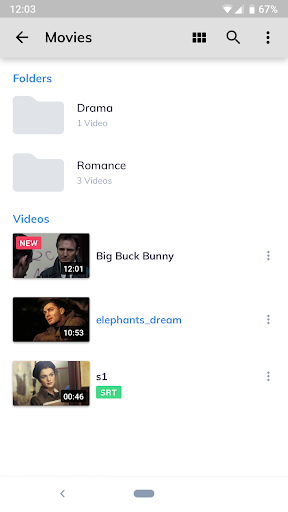
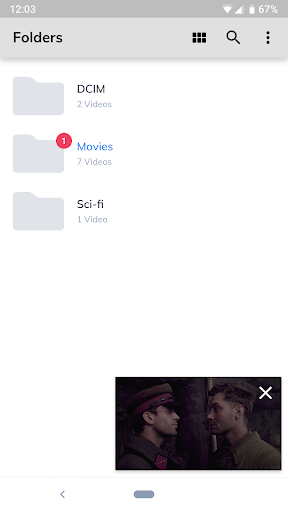
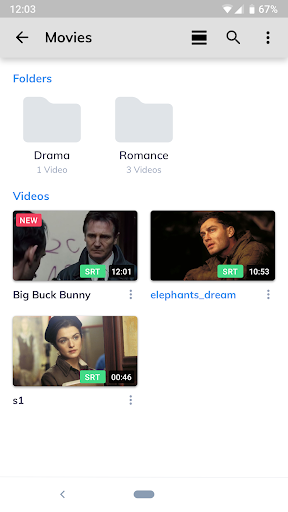
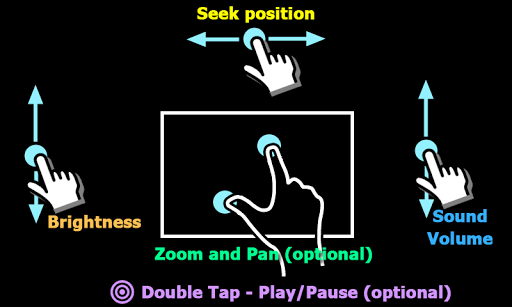
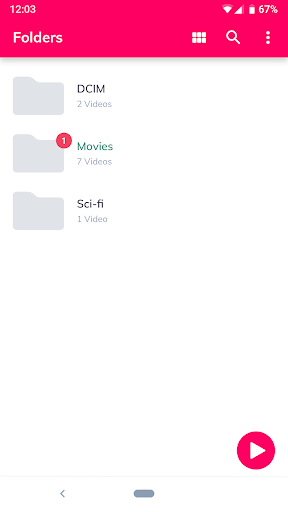
Consistently praised for smooth playback across many formats, excellent subtitle handling, intuitive gesture controls (volume/brightness/seek, pinch‑to‑zoom), and a large library of free streamed content. Many highlight its reliability over years, simple UI, folder management tools, Kids Lock, and offline downloads for streaming.
Users complain about:
The most common complaint is heavy, repetitive ads in the free tier (sometimes multiple back‑to‑back). A few users report occasional playback glitches after updates (seek/jump issues, unexpected stops) and changes to folder grouping. Some request more language dubs/subs and note missing codecs like EAC3/DTS.
Is it Worth Paying For?
The app is free with ads and offers IAP (typically to remove ads/unlock extras). If you watch frequently or are bothered by stacked ads, the ad‑free upgrade delivers meaningful quality‑of‑life improvements; otherwise the free version is highly capable for casual use.
How it Compares to Alternatives
Versus VLC: VLC offers broader built‑in codec support (including many audio codecs) and strong network/stream casting, but MX often feels smoother on Android with better gestures and subtitles. Versus KMPlayer/XPlayer: MX is more polished, with superior gesture design and Kids Lock/Privacy Folder, though some rivals include EAC3/DTS or fewer ads. For OTT streaming, MX’s free catalog is a differentiator, but it comes with heavier ad load compared to pure local players.
Summary
MX Player blends a class‑leading local media player with an ad‑supported streaming catalog. On the player side, HW/HW+ acceleration, multi‑core decoding, precise gesture controls, and excellent subtitle support make it a top choice for Android. Privacy Folder and Kids Lock add practical value, and the AI subtitle translator helps with foreign content. Trade‑offs include frequent ads in the free tier, occasional post‑update quirks, and missing EAC3/DTS without workarounds. If smooth playback and robust subtitle features are your priorities—and you can tolerate or pay to remove ads—MX Player remains one of the best, most versatile options on Android.


Ratings
Trending APP




Alternative to this app









