
Copyright 2026 © swekartor. All Rights Reserved.



Information about Google TV
App Feature
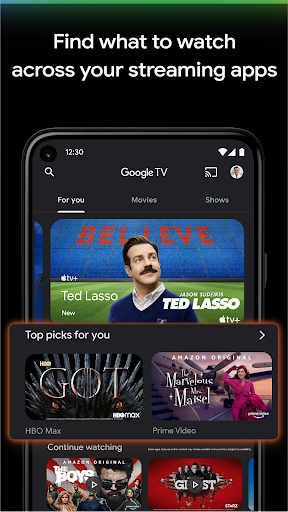
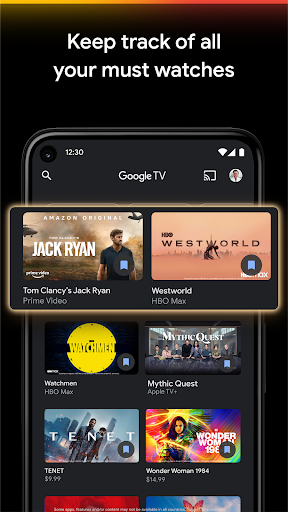
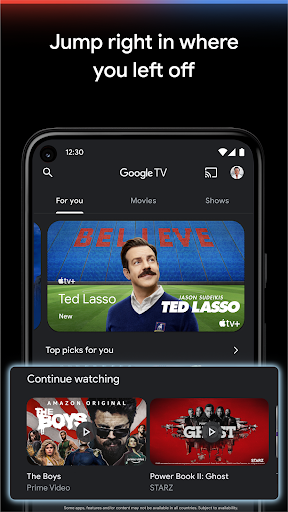
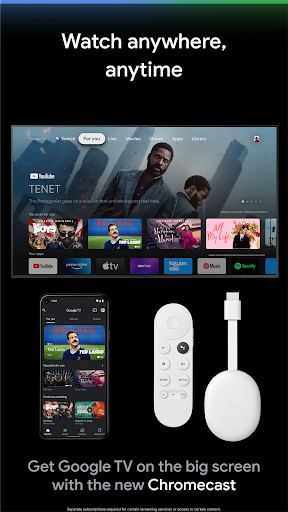
Google TV centralizes discovery, purchase/rental, and playback across 700,000+ movies and TV episodes, unifying search across streaming services, maintaining a cross‑device Watchlist and Library (with offline downloads), and doubling as a remote and keyboard for Google TV/Android TV devices.
Verdict
Verdict: A powerful, all‑in‑one hub for finding, buying, and controlling TV content—best within the Google/Android TV ecosystem, but uneven reliability and limited device reach may frustrate some users.
Who is it for
Best for:
- Viewers who want unified search, recommendations, and a single Watchlist across services
- Android/Google TV households that can use the built‑in remote and Chromecast integration
- People who prefer pay‑as‑you‑go rentals/purchases with offline downloads
Not ideal for:
- Users on Roku, game consoles, or non‑Android smart TVs seeking a native app
- Anyone wanting only free streaming without rentals/purchases or region‑restricted catalogs
- Shoppers who need perfect parity/sync with every third‑party store (e.g., Vudu gaps)
Real-world User Experience
Users like it:
Simple, consistent UI across devices; robust cross‑service search/guide; strong personalized recommendations; convenient Watchlist and Library; reliable offline downloads for owned content; crisp HD playback; seamless Chromecast and Android TV remote/keyboard functionality.
Users complain about:
Occasional playback crashes or errors (even on downloaded titles); sporadic download status bugs (notably reported after Android 11); audio cutouts on certain TVs (e.g., some Samsung sets); frequent remote pairing prompts; limited availability on non‑Google platforms (e.g., Roku, consoles); some titles unavailable or only wishlistable; imperfect syncing with external libraries (e.g., Vudu/Movies Anywhere gaps).
Is it Worth Paying For?
The app itself is free; value comes from à‑la‑carte rentals and purchases. If you like owning/renting movies with offline access and using a single hub to find where to watch, the spend can be worth it. Pure subscription viewers who never rent/buy may find less value beyond discovery.
How it Compares to Alternatives
Compared to discovery apps like JustWatch, Google TV adds a native store, offline library, and an Android TV remote, making it more useful for Google/Android users. Versus Amazon Prime Video or Apple TV app, Google TV excels at cross‑app aggregation without locking you to a single service, but it lags in device coverage outside Android/Chromecast and can have reliability quirks on certain hardware.
Summary
Google TV brings together discovery, purchases, rentals, and control in a single, clean interface. It shines at universal search across services, smart recommendations, and a Watchlist/Library that travels with you—plus offline viewing and a handy phone‑as‑remote for Google/Android TV devices. Real‑world feedback praises its ease of use and breadth of content while noting intermittent playback/download bugs, device‑specific audio issues, and limitations on non‑Google platforms. If you live in the Android/Google TV world and occasionally buy or rent movies, it’s a compelling hub; if you rely on other ecosystems or want only free, subscription‑based viewing, you may prefer a different aggregator.
Ratings
Trending APP



Alternative to this app






















