Copyright 2026 © swekartor. All Rights Reserved.


Information about Office Word Reader: PDF, DOCX
App Feature
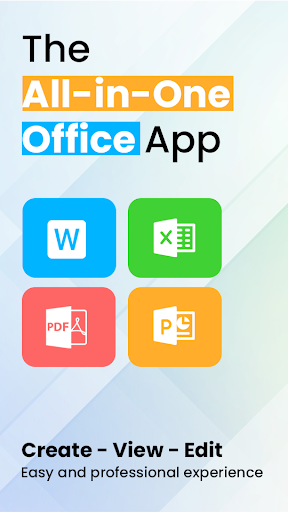
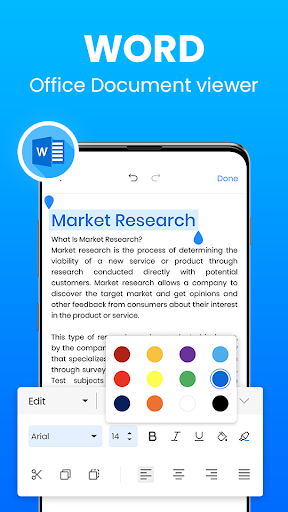
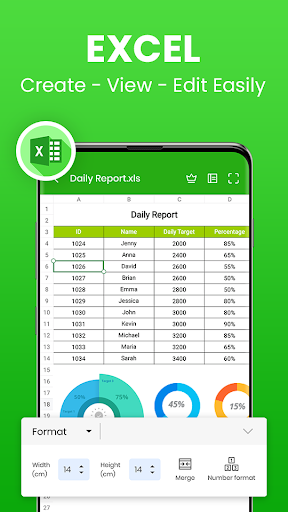
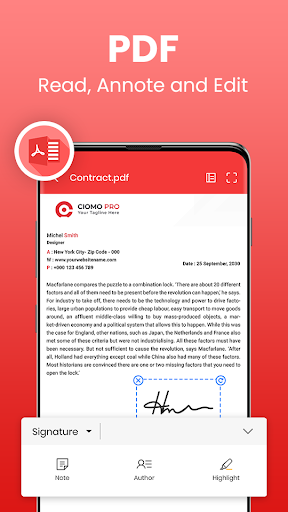
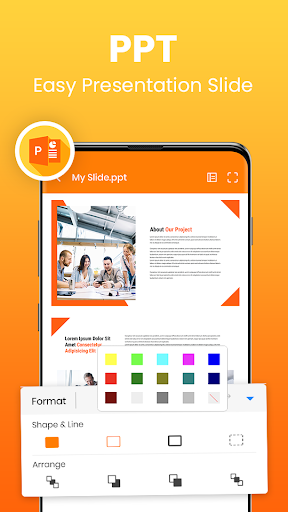
All‑in‑one mobile office suite to view, create, and edit Word (DOC/DOCX/DOCS), PDF, Excel (XLS/XLSX), and PowerPoint (PPT/PPTX) files. Includes PDF annotation, basic editing tools (formatting, comments, track changes, spell check), document scanning with OCR, e‑signature, file search, and broad format support (TXT, ODT, HWP, ZIP). Designed for quick, offline‑capable document work in a clean, phone‑friendly interface.
Verdict
Verdict: A capable free all‑in‑one document editor/reader for on‑the‑go work, best if you can tolerate ads and occasional quirks.
Who is it for
Best for:
- Students and professionals needing a free, mobile DOCX/PDF/XLSX editor
- Users who want scanning + OCR and basic PDF markup in one app
- Anyone seeking an offline‑friendly document reader with broad format support
Not ideal for:
- Ad‑averse users or those needing uninterrupted, premium workflows
- Power users who require desktop‑grade formatting fidelity and advanced collaboration
- Teams standardized on Microsoft 365 or Google Workspace real‑time coauthoring
Real-world User Experience
Users like it:
Consistently praised as a reliable MS Office alternative that opens and edits most files smoothly, even in emergencies when a laptop isn’t available. Users highlight ease of use, good template availability, Times New Roman support, quick access to saved files, and the ability to create Word, Excel, PowerPoint, and PDFs in one place. Many report it’s fully functional for everyday tasks without a paid upgrade.
Users complain about:
Frequent ads, including needing to watch an ad before editing for some users; occasional text handling glitches (e.g., pasted content merging words); limited multi‑select when sharing; and a few strongly negative experiences citing instability or dissatisfaction.
Is it Worth Paying For?
The core app is free with ads and offers in‑app purchases (likely to remove ads or unlock extras). For light to moderate use, the free tier delivers strong value. If the pre‑edit ads or frequent interruptions slow your workflow, paying to remove ads can be worthwhile; otherwise, many users report no need to upgrade.
How it Compares to Alternatives
Compared to Microsoft Office/365, it’s lighter, ad‑supported, and cheaper but lacks the deep formatting fidelity, enterprise features, and robust real‑time coauthoring. Versus Google Docs/Sheets, it works better offline and with native Office formats but doesn’t match Google’s seamless cloud collaboration. Against WPS Office, it’s similar in being an all‑in‑one suite with ads; preference may come down to UI, ad frequency, and specific editing polish. For PDF editing, it’s convenient but not as specialized as dedicated PDF editors.
Summary
Office Word Reader: PDF, DOCX bundles document viewing, editing, scanning, and PDF markup into a single, mobile‑first app that covers everyday Word, Excel, PowerPoint, and PDF tasks. Its wide format support, OCR scanner, and offline editing make it a practical choice for students and professionals who need quick fixes or full document creation on the go. The trade‑offs are an ad‑heavy experience, occasional text‑pasting quirks, and collaboration that isn’t as mature as Microsoft 365 or Google Workspace. With a 4.7‑ish rating and 50M+ installs, it’s a credible, free alternative that’s easy to recommend if you can live with ads—and a reasonable upgrade if removing them saves you time.
Ratings
Trending APP












Alternative to this app