
Copyright 2026 © swekartor. All Rights Reserved.



Information about PdaNet+
App Feature
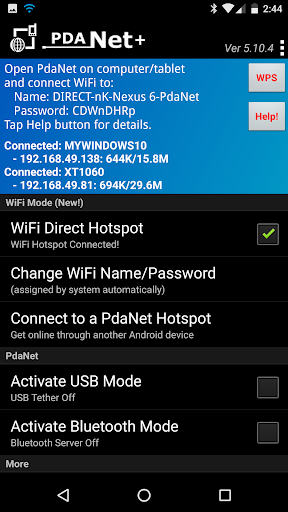
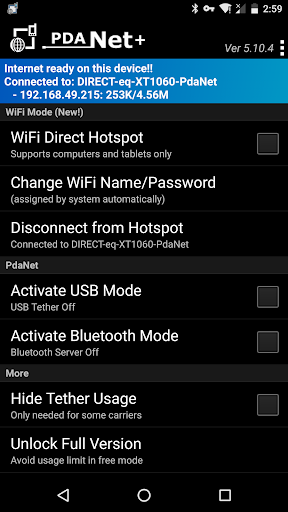
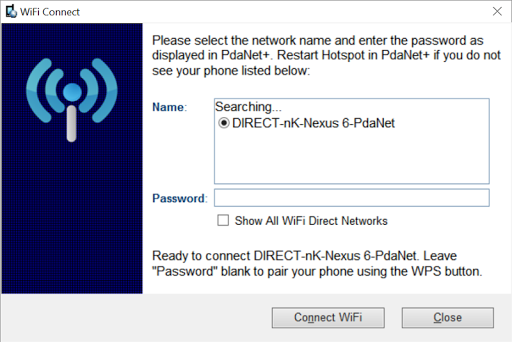
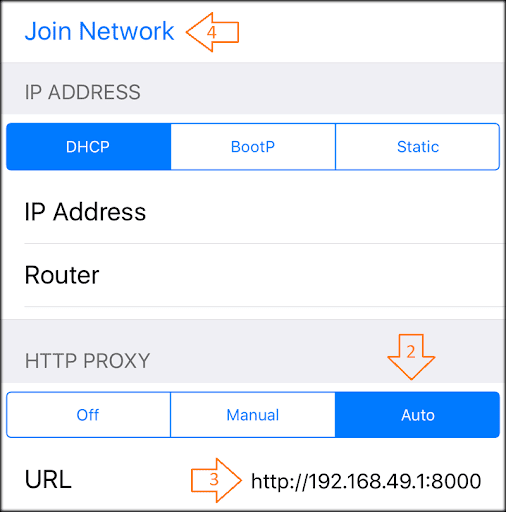
PdaNet+ lets you share your phone’s mobile data with computers and tablets without root, offering USB, Bluetooth, and a Wi‑Fi Direct Hotspot mode (with companion client/proxy) as alternatives to a standard mobile hotspot; it focuses on stable, private connections and works across most Android devices with Windows/Mac support.
Verdict
Verdict: A capable tethering workaround for many phones and plans, but not a universal hotspot replacement.
Who is it for
Best for:
- Users whose carriers block or meter native hotspot and need a workaround
- Windows/Mac users comfortable installing a companion client or setting a proxy
Not ideal for:
- Users wanting a normal, one‑tap Wi‑Fi hotspot for any device (TVs/consoles)
- Phones on carriers/devices known to restrict non‑native tethering features
Real-world User Experience
Users like it:
Long‑time users praise reliability, one‑time setup across multiple devices, and noticeably faster, stable tethering versus their phone’s own browsing experience.
Users complain about:
From the listing: results vary by device/carrier, Wi‑Fi Direct needs a client/proxy and doesn’t target game/TV devices; some models (e.g., certain ZTE/Alcatel) have USB limitations.
Is it Worth Paying For?
Free with no in‑app purchases per listing, so there’s no monetary risk; worth trying if your native hotspot is blocked or heavily metered.
How it Compares to Alternatives
Compared to native hotspots, PdaNet+ can bypass some carrier hotspot blocks but requires a companion app/proxy and isn’t universal. Versus FoxFi, PdaNet+ favors Wi‑Fi Direct and USB where FoxFi’s classic hotspot has faded on newer phones. Against alternatives like EasyTether, PdaNet+ offers multiple modes (USB/Bluetooth/Wi‑Fi Direct) and broad Windows support, trading plug‑and‑play simplicity for compatibility workarounds.
Summary
PdaNet+ is a veteran tethering solution aimed at users whose carriers block or meter native hotspot usage. It provides USB, Bluetooth, and Wi‑Fi Direct Hotspot modes to get laptops (and some tablets) online without root, typically via a Windows/Mac client or a proxy. The approach isn’t a universal, TV/console‑friendly hotspot and success can vary by phone and carrier, but when it works it delivers fast, stable, and private connectivity that many long‑time users rely on. If you’re willing to follow the setup steps and primarily need laptop connectivity, it’s a strong, no‑cost option.
Ratings
Trending APP












Alternative to this app









