Copyright 2026 © swekartor. All Rights Reserved.



Information about ColorNote Notepad Notes
App Feature
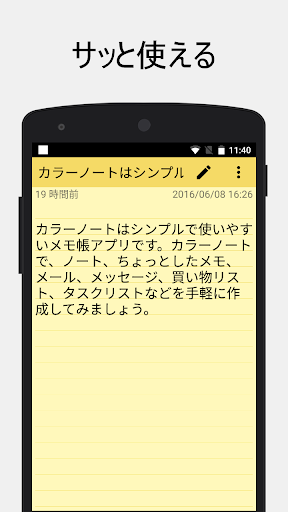
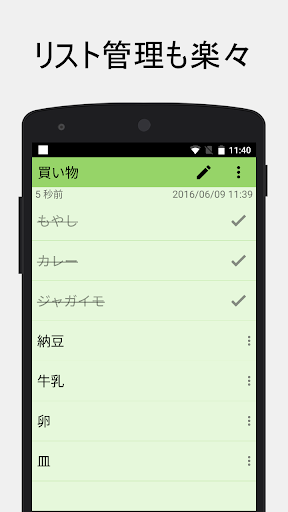
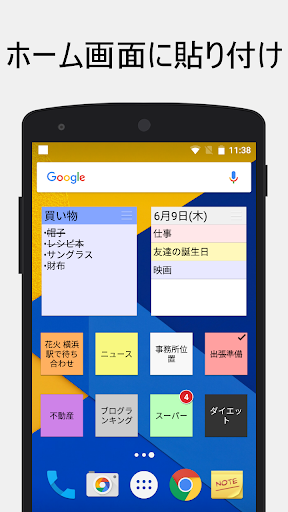
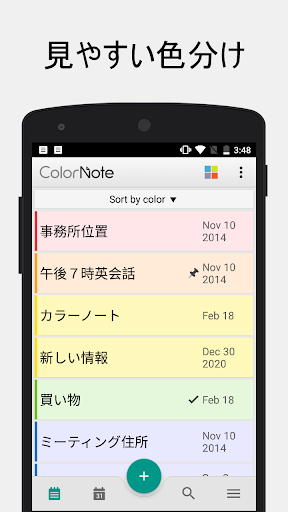
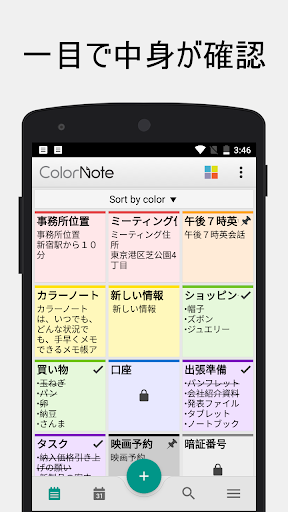
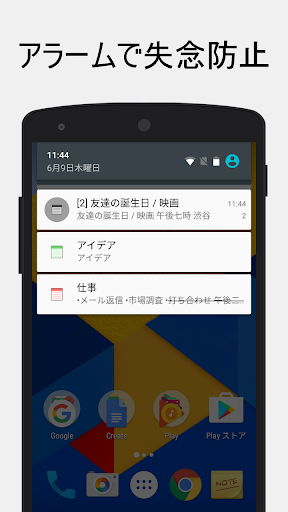
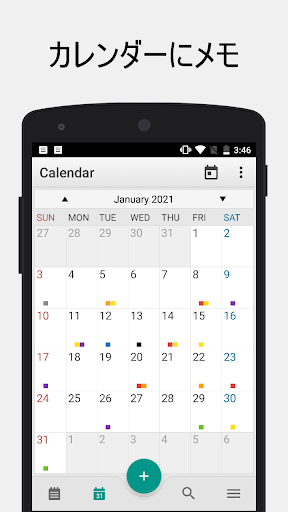
A lightweight, ad-free notepad for quick text notes and checklists with color-coded organization, home-screen widgets, reminders/calendar integration, password-locked notes, offline autosave, and encrypted cloud sync/backup across devices.
Verdict
Verdict: An exceptionally reliable, no-frills notes and checklist app that excels at speed and simplicity, but lacks rich media and advanced formatting.
Who is it for
Best for:
- Users who want fast, simple text notes and to-do lists
- People who value offline use, autosave, and ad-free stability
- Android users who rely on widgets and color-coded organization
Not ideal for:
- Those needing images, attachments, or rich text formatting
- Heavy cross-platform users (no iOS version; mobile-first)
- Teams requiring collaboration, shared notebooks, or advanced workflows
Real-world User Experience
Users like it:
Long-term reliability and simplicity; efficient checklists and quick note capture; color categories that make finding notes easy; robust autosave and password lock; encrypted sync/backup that survives phone upgrades; useful widgets and reminders; no ads; strong performance even on older phones.
Users complain about:
No native image/attachment support; limited formatting (e.g., bold/italics, lists beyond checklists); occasional slow sync across devices; limited color categories for heavy organizers; no iOS app; requests for features like voice-to-text, note pinning, and duplicating checklists.
Is it Worth Paying For?
The app is free and ad-free; any in-app purchase appears optional (likely donation/support). For most users, the free version more than suffices. If you rely on it daily, supporting the developer is worthwhile given the stability and lack of ads.
How it Compares to Alternatives
Compared to Google Keep, ColorNote is simpler, faster, and more private-feeling (no ads) with excellent widgets but lacks images, drawing, and collaboration. Versus Microsoft OneNote and Evernote, it’s dramatically lighter and quicker for lists, but those offer rich formatting, attachments, and cross-platform desktop parity. Versus Simplenote, ColorNote offers stronger checklist UX and widgets; Simplenote wins on cross-platform support and markdown.
Summary
ColorNote Notepad Notes nails the core job of jotting things down and checking them off. Its strengths are speed, reliability, offline-first design, and practical touches like autosave, color coding, widgets, reminders, password protection, and encrypted sync/backup—all without ads. It’s beloved by long-time users who migrate it across phones because it just works. The trade-offs are intentional minimalism: no images, limited formatting, and mobile-centric scope. If your workflow is text lists and quick notes on Android, this is one of the best, most trustworthy choices; if you need attachments, heavy formatting, or collaboration, look to Keep, OneNote, or Evernote instead.
Ratings
Trending APP












Alternative to this app