Copyright 2026 © swekartor. All Rights Reserved.



Information about T-Mobile Scam Shield
App Feature
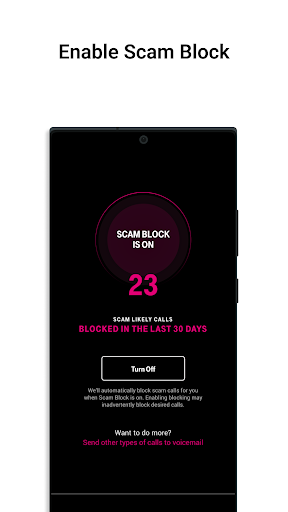
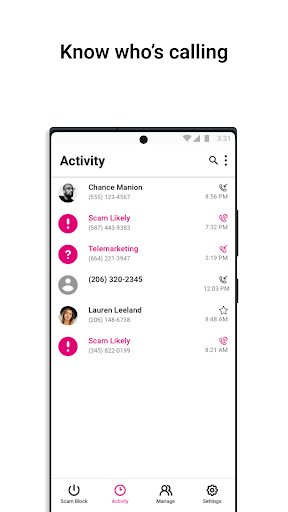
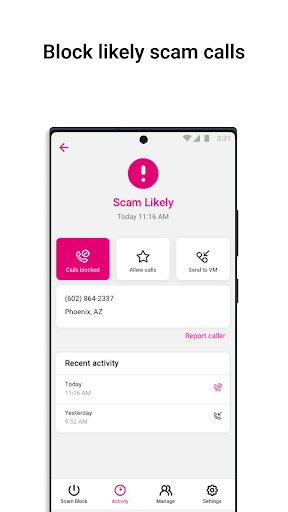
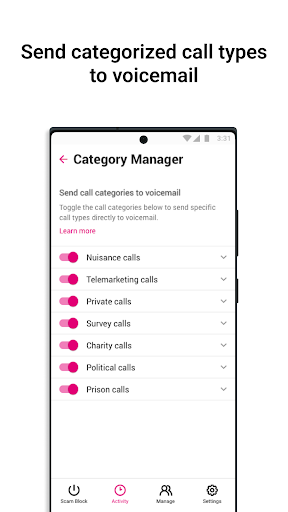
Carrier-powered call control for T-Mobile users that identifies, blocks, and labels scam/telemarketing calls with network-level protections (Scam ID/Block), enhanced caller ID, allow lists, reporting, and optional premium tools like personal number blocking, category filtering, reverse lookup, and voicemail-to-text.
Verdict
Verdict: A highly effective, network-level spam call blocker for T‑Mobile customers, with a strong free tier and worthwhile premium for heavy callers.
Who is it for
Best for:
- T‑Mobile/Metro by T‑Mobile users wanting automatic, network-level scam blocking
- People who ignore unknown numbers but want caller context and easy reporting
- Heavy targets of robocalls seeking category filtering and reverse lookup (premium)
Not ideal for:
- Non–T‑Mobile customers (app is carrier-specific)
- Users needing rock-solid app stability on all devices (occasional freezes/toggles fail)
- Those who expect every unknown call to be perfectly classified every time
Real-world User Experience
Users like it:
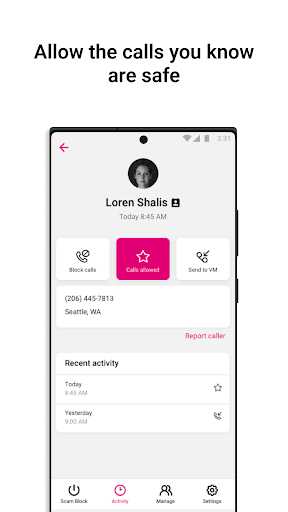
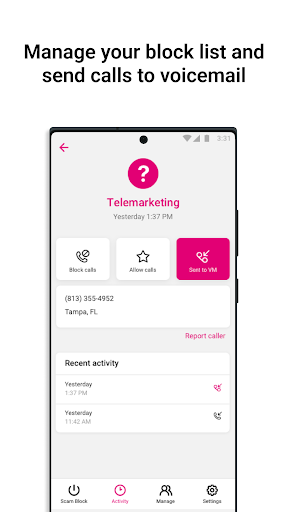
Consistently reduces scam/robocalls—often to near zero—with calls silently blocked before the phone rings. Appreciated features include allow lists, send-to-voicemail vs. full block controls, free reverse lookup, verified business labeling, and clear caller info. Many note big quality-of-life improvements and minimal false positives.
Users complain about:
Intermittent app issues: screens freezing after reporting, 'allow' or send-to-voicemail toggles failing, and occasional plan/app sync confusion when changing T‑Mobile plans. A few stray spam calls still slip through, and some dislike the extra charge for premium features.
Is it Worth Paying For?
The free tier is strong and enough for most users (Scam ID/Block, caller ID, reporting). Premium—typically billed via your T‑Mobile plan—adds granular category filtering, personal number blocking at the network edge, reverse lookup depth, and voicemail-to-text. Worth it if you receive frequent nuisance/scam calls or want tighter control; otherwise, stick with free.
How it Compares to Alternatives
Compared to Truecaller/Hiya (app-based) and Verizon Call Filter or AT&T ActiveArmor (carrier-based), Scam Shield’s advantage is T‑Mobile’s network-level screening that updates frequently and blocks before ringing. It’s more seamless for T‑Mobile lines than third-party apps, with similar capabilities to other carriers’ premium tiers. Truecaller/Hiya may offer broader community data across carriers, but won’t match T‑Mobile’s on-network enforcement for T‑Mobile customers.
Summary
T‑Mobile Scam Shield leverages the carrier’s network and frequent threat updates to identify and block scam and nuisance calls before they reach your phone, pairing this with useful controls like allow lists, caller ID, and reporting. Reviews highlight dramatic drops in spam, flexible handling (send to voicemail vs. block), and helpful reverse lookup/verified business labels. While a few users report occasional app freezes or settings not sticking—especially around plan changes—the core protection remains strong. The free tier will satisfy most T‑Mobile users, and the premium add-ons are compelling for those inundated with robocalls who want category-level filtering and stricter network blocking. For T‑Mobile subscribers, it’s one of the most effective and convenient defenses against unwanted calls.
Ratings
Trending APP












Alternative to this app