Copyright 2026 © swekartor. All Rights Reserved.



Information about Chat Translator Keyboard
App Feature
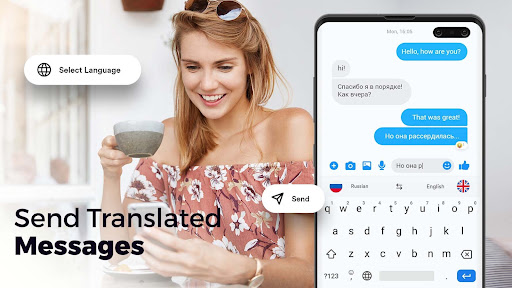
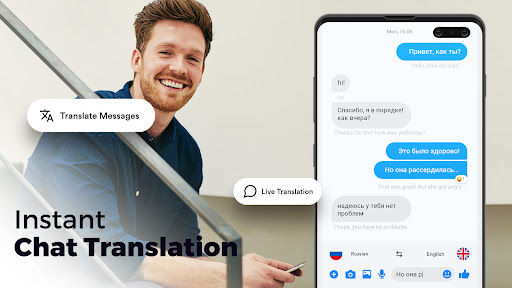
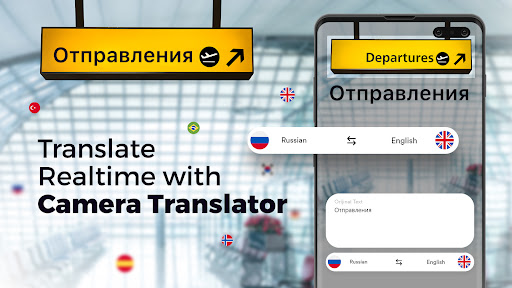
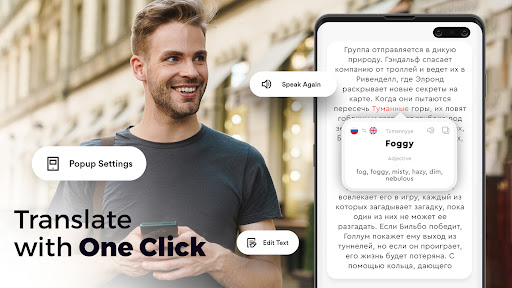
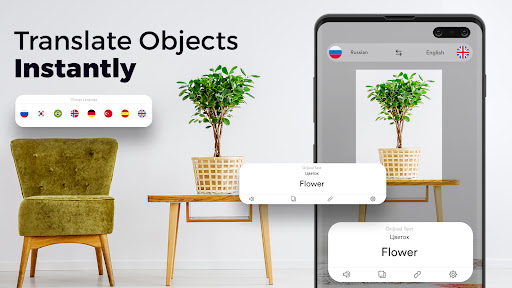
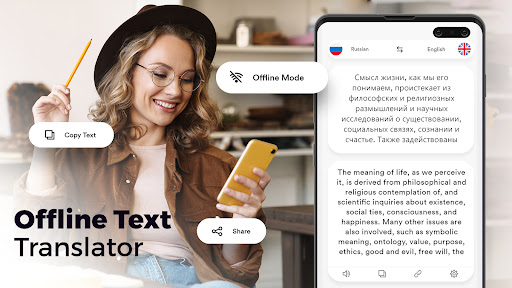
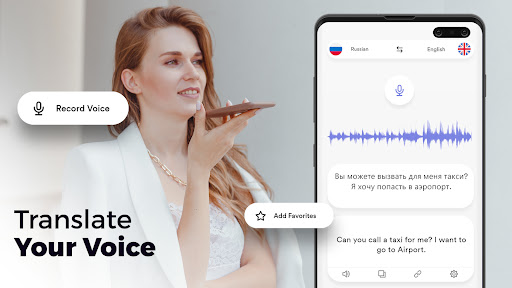
Chat Translator Keyboard (Transera) is a free Android keyboard that translates your typed messages in real time across popular messengers without switching apps. It adds camera/photo and object translation, optional offline mode, voice translation and speech-to-text, plus a playful emoji-sound feature.
Verdict
Verdict: A handy all-in-one translator keyboard for everyday chats, though reliability and power users’ needs may be better served by bigger-name alternatives.
Who is it for
Best for:
- Users who want instant, in-keyboard translation across WhatsApp, Facebook Messenger, and similar apps
- Travelers or casual learners who benefit from quick camera/object and voice translations
- People seeking simple speech-to-text with optional offline support
Not ideal for:
- Users who require enterprise-grade accuracy or advanced translation controls
- Those sensitive to occasional setup/compatibility hiccups or inconsistent performance
- Minimalists who prefer a single, polished keyboard like Gboard/SwiftKey with built-in translate
Real-world User Experience
Users like it:
Reviewers praise the ease of translating messages directly from the keyboard, fast typing, and convenience for chatting with friends in different languages. Many highlight it as helpful for learning or communicating in English/Japanese/Chinese and appreciate broad language support.
Users complain about:
A subset report the app not working as expected after install, calling it a waste of time/data; one mentioned clearing space only to be disappointed. These point to occasional reliability, configuration, or device-compatibility issues.
Is it Worth Paying For?
The app is free with optional in-app purchases. Core chat translation appears usable for free; paid options likely unlock or enhance advanced features (e.g., offline/camera-related perks). Given the high rating and broad installs, try the free tier first and consider IAP only if you rely on offline or camera/object translation frequently.
How it Compares to Alternatives
Compared to Gboard or Microsoft SwiftKey (which offer integrated Google/Microsoft Translate), Transera emphasizes a dedicated translation-first keyboard with extras like camera/object translation and emoji sounds. Google Translate as a standalone app excels in accuracy and features like conversation mode but requires app switching; Transera avoids that friction. However, big-name keyboards typically deliver more consistent reliability, language models, and overall typing polish.
Summary
Transera: AI Chat Translator turns your keyboard into a multilingual assistant, translating messages on the fly across your favorite chat apps while also offering camera/object translation, voice translations, speech-to-text, and even emoji sounds. It’s rated highly and suits everyday cross-language chatting without hopping between apps. While many users find it fast and effective, a minority encounter setup or functionality issues. Start with the free version; if offline or photo/object translation becomes essential to your routine, the optional upgrades may be worth it. If you prioritize maximum reliability and a fully polished typing experience, Gboard or SwiftKey with built-in translate may be stronger, but for dedicated in-keyboard translation with extra tools, Transera is a compelling pick.
Ratings
Trending APP












Alternative to this app