Copyright 2026 © swekartor. All Rights Reserved.


Information about Content Transfer
App Feature
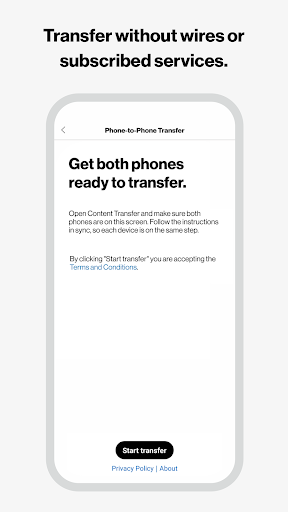
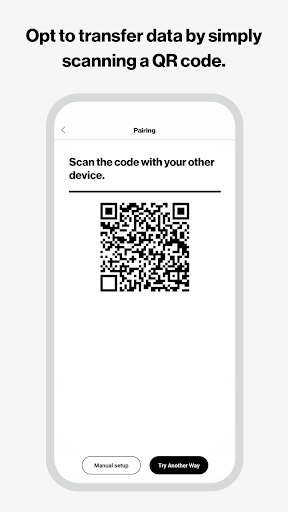
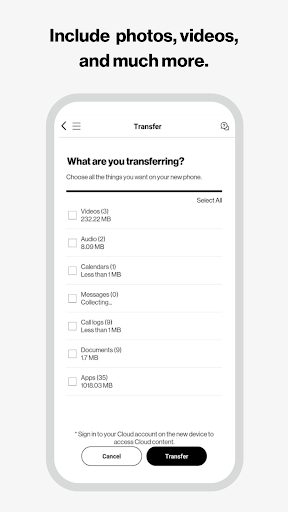
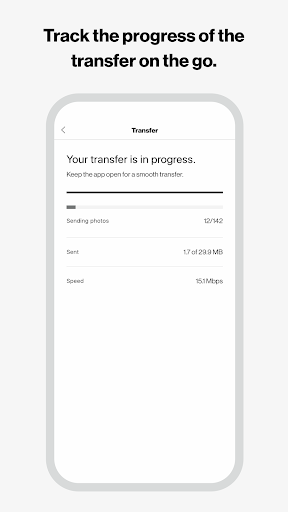
Verizon Content Transfer securely moves contacts, photos, videos, messages (SMS/MMS), call logs, calendars, documents, music, and even user-installed apps from an old phone to a new one via a guided, wireless, QR-based setup with progress tracking and cross-platform support.
Verdict
Verdict: A reliable, free phone-to-phone transfer tool that shines when built-in migration methods fail, though large message libraries and pairing quirks can slow things down.
Who is it for
Best for:
- Users switching phones/providers who want wireless, selective transfers
- Anyone whose default Android or OEM migration failed or won’t start
- People needing SMS/MMS and call log transfer alongside media and contacts
Not ideal for:
- Users expecting system apps, settings, or OS-level data to migrate
- Anyone with extremely large message histories wanting a single fast pass
- Those who prefer cable-speed transfers or fully automated OEM tools
Real-world User Experience
Users like it:
Clear, step-by-step flow once installed on both phones; successfully moves texts (including media), call history, contacts, and user-installed apps; works even with very old devices or when Google’s setup fails; option to selectively transfer categories and run multiple partial passes; progress is clearly shown.
Users complain about:
Pairing via QR can be finicky; requirement to install on both devices isn’t obvious from the store page; very large SMS/MMS libraries lengthen transfers or require multiple passes; system apps/settings don’t come over.
Is it Worth Paying For?
It’s free with no ads or in-app purchases, offering strong value for comprehensive wireless transfers at zero cost.
How it Compares to Alternatives
Compared to Google’s built-in Android setup/Data Restore Tool, this app is more flexible post-setup and better for transferring SMS/MMS and call logs, but may be slower and less seamless than cable-based restores. Versus Samsung Smart Switch, it’s more cross-platform but typically less deep for device-specific settings. Against Move to iOS, it’s broader for Android-to-Android and cross-carrier moves, though it won’t migrate iOS app data or Apple services as tightly as Apple’s own tool.
Summary
Content Transfer is a polished, cross-platform migration utility from Verizon that reliably moves the data people care about—contacts, media, texts (including MMS), call logs, calendars, and user-installed apps—without cables or subscriptions. Real-world feedback highlights a straightforward, guided experience and successful transfers even when OEM or Google tools stumble. Expect slower performance and potential hiccups with QR pairing or very large text histories, and note that system apps/settings aren’t included. For most switchers, especially those coming from older phones or changing carriers, it’s a dependable, free solution that gets critical data onto a new device with minimal hassle.
Ratings
Trending APP












Alternative to this app