
Copyright 2026 © swekartor. All Rights Reserved.



Information about Collect by WeTransfer
App Feature
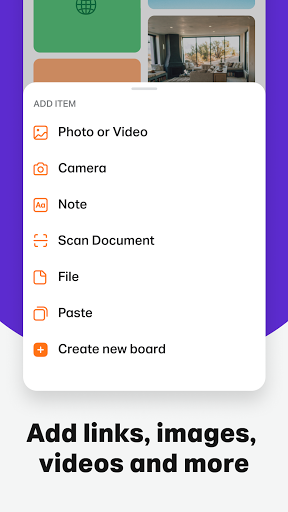
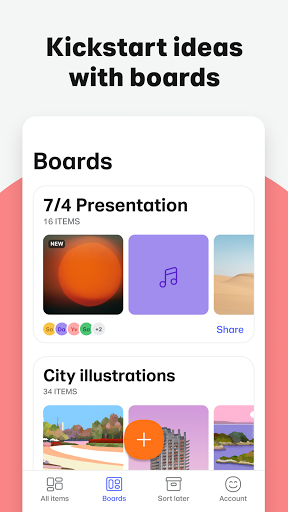
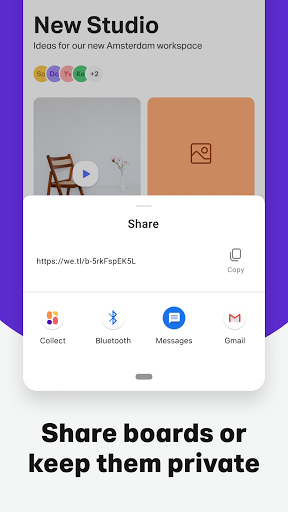
Collect by WeTransfer is a visual organizer for saving photos, videos, files, and links into shareable boards. It streamlines collecting inspiration, grouping assets, and collaborating via shared boards, with optional Pro backup and cross‑device sync.
Verdict
Verdict: A polished, visual-first organizer and sharing tool that shines for creative projects, but less ideal as a full cloud storage replacement.
Who is it for
Best for:
- Creatives and teams organizing inspiration and project assets in visual boards
- Users who frequently share large files and want simple link-based sharing
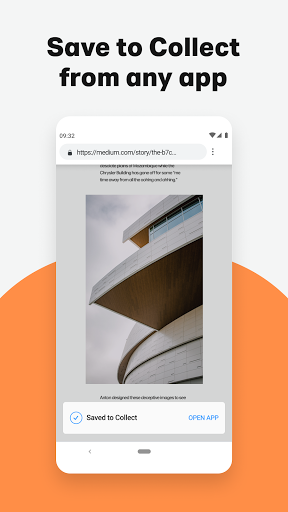
- People who want a lightweight, clutter-free way to collect content from multiple apps
Not ideal for:
- Users needing deep file management (versioning, granular permissions, complex folder hierarchies)
- Those who require guaranteed multi-device syncing without paying for Pro
- Power bookmarkers who rely on rich URL/link previews and metadata
Real-world User Experience
Users like it:
Fast, reliable sharing of large files; easy, intuitive interface; handy visual boards for organizing projects; smooth transfers across devices; useful browser extension; overall stable experience that improves over time.
Users complain about:
Occasional login or activation glitches; intermittent issues saving/ restoring items on a new device; limited or missing link preview rendering; some initial confusion around boards vs. direct link sharing.
Is it Worth Paying For?
Core features (saving items, boards, sharing, collaboration) are free with no ads. Upgrading to Collect Pro adds backup and cross-device sync. If you work across multiple devices or want guaranteed restoration and continuity, Pro offers clear value; otherwise, many users will be satisfied with the free tier.
How it Compares to Alternatives
Compared to Google Drive or Dropbox, Collect is more visual and frictionless for inspiration and quick sharing, but less robust for long-term storage, versioning, and admin controls. Versus Pinterest or Pocket, it handles a wider range of files (not just web links) and supports project-ready boards, though it lacks the richest link previews. Against Notion or Evernote, Collect is simpler and faster for asset gathering but offers fewer documentation and database capabilities.
Summary
Collect by WeTransfer excels at capturing and organizing inspiration—photos, videos, files, and links—into clean, visual boards you can quickly share and collaborate on. The app’s strength is its simplicity: add from anywhere, group in boards, share via links, and keep momentum on creative projects. User feedback highlights smooth transfers and ease of use, with occasional login or restore hiccups and a desire for richer link previews. The free tier covers most needs, while Pro unlocks backup and cross-device sync for those who work across multiple devices or want extra peace of mind. If you value a minimal, visual workflow for gathering and sharing assets, Collect is a standout choice; if you need heavy-duty storage or advanced knowledge management, alternatives may fit better.


Ratings
Trending APP












Alternative to this app









