
Copyright 2026 © swekartor. All Rights Reserved.



Information about All Email Access: Mail Inbox
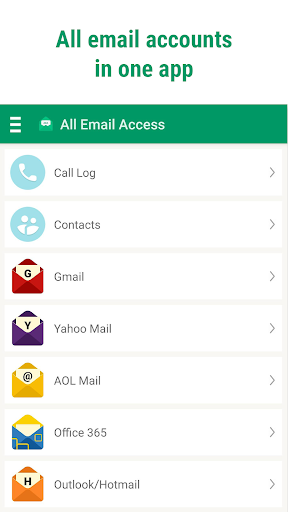
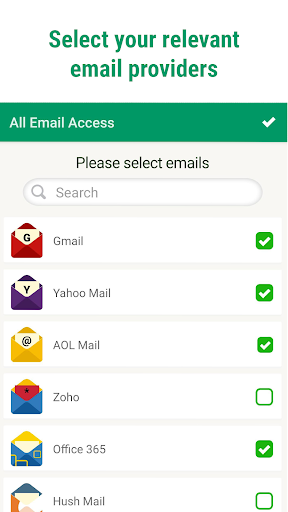
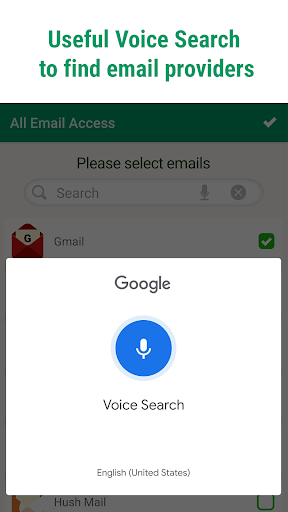
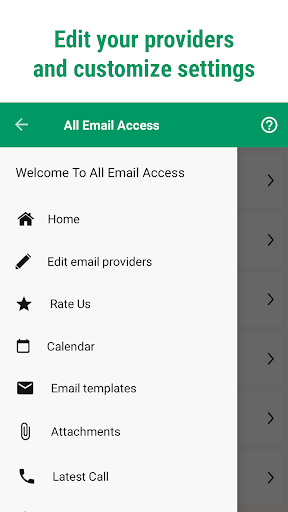
App Feature
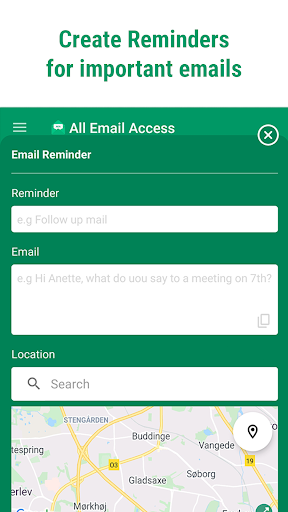
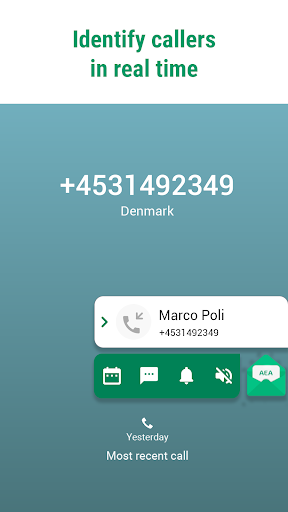
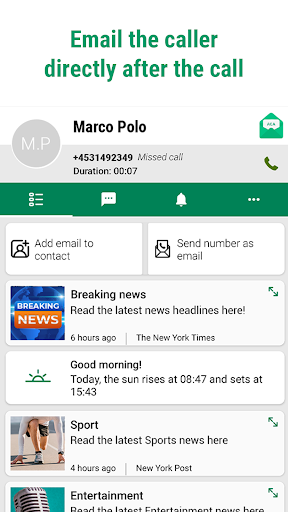
All Email Access: Mail Inbox centralizes multiple email accounts into one Android app with a unified inbox, smart sorting, caller ID integration, post‑call email shortcuts, reminders, attachment manager, and calendar integration.
Verdict
Verdict: A convenient all‑in‑one email hub with unique caller ID ties, best for managing multiple inboxes, though newcomers may face a brief learning curve.
Who is it for
Best for:
- Users juggling several email accounts who want a single, unified inbox
- Entrepreneurs and power users who value caller ID and post‑call email actions
- Anyone wanting simple search, attachment, and calendar tools in one place
Not ideal for:
- Users who prefer a single provider’s native app and deep provider‑specific features
- Privacy‑sensitive users wary of caller ID/phone permissions
- Those who want an ad‑free experience without paying (IAPs remove ads)
Real-world User Experience
Users like it:
Easy access to multiple accounts in one place; reliable syncing; helpful caller ID and after‑call email shortcuts; unified organization that reduces inbox chaos; responsive support that can resolve setup issues; useful extras like calendar and attachment views.
Users complain about:
Some report a learning curve and initial setup confusion (especially with Google/Workspace accounts) before it’s configured correctly; a few are unsure how certain features work (e.g., free calls); presence of ads unless upgraded.
Is it Worth Paying For?
The app is free with ads and offers in‑app purchases. For most, the free version delivers strong value as a multi‑account aggregator. If you use it daily and want to remove ads or unlock premium conveniences, the upgrade is reasonable—especially if caller ID and productivity extras save you time.
How it Compares to Alternatives
Compared to Gmail, Outlook, or Yahoo Mail, this app focuses on aggregating multiple providers rather than deep, provider‑specific features. Its caller ID and post‑call email workflow are differentiators typical email clients lack. However, native apps may offer tighter integration with their own ecosystems, while this app trades that for unified access and cross‑provider convenience.
Summary
All Email Access: Mail Inbox streamlines multi‑account email management by merging Gmail, Outlook, Yahoo, and more into a single, unified inbox with smart sorting. Its standout is the caller ID integration that lets you act on emails right after calls, complemented by reminders, calendar, and attachment tools. Reviews highlight easier multi‑account management, solid syncing, and responsive support, with occasional onboarding friction and ads as tradeoffs. If you crave one app to tame several inboxes and value post‑call workflows, it’s an efficient, feature‑rich choice; native clients are better if you rely on deep, provider‑specific features or want zero phone permissions tied to caller ID.
Ratings
Trending APP












Alternative to this app









