
Copyright 2026 © swekartor. All Rights Reserved.



Information about musicLine - Music Composition

App Feature
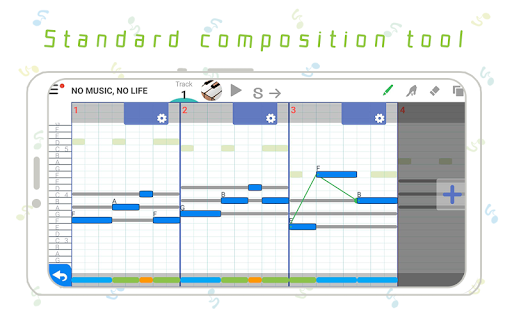
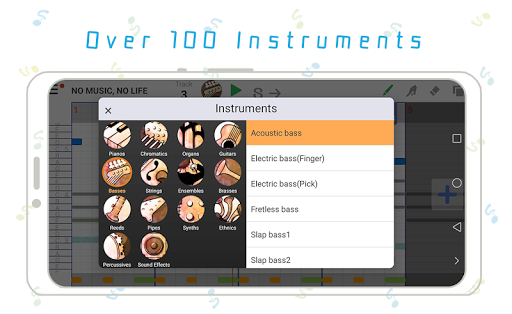
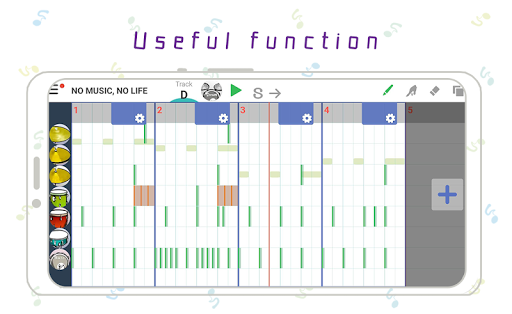
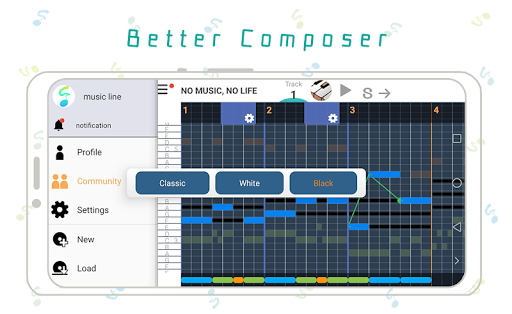
musicLine - Music Composition is a beginner-friendly mobile composer that lets you sketch full songs in minutes. It offers tap-and-draw note entry, automatic drum patterns by genre, key/BPM changes, per‑instrument volume, scales overlaid on notes, and 100+ instruments (from piano/guitar to ocarina and bagpipes), plus sharing and progression-unlocked pro tools like harmony/chords.
Verdict
Verdict: An approachable, fun sketchpad for melodies and song ideas, but limited for professional production depth.
Who is it for
Best for:
- Beginners learning composition and ear training with visual scales
- Hobbyists who want quick melody/drum ideas on the go
- Creators needing a lightweight tool to draft song concepts
Not ideal for:
- Producers needing full DAW features, multi-track mixing, and plugins
- Users who require robust export formats and detailed MIDI editing
- Anyone sensitive to ads or feature gating via levels/IAP
Real-world User Experience
Users like it:
Simple, intuitive note drawing with labeled scales makes composing fast; generous instrument variety and auto-drum creation spark creativity; easy sharing and lightweight workflow suit quick ideation.
Users complain about:
Ads and in‑app purchases can interrupt flow or gate features; some find the UI dated and the learning curve rises when moving to advanced tools; limited pro-level controls and export options, with occasional stability hiccups reported by a minority of users.
Is it Worth Paying For?
Core composing is free with ads; IAPs likely unlock instruments/features and remove ads. For beginners and casual creators, paying to remove ads or expand instruments is good value. If you need studio-grade mixing, effects, or advanced export, your money is better spent on a full mobile DAW.
How it Compares to Alternatives
Compared to BandLab and Walk Band, musicLine is simpler and faster for melody sketching, but less capable for recording, collaboration, and detailed editing. Against FL Studio Mobile or n‑Track Studio, it’s far more accessible and cheaper to get started, yet lacks deep mixing, effects chains, and pro export. It occupies a sweet spot for ideation rather than production.
Summary
musicLine focuses on making composition approachable: draw notes, auto-generate drums, tweak key/BPM, and experiment with 100+ instruments—all on a phone. Its visual scale guides and level-based unlocks ease newcomers into harmony and arrangement, while sharing makes it fun to circulate drafts. The tradeoffs are ads/IAPs, a UI that can feel basic, and constraints in editing, export, and mix depth. If you want a portable idea pad to spark melodies and simple arrangements, it’s an excellent companion; if your goal is full production and mastering on mobile, you’ll outgrow it and should consider a full DAW.
Ratings
Trending APP












Alternative to this app









