
Copyright 2026 © swekartor. All Rights Reserved.


App Feature
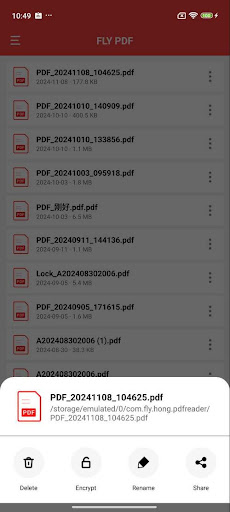
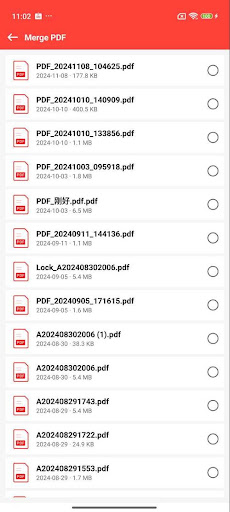
FLY PDF is a free, ad‑supported PDF utility focused on everyday tasks like converting images and TXT to PDF, splitting/merging files, and adding/removing password protection. It pairs a simple reader with basic annotation tools and offline access for quick on‑the‑go document handling.
Verdict
Verdict: A convenient, no‑cost PDF toolbox for basic tasks, but light on advanced editing and polish.
Who is it for
Best for:
- Users who need quick image/TXT-to-PDF conversions and simple merges/splits
- Students or office workers wanting basic annotations and offline reading
Not ideal for:
- Power users needing OCR, form creation, deep editing, or cloud collaboration
- Anyone sensitive to ads or seeking premium-level stability and features
Real-world User Experience
Users like it:
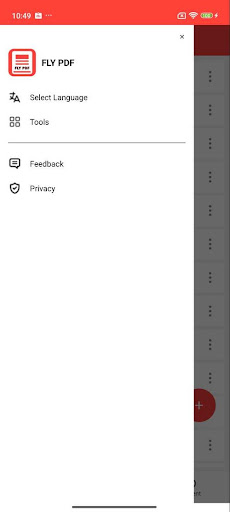
Straightforward interface, easy access to core tools (convert, split/merge, encrypt/decrypt), and the usefulness of annotations and offline reading for everyday workflows.
Users complain about:
Ads can interrupt flow; performance can be inconsistent on large or complex PDFs; lacks advanced features (OCR, robust form filling, cloud sync) found in top-tier competitors.
Is it Worth Paying For?
There are no in‑app purchases; it’s free with ads. Given the feature set, it offers good value for basic needs at zero cost, but those requiring advanced capabilities should consider paid alternatives.
How it Compares to Alternatives
Compared with Adobe Acrobat Reader, Xodo, or Foxit PDF, FLY PDF emphasizes quick conversions and simple file management over advanced editing. It trails competitors on OCR, form tools, collaboration, and cloud integration, but wins on being lightweight and free for essentials.
Summary
FLY PDF delivers a practical set of core PDF tools—convert images/TXT to PDF, split/merge, and basic security—wrapped in a clean, easy interface with annotations and offline access. Its 3.6 rating and millions of installs suggest it satisfies common tasks, though ads and occasional performance hiccups hold it back. If you need everyday PDF handling without paying, it’s a handy pick. For power features like OCR, advanced editing, or seamless cloud workflows, established alternatives will serve you better.
Ratings
Trending APP












Alternative to this app









