
Copyright 2026 © swekartor. All Rights Reserved.



App Feature
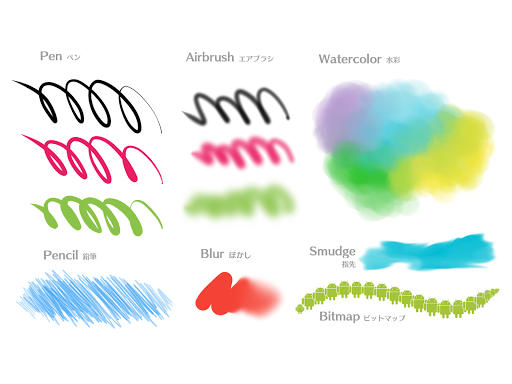
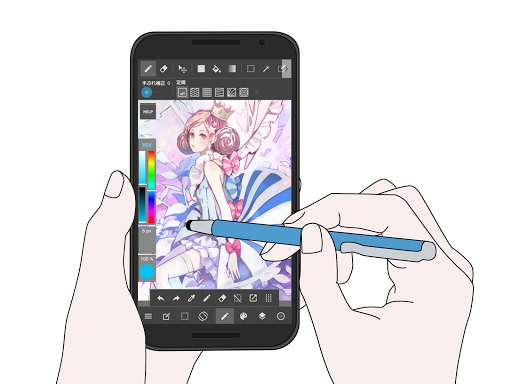
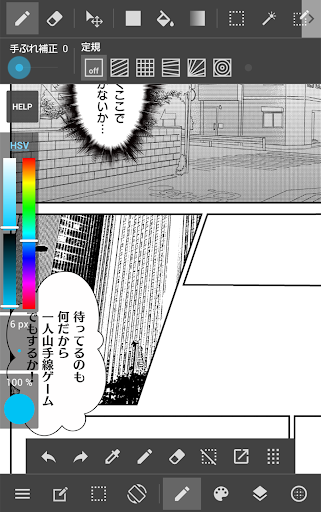
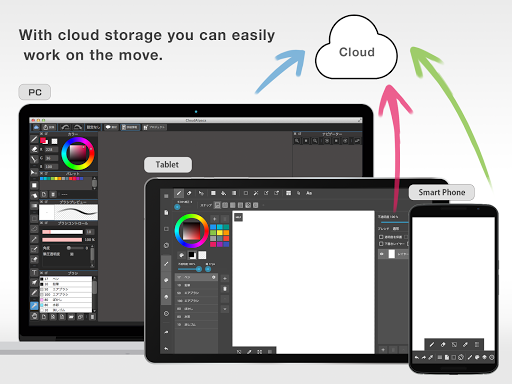
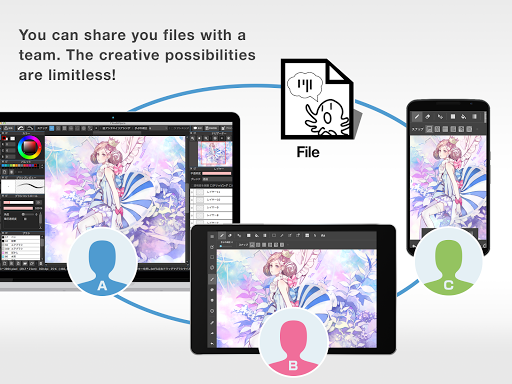
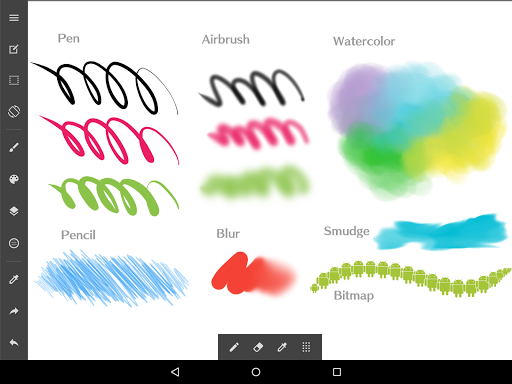
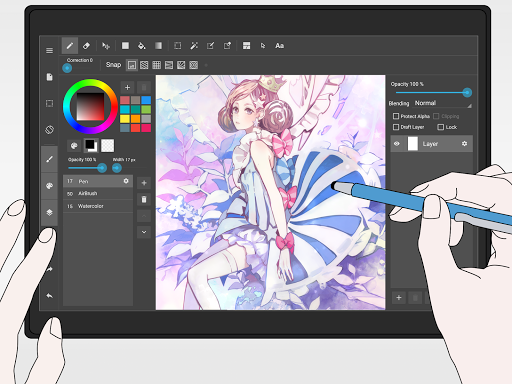
MediBang Paint is a free, cross‑platform drawing and comic app with 180+ built‑in brushes (700+ more via subscription), robust layer/blend modes, comic/manga panel and screen‑tone tools, PSD/CMYK support, cloud sync, collaboration, and timelapse recording—optimized for phones and tablets.
Verdict
Verdict: A powerful, free comic‑friendly art app with great tools, but stability hiccups and gated extras make it less ideal for mission‑critical work.
Who is it for
Best for:
- Comic/manga creators who need panels, tones, and fonts
- Beginners and hobbyists seeking a capable free drawing suite
- Artists who switch devices and value cloud sync/cross‑platform parity
Not ideal for:
- Pros who require rock‑solid stability and fully offline, ungated features
- Users needing advanced features like animation or complete desktop parity
- Artists who dislike ads or frequent manual saving
Real-world User Experience
Users like it:
Easy to pick up with a clean UI; rich brush/tool set and customizable panels; strong comic workflow (panels, tones, fonts); cross‑platform consistency with desktop; minimal, mostly unobtrusive ads; good pen stabilization and downloadable brushes; many users report improving their art over time.
Users complain about:
Occasional crashes, auto‑backup causing data loss, and random undo/reset glitches—prompting frequent manual saves; some mobile features lag behind desktop/iPad; ads can pop up after closing projects; requests for better brush organization and certain tools offline (e.g., text), plus sporadic device‑specific bugs.
Is it Worth Paying For?
The free tier is very capable for drawing and comics. The subscription mainly adds 700+ brushes and convenience; it’s worthwhile for heavy brush users or those who want a larger library, but casual artists can comfortably stay free. Expect ads in the free version.
How it Compares to Alternatives
Compared to ibis Paint X, MediBang is stronger for comics (panels/tones) and PSD/CMYK, while ibis often feels snappier with vast community assets and effects. Versus Procreate (iPad, paid), Procreate offers smoother performance, richer brushes, and animation but lacks built‑in comic tooling. Clip Studio Paint delivers more pro comic features and stability at a higher cost. Autodesk SketchBook has a clean, free sketching experience but fewer comic‑specific tools. MediBang stands out for no‑cost comic workflows and cross‑device sync, but trails leaders in stability and some advanced capabilities.
Summary
MediBang Paint delivers an impressive, free drawing and comic toolkit on mobile and tablet, highlighted by 180+ brushes, solid layer/blending controls, robust comic paneling and tones, PSD/CMYK support, cross‑device cloud sync, and timelapse recording. Reviewers praise its approachable UI, desktop‑like feel, and strong value, particularly for manga/comic creators and beginners. The trade‑offs: occasional crashes/undo glitches, some features gated by subscription, and mobile lagging behind desktop/iPad in a few tools. If you want a cost‑effective, comic‑ready app with real depth and can tolerate saving often and light ads, MediBang is a great pick; pros needing absolute stability or advanced features may prefer Clip Studio or Procreate.
Ratings
Trending APP








Alternative to this app










