
Copyright 2026 © swekartor. All Rights Reserved.


App Feature
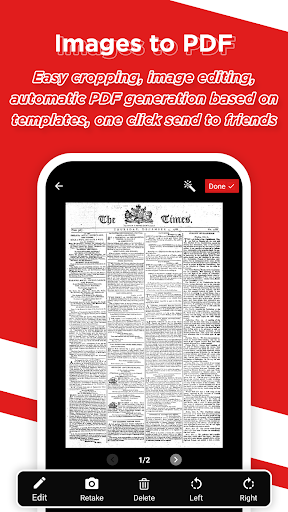
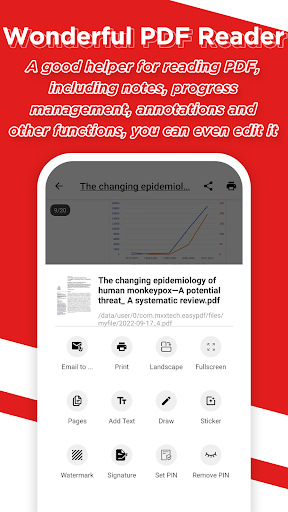
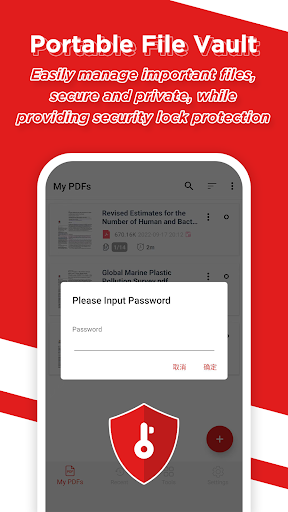
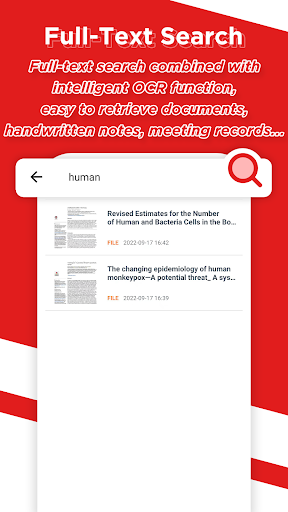
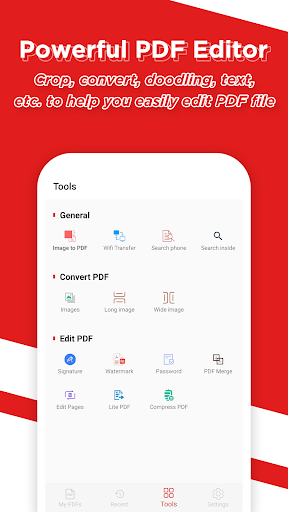
Easy PDF - Image to PDF is a free, lightweight PDF toolkit focused on turning photos and scans into high-quality PDFs, then organizing, reading, and editing them. Core capabilities include quick image-to-PDF conversion with templates and basic image editing/cropping, a capable PDF reader with notes and comments, full‑text search with OCR, simple PDF edits (crop, doodle, text), a secure file vault with lock protection, and multi-language support.
Verdict
Verdict: A fast, no-frills image‑to‑PDF converter with handy reading and light editing, best if you want free, simple tools without pro-level depth.
Who is it for
Best for:
- Students and professionals who need quick photo/scanned pages bundled into clean PDFs
- Users who want a simple, multilingual PDF reader/editor with basic security
- Anyone seeking a free, lightweight alternative for occasional document tasks
Not ideal for:
- Power users needing advanced PDF editing (forms, redaction, deep layout control)
- Teams requiring cloud workflows, collaboration, and cross-device syncing
- Users who dislike any ads, even if relatively minimal
Real-world User Experience
Users like it:
Consistently praised for being easy to use, fast at converting and merging multiple images into a single PDF, and reliable for everyday tasks. Reviewers note minimal ads, straightforward UI, and that it often replaces trips to a scanner or copy shop.
Users complain about:
Some users wish for richer editing (e.g., adding pages to an existing PDF post-creation) and more advanced tools. A few note the presence of ads, even if not intrusive.
Is it Worth Paying For?
The app is free, ad-supported, and lists no in-app purchases. Since core features (image-to-PDF, reading, light editing, OCR search, file vault) are available at no cost, it offers strong value if you can tolerate ads.
How it Compares to Alternatives
Compared to Adobe Scan and Microsoft Lens, Easy PDF feels simpler and more focused on quick conversion and basic PDF handling rather than rich cloud integration and auto-enhancement pipelines. Versus CamScanner, it avoids paywalls and watermarks but lacks advanced scanning, batch automation, and pro editing workflows. For a free, straightforward tool with OCR search and a reader/editor built in, it holds its own; for enterprise-grade editing, form filling, or collaboration, premium suites still win.
Summary
Easy PDF - Image to PDF delivers a clean, fast path from photos or scans to polished PDFs, then augments that with a capable reader, OCR-powered search, light editing, and a secure file vault. It stands out for its simplicity, multilingual support, and strong free value—making it ideal for students and professionals who need quick conversions, occasional annotations, and basic organization. While ads exist, users report they’re relatively unobtrusive. If you need advanced editing, cloud collaboration, or form workflows, you’ll outgrow it; otherwise, for everyday PDF tasks on mobile, it’s a practical, hassle-free choice with 10M+ installs and solid user satisfaction.
Ratings
Trending APP












Alternative to this app









