
Copyright 2026 © swekartor. All Rights Reserved.


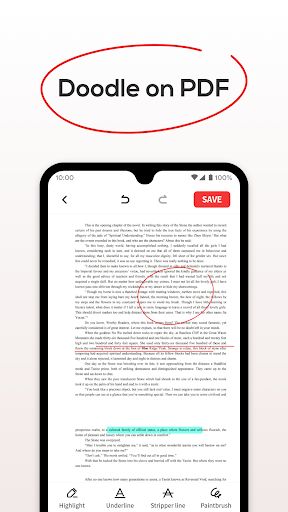
App Feature
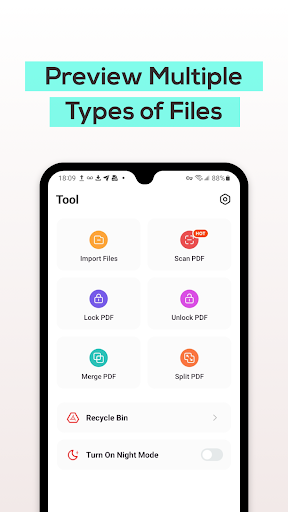
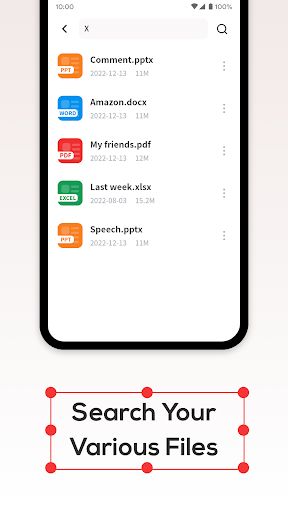
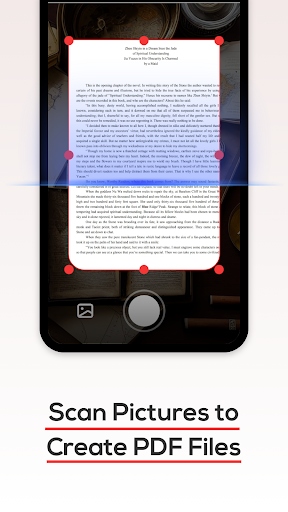
PDF File Reader is a free, ad-supported mobile viewer for opening, searching, and organizing PDFs on Android. It offers basic annotations (highlight, underline), quick file search, a 7‑day Recycle Bin for safer deletes, and multi-format viewing (PDF plus common office formats). Some users report built-in scanning to PDF and the ability to open encrypted/password-protected files.
Verdict
A capable, lightweight PDF viewer with handy annotations and search, but the ad load and limited advanced features make it a mixed pick.
Who is it for
Best for:
- Users who need a simple, free PDF reader with basic annotations
- Students or professionals who primarily view and highlight documents
- Anyone who values quick search and a recycle bin for safer file management
Not ideal for:
- Users who need robust editing, form filling, e-signature, or cloud sync
- Anyone sensitive to frequent ads and looking for a polished UX
- Power users managing large libraries with advanced organization needs
Real-world User Experience
Users like it:
Easy document access, reliable opening and viewing (including some encrypted PDFs), clear reading, simple annotations, and a scanner that can convert images to PDF.
Users complain about:
Frequent or lengthy ads, difficulty finding specific functions (e.g., signing documents), occasional navigation or discoverability issues.
Is it Worth Paying For?
The app is free with ads and has no in-app purchases. There’s no paid tier to remove ads, so it’s cost-effective if you can tolerate advertising; otherwise consider an alternative with an ad-free option.
How it Compares to Alternatives
Compared to Adobe Acrobat Reader, Foxit PDF Reader, or Xodo, PDF File Reader is lighter and simpler but lacks advanced tools like robust e-signing, form filling, cloud sync, collaboration, and deeper annotation management. Acrobat and Xodo offer more polished experiences and premium/ad-free options, while Foxit balances performance with richer features. PDF File Reader’s advantages are simplicity, small footprint, and a recycle bin; its drawbacks are ads and limited pro features.
Summary
PDF File Reader focuses on straightforward PDF viewing with basic annotations, quick search, and a safety-focused Recycle Bin, wrapped in a clean, approachable interface. User feedback highlights smooth opening (even for some protected files), clear rendering, and a useful scanner-to-PDF capability, but also calls out heavy ads and difficulty locating advanced functions like signing. With a 3.3 rating and 5M+ installs, it’s a practical choice for everyday reading and simple markups if you want free and lightweight. If you need comprehensive editing, form filling, reliable e-signatures, or an ad-free experience, alternatives like Adobe Acrobat, Xodo, or Foxit will serve you better.
Ratings
Trending APP












Alternative to this app









