
Copyright 2026 © swekartor. All Rights Reserved.


App Feature
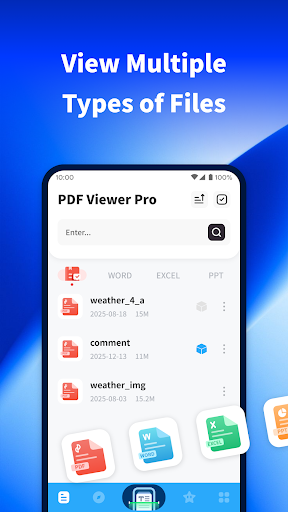
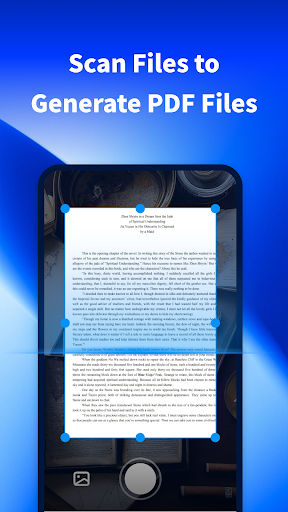
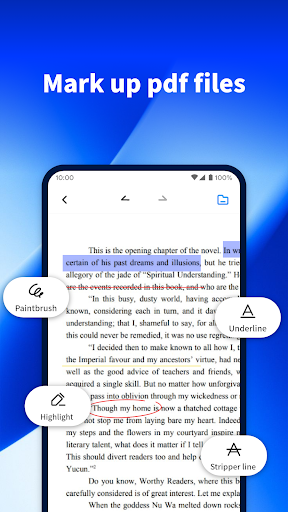
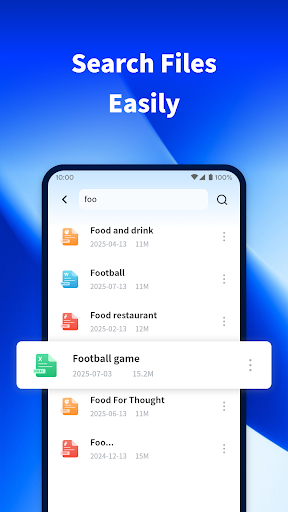
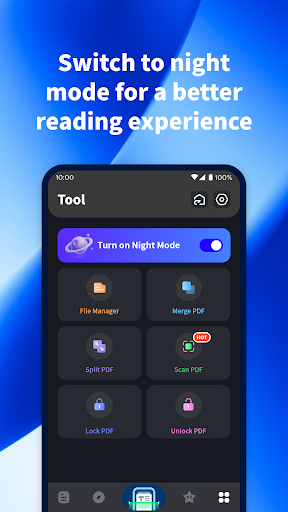
PDF Viewer Pro is a free, ad-supported PDF reader focused on everyday document tasks: opening and browsing PDFs, scanning photos into PDFs, quick search, night mode, and basic-to-robust annotations (highlighting, notes, shapes) wrapped in a clean, easy interface.
Verdict
Verdict: A fast, no-fuss PDF reader with handy scanning and annotations, best for everyday use rather than power workflows.
Who is it for
Best for:
- Students and casual readers who need quick viewing, search, and night mode
- Professionals who want simple annotations and on-the-go PDF scanning
- Anyone seeking a free, lightweight viewer with minimal setup
Not ideal for:
- Power users needing advanced features like form editing, OCR text extraction, digital signatures, or cloud workflows
- Teams requiring cross-device collaboration, versioning, and enterprise integrations
Real-world User Experience
Users like it:
Consistently described as easy to use and reliable at opening, reading, and saving PDFs; runs quickly with smooth basic tasks; ads exist but reviewers call them minimal or not intrusive.
Users complain about:
Few negatives surfaced in highlighted reviews; the presence of ads is noted (though generally acceptable), and no clear reports of failures or heavy bugs are mentioned.
Is it Worth Paying For?
No in-app purchases or paid plan are listed; it’s free with ads. Given the smooth performance and useful features, it’s an easy, no-cost install if you’re fine with occasional ads.
How it Compares to Alternatives
Compared to Adobe Acrobat Reader, Foxit, or Xodo, PDF Viewer Pro is lighter and quicker for basic reading, scanning, and simple annotations. Acrobat offers deeper tools (forms, signatures, cloud services) but is heavier and often paywalled for premium features. Foxit and Xodo provide richer editing, collaboration, and cloud sync options, while this app focuses on straightforward reading and markup with fewer advanced controls and no premium tier.
Summary
PDF Viewer Pro delivers a streamlined, free PDF experience that emphasizes speed, simplicity, and everyday practicality. Its strengths are quick file opening, easy navigation, useful annotations, a built-in scanner for generating PDFs from photos, robust search, and a comfortable night mode—wrapped in a clean interface. Reviews highlight smooth performance and minimal, non-intrusive ads. If you need a dependable reader and basic markup on mobile without subscription clutter, it’s an excellent pick. Those requiring advanced editing, signatures, form filling, OCR, or deep cloud collaboration may prefer full-featured alternatives like Acrobat, Foxit, or Xodo.
Ratings
Trending APP












Alternative to this app









