
Copyright 2026 © swekartor. All Rights Reserved.



Information about Photo Recovery - File Recovery
App Feature
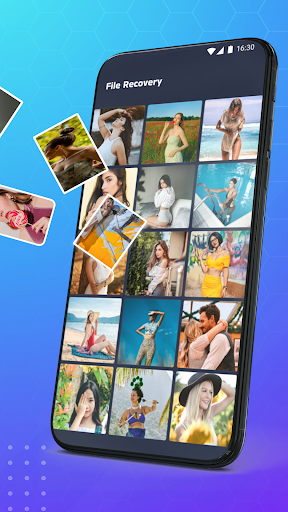
Photo Recovery - File Recovery helps you restore deleted photos and videos using quick, guided scans. It supports common formats (JPEG, PNG, MP4) and emphasizes an intuitive, step-by-step interface to make recovery simple for all skill levels.
Verdict
Verdict: A friendly, capable media recovery app that balances simplicity with effective results for everyday deletions.
Who is it for
Best for:
- Users who need to restore recently deleted photos or videos quickly
- Beginners who want a simple, guided recovery process
- People dealing with common formats like JPEG, PNG, and MP4
Not ideal for:
- Power users needing deep forensic recovery or full device imaging
- Those seeking recovery from severely damaged storage or encrypted media
- Users who require extensive cloud/service integrations or desktop-grade controls
Real-world User Experience
Users like it:
The straightforward interface and clear guidance make scans easy, and the app reliably recovers common photo/video formats with minimal setup—reflected by a strong 4.5 rating and broad adoption.
Users complain about:
As with most mobile recovery tools, results can vary for older or overwritten files, and advanced, low-level recovery options are limited compared to desktop utilities.
Is it Worth Paying For?
The app is free. There’s no information provided about paid plans or IAPs; as a free tool, it offers strong value for everyday photo/video recovery without upfront cost.
How it Compares to Alternatives
Against popular Android recovery apps (e.g., Dumpster, DiskDigger-style tools), it stands out for its beginner-friendly guidance and focus on common formats. It may trail desktop recovery suites in depth (partition-level scans, RAW recovery, file system recon), but for on-device, quick media restores, it’s competitive and convenient.
Summary
Photo Recovery - File Recovery delivers a clean, accessible way to bring back deleted photos and videos on Android. Its guided workflow, efficient scanning, and support for major media formats make it a practical first stop when files go missing. While it won’t replace professional desktop recovery for complex cases, the combination of ease of use, broad compatibility, and a strong user rating suggests it works well for everyday recoveries—especially when you need a fast, on-device solution at no cost.


Ratings
Trending APP












Alternative to this app










