
Copyright 2026 © swekartor. All Rights Reserved.


Information about App Lock - Lock & Unlock Apps
App Feature
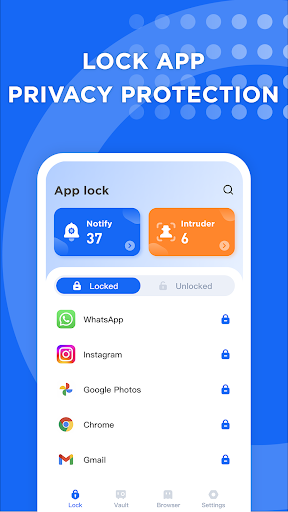
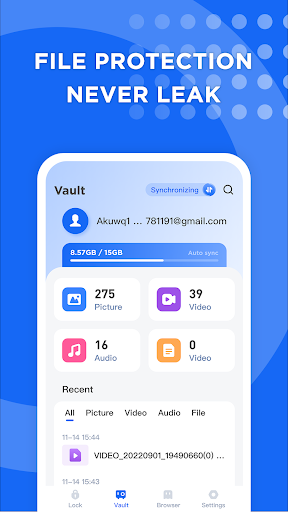
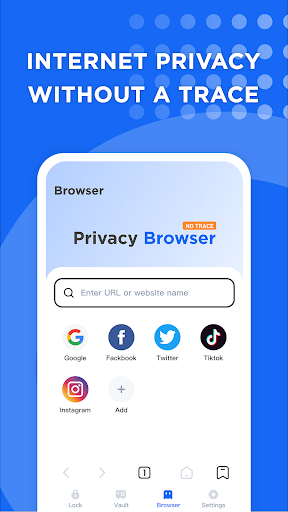
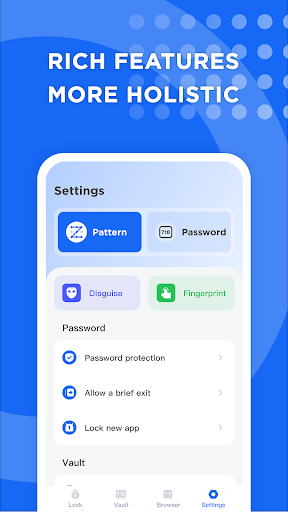
App Lock - Lock & Unlock Apps secures individual apps with PIN/password/biometrics, disguises itself and its unlock screen (Pretender), snaps intruder selfies after multiple failed attempts, hides notifications, offers a local/cloud-synced file vault, and includes a private browser. Claims minimal permissions and no subscriptions.
Verdict
Verdict: A capable, free app locker with useful stealth and vault extras, but occasional reliability/lockout quirks may frustrate some users.
Who is it for
Best for:
- Users who want quick, reliable app-level locks with biometrics
- People needing stealth features (icon disguise, hidden notifications) and an intruder photo log
- Anyone seeking a basic file vault and private browsing without subscriptions
Not ideal for:
- Users who want granular customization and polished UI themes
- Those who need guaranteed off-switch behavior or worry about potential vault lockouts
- Power users expecting enterprise-grade security audits and advanced controls
Real-world User Experience
Users like it:
Consistently blocks access to locked apps without leaks, supports fingerprint and passwords, takes photos of failed attempts, disguises the app icon/lock screen, and is free with light ads—many praise it as simple, effective, and confidence-inspiring.
Users complain about:
Some report the lock cannot be fully turned off or re-enables itself, limited customization/UI color choices, and a few concerning cases of being unable to access the app (and thus the vault). Ads exist (though many find them tolerable).
Is it Worth Paying For?
The app is free with ads and no in‑app purchases or subscriptions. Given its feature set (intruder selfies, disguises, vault, private browser), the value is strong at no cost. Just weigh the small ad presence and rare lockout complaints against the savings.
How it Compares to Alternatives
Compared to popular lockers like AppLock by DoMobile or Norton App Lock, this app stands out with built‑in disguises, notification hiding, an intruder camera, and a bundled vault/private browser—all free. Norton emphasizes simplicity and trusted branding but fewer extras; DoMobile focuses on broad device/app coverage and themes. This app offers more stealth and utility for free, but UI polish and occasional reliability issues may trail the most mature competitors.
Summary
App Lock - Lock & Unlock Apps focuses on practical privacy: strong app-level locking with biometrics, stealth disguises, intruder capture, notification shielding, and a vault/private browser combo—without subscriptions. Reviews highlight solid blocking performance and ease of use, while critiques center on limited customization, light ads, and a few reports of the lock auto‑reactivating or users being unable to access the app (which is critical if you rely on the vault). If you want free, feature‑rich app protection and can accept minor quirks, it’s an excellent pick; if you need bulletproof reliability, test carefully—especially before entrusting sensitive files to the vault.
Ratings
Trending APP












Alternative to this app










