
Copyright 2026 © swekartor. All Rights Reserved.



Information about Calculator Vault
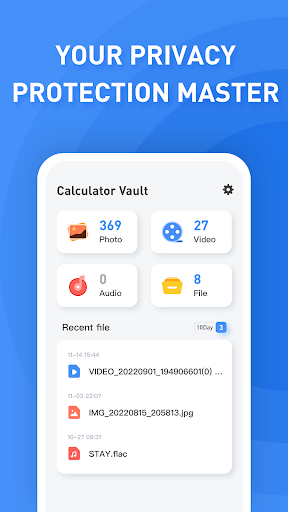

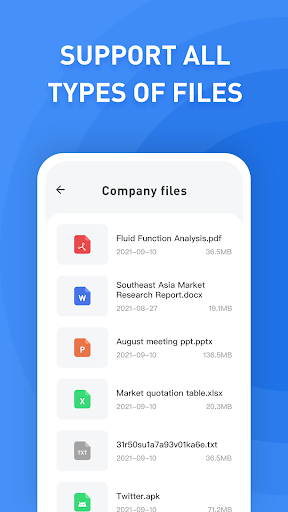
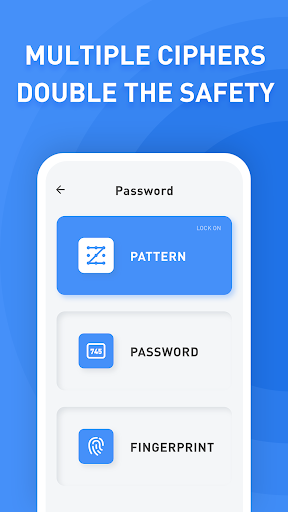
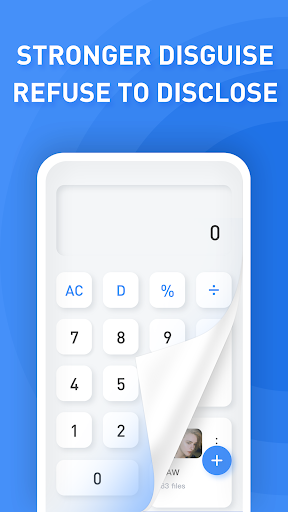
App Feature
Calculator Vault disguises itself as a functional calculator while privately storing photos, videos, audio, and files. It supports multiple authentication methods (PIN/password, gestures, and biometrics when available) and can work fully offline; optional online sync hides data in your own Google cloud storage.
Verdict
Verdict: A capable, discreet file‑hiding vault with strong basics, best if you want simple privacy without subscriptions.
Who is it for
Best for:
- Users who want a disguised vault that looks like a normal calculator
- People needing offline, on-device privacy with optional Google-based sync
- Anyone who prefers multiple unlock methods including biometrics
Not ideal for:
- Users who dislike ads or want an ad-free premium tier
- Those needing advanced features like multi-device management, break-in alerts, or robust desktop access
- People worried about potential lockout quirks after updates
Real-world User Experience
Users like it:
The disguise is convincing and easy to use; many praise its effectiveness at hiding photos, videos, and documents behind a working calculator interface. Setup feels straightforward, multiple authentication options (including fingerprints) are appreciated, and ads are generally present but not overly intrusive for some.
Users complain about:
A subset reports access issues after updates and confusion around entering the PIN (e.g., not accepting 0 as the first digit). Ads annoy some users. Forgotten passwords require relying on security questions or fingerprint, which can be stressful if not configured.
Is it Worth Paying For?
The app is free with ads and lists no in‑app purchases. There’s nothing to buy, so value is solid if you’re fine with ads; there’s no official ad‑free upgrade path mentioned.
How it Compares to Alternatives
Compared to other vault apps (e.g., photo vaults and app lockers), Calculator Vault prioritizes disguise and simplicity over power features. It lacks the richer cloud backup, cross‑platform access, or anti‑intrusion tools some competitors offer, but it wins on being lightweight, offline‑friendly, and convincingly masked as a calculator. If you want fewer ads or premium extras (break‑in selfies, decoy vaults, detailed cloud management), competitors with paid tiers may suit you better.
Summary
Calculator Vault is a straightforward, cleverly disguised privacy app that hides files behind a real calculator UI. It supports a wide range of media formats and multiple authentication methods, works offline, and can sync to your own Google cloud storage for redundancy. User feedback highlights its effective disguise and ease of use, while noting occasional lockout quirks after updates, PIN entry edge cases, and the presence of ads. With a 4.2 rating and 10M+ installs, it’s a reliable free option for on‑device privacy if you value simplicity and the calculator camouflage, and don’t need premium extras or an ad‑free experience.
Ratings
Trending APP












Alternative to this app










