
Copyright 2026 © swekartor. All Rights Reserved.



Information about Android System Update
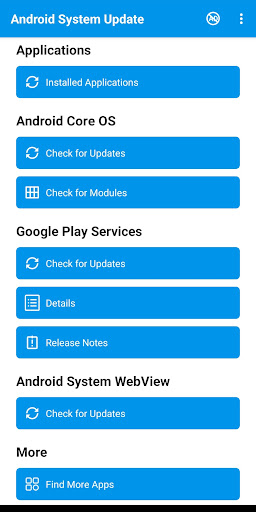
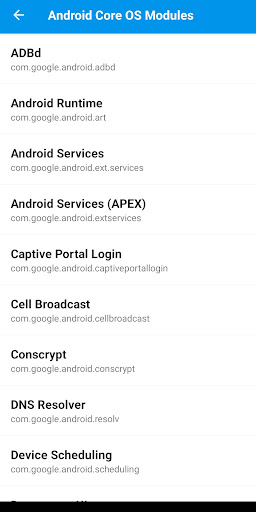
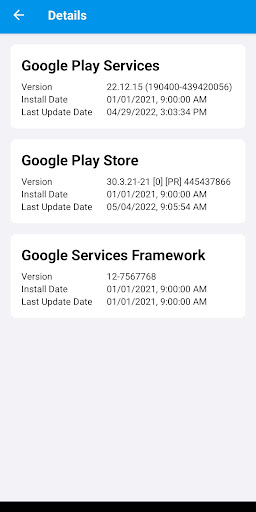
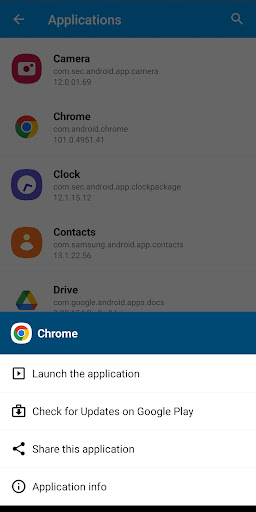
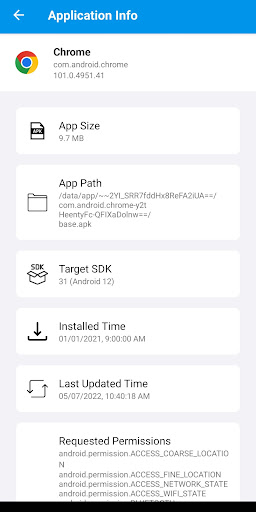
App Feature
A utility that checks and surfaces update status for Android OS (on some devices), Google Play Services, Android System WebView, core OS modules, and installed apps. It provides detailed version info, links to release notes, deep links to Google Play for updates, app launch/share/info shortcuts, and optional periodic notifications to remind you to check for updates.
Verdict
Verdict: A handy update checker and notifier that centralizes system module info, but it can’t replace your phone’s built‑in system updater.
Who is it for
Best for:
- Users who want a single place to monitor Play Services, WebView, and app updates
- Older or OEM‑limited devices that don’t surface update details clearly
- Tinkerers who value version info, release notes, and manual check reminders
Not ideal for:
- Anyone expecting true one‑tap OS installations or firmware upgrades
- Power users needing guaranteed device‑wide support across all models
- Those who dislike ads or prefer using only built‑in Settings/Play Store tools
Real-world User Experience
Users like it:
Frequent praise for reliable notifications and making it easy to keep Google Play Services, WebView, and apps up to date—especially on devices no longer receiving full OS updates. Several users report smoother performance and quick resolution of backlog updates after using the app. Many find it simple and practical, with thanks to the developer for consistency.
Users complain about:
Some confusion about what the app can actually update (it doesn’t directly install OS firmware on most devices). Occasional hiccups with stuck updates that require clearing cache/storage or restarting. Ads are present. Support for OS‑level updates varies by device, and a few users conflate unrelated device issues (e.g., voicemail, DEV mode) with the app.
Is it Worth Paying For?
The app is free with ads and offers IAPs. Given that core functionality mirrors what built‑in Settings and the Play Store can do (albeit less centralized), paying mainly makes sense to remove ads or support the developer. For most users, the free version is sufficient.
How it Compares to Alternatives
Compared to built‑in Settings (System update) and Play Store’s ‘Manage apps & device,’ this app centralizes checks for Play Services, WebView, and installed apps with clearer version info and release notes. It is similar in spirit to ‘Play Services Info’ apps but adds broader module coverage and notifications. It cannot supersede OEM firmware updaters (Samsung, Pixel, etc.) and won’t match their reliability for OS installations.
Summary
System Update for Android consolidates update awareness for key Android components—Play Services, WebView, some core modules—and installed apps, wrapping detailed version info, release notes, and quick deep links into one place. It’s especially useful for older or OEM‑skinned devices where update status is fragmented, and for users who want timely reminders. However, it does not replace your device’s native system updater and can’t universally install OS upgrades; support varies by device. With ads and optional IAPs, its value is strongest as a free convenience tool rather than a must‑buy upgrade. If you want a clearer picture of what’s out of date and quick paths to update via Google Play, it’s a practical companion—just keep expectations aligned with what third‑party update checkers can do.
Ratings
Trending APP












Alternative to this app










