
Copyright 2026 © swekartor. All Rights Reserved.



Information about WiFi Assistant:Launcher
App Feature
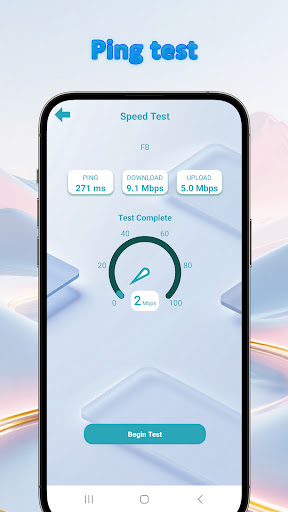
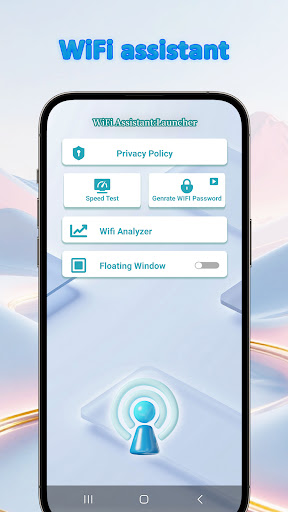
WiFi Assistant:Launcher helps you understand and manage Wi‑Fi connections with smart scanning, auto‑switching to the best known network, real‑time signal/speed monitoring, and quick‑launch widgets with configurable profiles.
Verdict
Verdict: A straightforward Wi‑Fi helper that prioritizes simplicity and connection stability over deep diagnostics.
Who is it for
Best for:
- Home users who want reliable auto‑switching and simple signal checks
- Students or travelers needing quick Wi‑Fi insights and one‑tap toggles
- Anyone who likes configurable widgets for faster network actions
Not ideal for:
- Power users seeking advanced analysis (channel maps, packet details)
- Professionals needing enterprise‑grade troubleshooting or reporting
- Users who prefer completely ad‑free utilities
Real-world User Experience
Users like it:
Clean, easy setup; helpful at showing signal and speed at a glance; auto‑switching reduces manual network picking; widget and profiles make routine toggles quick.
Users complain about:
Contains ads; toolset is basic compared to pro analyzers; some users report occasional inconsistency in auto‑switching or network readings depending on device.
Is it Worth Paying For?
It’s free and does not offer in‑app purchases. Given the feature set and 4.1 rating, it’s worth trying if you’re okay with ads.
How it Compares to Alternatives
Compared with WiFi Analyzer/Fing/WiFiman, this app is lighter and more focused on day‑to‑day stability (auto‑connect, quick toggles) rather than in‑depth diagnostics (channel graphs, vendor lookups, device discovery). Alternatives offer deeper analysis and tools but often at the cost of complexity or accounts; WiFi Assistant:Launcher keeps things simple with a launcher‑style experience.
Summary
WiFi Assistant:Launcher targets everyday reliability: it scans your current network, monitors signal and speed in real time, and auto‑switches to better known Wi‑Fi when available. Its configurable profiles and home‑screen widget make routine tasks—like toggling Wi‑Fi or switching modes—fast and consistent. While it won’t replace advanced analyzers for detailed troubleshooting, the straightforward interface and stability‑focused features suit students, travelers, and home users who want quick, useful insights. The app is free with ads, and its 4.1 rating suggests generally positive experiences tempered by requests for fewer ads and more advanced tools.
Ratings
Trending APP












Alternative to this app










