
Copyright 2026 © swekartor. All Rights Reserved.



Information about AutoCleaner
App Feature
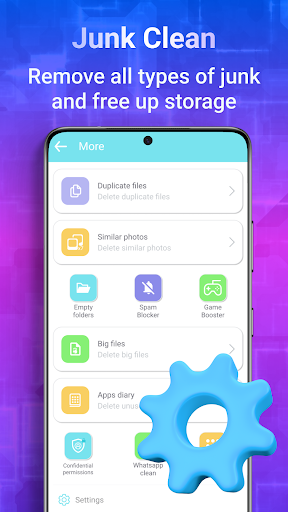
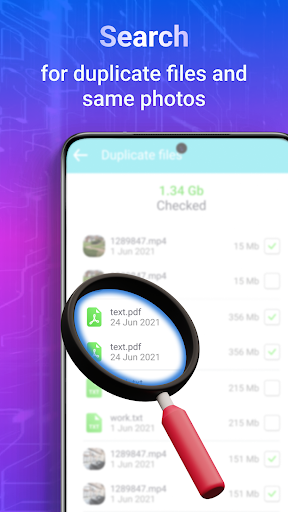
AutoCleaner is a free Android utility focused on reclaiming storage and optimizing performance by cleaning junk/cache files, freeing RAM with a one-tap boost, surfacing rarely used apps for easy uninstall, and identifying similar/duplicate photos to quickly delete.
Verdict
Verdict: A convenient cleaner for quick storage wins, but power users may prefer more transparent, less aggressive tools.
Who is it for
Best for:
- Users low on storage who want fast cleanups
- People who like one-tap boosts and simple maintenance
Not ideal for:
- Power users who want granular control and detailed logs
- Those skeptical of RAM boosters or aggressive photo/notification cleanup
Real-world User Experience
Users like it:
With a 4.6 rating and 5M+ downloads, users appear to appreciate its quick junk cleaning, easy app management, and helpful photo deduplication for freeing space.
Users complain about:
No detailed reviews provided; in this category, common complaints include intrusive ads, overzealous cleaning that flags needed files, and RAM boosting benefits that feel temporary on modern Android.
Is it Worth Paying For?
The app is free (no pricing or IAPs noted). Value is strong if you need straightforward cleaning; just expect potential ads and review permissions carefully.
How it Compares to Alternatives
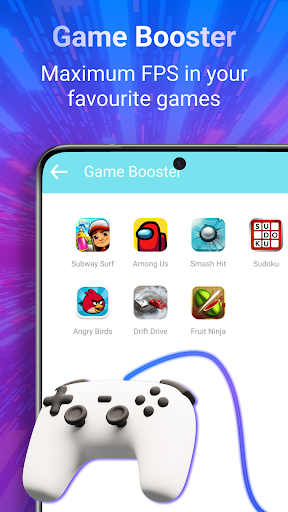
Compared to Files by Google, AutoCleaner offers more aggressive RAM/app management and a dedicated notification cleaner but may be heavier on ads and less conservative. Versus CCleaner or SD Maid, it emphasizes simplicity and one-tap boosts over deep, transparent controls; SD Maid typically provides more granular, technical cleanup for advanced users.
Summary
AutoCleaner targets everyday Android maintenance with four pillars: junk/cache cleanup, one-tap memory boosting, app usage insights for smart uninstalling, and a photo cleaner that groups similar images for quick deletion. The result is quick, noticeable storage recovery and a lightweight way to keep clutter down. As with most cleaner/booster apps, RAM gains can be short-lived on modern Android, and aggressive cleaning requires a bit of caution. If you want simple, fast housekeeping without lots of toggles, it’s a strong free option. If you prefer conservative cleanup, no ads, or deep control and auditability, consider alternatives like Files by Google or SD Maid.
Ratings
Trending APP












Alternative to this app










