
Copyright 2026 © swekartor. All Rights Reserved.



Information about Smart Clean Pro
App Feature
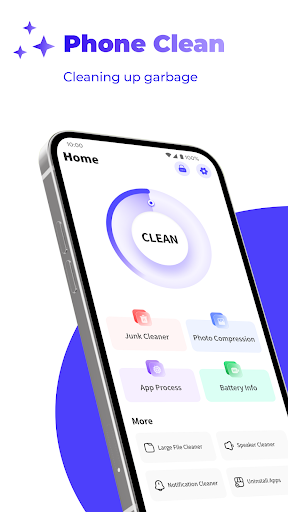
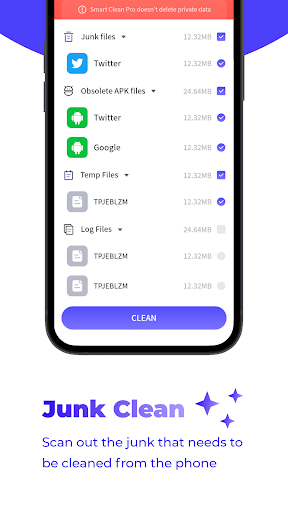
Smart Clean Pro is a free Android utility focused on decluttering storage by scanning and deleting log files, identifying outdated APKs, and letting you manually remove large audio/video files. It also offers image compression, optional notification blocking, and a clean, beginner-friendly interface with light customization and stable performance.
Verdict
Verdict: A straightforward, no-frills phone cleaner for basic storage housekeeping, but not a security or deep-system optimization tool.
Who is it for
Best for:
- Users who want quick, simple cleanup of logs, APKs, and media
- People who prefer manual control with a clean, low-friction interface
- Budget-conscious users who want a free tool and can tolerate ads
Not ideal for:
- Anyone seeking antivirus, malware scanning, or hack detection
- Power users needing deep system tools, automation, or advanced analytics
- Ad-averse users who want a fully ad-free experience out of the box
Real-world User Experience
Users like it:
Ease of use, minimal pop-ups compared to some cleaners, and efficient basic cleaning that feels less intrusive than many competitors.
Users complain about:
Presence of ads and the lack of security features (no virus/hack detection or proactive warnings about risky apps).
Is it Worth Paying For?
The app is free with ads and does not offer in-app purchases. There’s no paid tier to evaluate; as a free tool, it’s good value if you only need simple storage cleanup and can accept advertising.
How it Compares to Alternatives
Compared to Files by Google, it offers more targeted log/APK cleaning and manual media pruning but lacks Google’s smart suggestions and trusted ecosystem. Against SD Maid or CCleaner, it’s simpler and lighter but misses advanced system housekeeping, scheduling, and deeper app caches/databases cleaning. It also does not provide antivirus features like some security suites (e.g., Avast, Bitdefender), positioning it firmly as a basic cleaner rather than a security app.
Summary
Smart Clean Pro delivers a focused, lightweight approach to reclaiming storage: scanning logs, surfacing old APKs, and helping prune bulky media, plus bonus tools like image compression and notification blocking. Its interface is clear, performance is snappy, and reviews indicate it’s less intrusive than many ad-supported cleaners. However, it does not detect malware, provide security warnings, or offer deep optimization or automation found in power-user utilities. If your goal is simple, manual tidying without complexity—and you’re fine with ads—this is a solid, beginner-friendly choice. For advanced cleaning, scheduling, or security, consider more feature-rich or security-centric alternatives.

Ratings
Trending APP












Alternative to this app










