
Copyright 2026 © swekartor. All Rights Reserved.



Information about Power Cleaner
App Feature
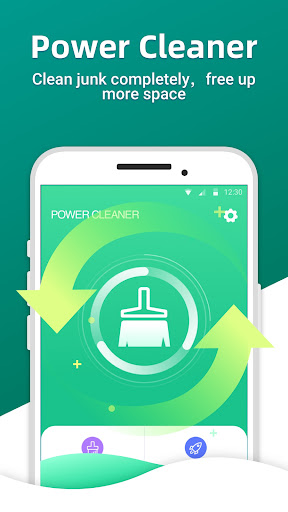
Power Cleaner is a free Android utility focused on keeping devices snappy and tidy. It offers smart junk cleaning to remove cache and residual files, a battery saver to curb background drain, and an app manager to uninstall, back up, or move apps to an SD card to reclaim internal storage.
Verdict
Verdict: A capable, no-cost cleaner for freeing space and reducing battery drain, best for straightforward maintenance rather than deep system tweaks.
Who is it for
Best for:
- Users who want quick junk cleanup and simple storage gains
- People needing an easy battery saver to close background apps
- Anyone managing many apps and needing uninstall/backup/SD-card moves
Not ideal for:
- Power users seeking deep system controls, automation, or granular tuning
- Privacy purists wary of cleaners that require broad permissions
- Those who prefer ad-free, first‑party tools with minimal prompts
Real-world User Experience
Users like it:
The 4.2 rating and 500K+ downloads suggest generally positive sentiment, likely around straightforward junk cleaning that quickly frees space and the convenience of an all‑in‑one cleaner, battery saver, and app manager.
Users complain about:
Specific review comments aren’t provided; in this category, common complaints include ads, occasional aggressive cleaning that removes wanted cache, and mixed battery‑saving impact on some devices.
Is it Worth Paying For?
The app is free, and no in‑app purchase details are provided. As a no‑cost utility, it’s worth trying—just review permissions and settings to avoid over‑cleaning.
How it Compares to Alternatives
Compared with Files by Google, Power Cleaner offers a broader toolkit (battery saver and app management) but may not match Google’s minimal ads and trusted privacy posture. Versus CCleaner or Norton‑branded cleaners, it appears simpler and lighter, though brand‑name apps often have more polish and optional cloud tie‑ins. Against SD Maid (a power‑user favorite), Power Cleaner is more beginner‑friendly but less granular and less technical.
Summary
Power Cleaner focuses on the essentials: clearing junk and cache, curbing background battery drain, and helping manage installed apps—backups and SD‑card moves included. Its free price and solid rating indicate it’s a practical pick for routine maintenance and quick storage wins. It’s best for users who want a simple, all‑in‑one cleaner without complex configuration. If you prioritize granular control, an ad‑free experience, or first‑party trust, alternatives like SD Maid or Files by Google may fit better. For most day‑to‑day tidying, Power Cleaner is a convenient utility that can keep an older or storage‑constrained device running smoother.


Ratings
Trending APP












Alternative to this app










