
Copyright 2026 © swekartor. All Rights Reserved.



Information about Clean Toolkit
App Feature
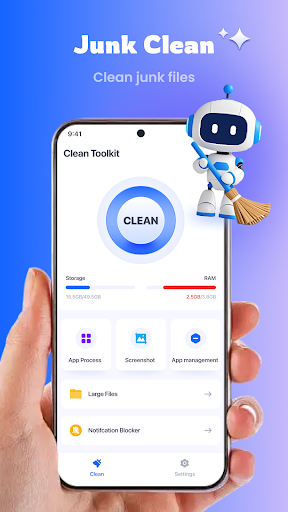
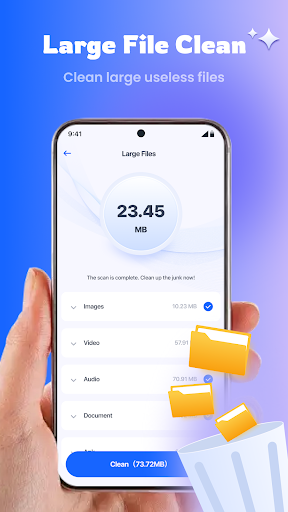
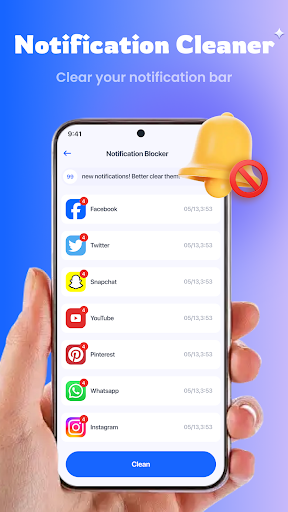
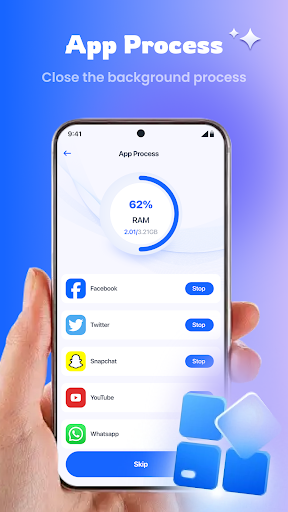
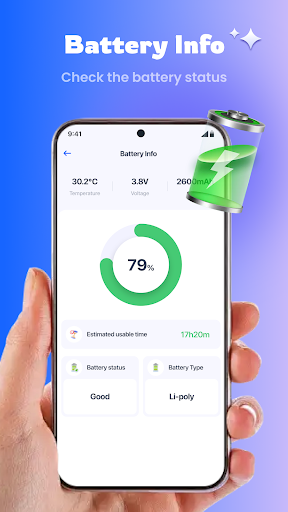
Clean Toolkit is a free, all-in-one Android utility for reclaiming storage, speeding up performance, and tightening privacy. It combines a storage analyzer, junk/cache cleaner, large-file and screenshot cleanup, batch app manager, battery optimization, and basic privacy checks/notification controls in a simple one-tap workflow.
Verdict
Verdict: A capable, genuinely free phone cleaner with useful extras, but ad pop-ups and interruptions can be distracting.
Who is it for
Best for:
- Users who want quick, one-tap junk cleanup and space recovery
- People managing older or storage-constrained phones needing large-file scans
- Anyone who prefers a free cleaner without paywalls or IAPs
Not ideal for:
- Users sensitive to frequent ads, pop-ups, or overlays
- Power users seeking deep automation or granular, expert-level controls
- Privacy purists who avoid ad-supported utilities
Real-world User Experience
Users like it:
Consistently praised for actually cleaning cache and residual junk, speeding up devices, and freeing meaningful space. Many appreciate that core features are genuinely free without bait-and-switch paywalls. One-tap flows and clear guidance make it easy for non-technical users.
Users complain about:
Multiple reports of frequent pop-ups/overlays and ad interruptions that can appear unexpectedly and feel intrusive. Some mention waiting through commercials between actions, which slows the experience and can be frustrating.
Is it Worth Paying For?
There are no in-app purchases; the app is free and ad-supported. Given its breadth of features and effectiveness, it offers good value if you tolerate ads. If you prefer an ad-free experience, consider alternatives with paid tiers.
How it Compares to Alternatives
Compared with Files by Google, Clean Toolkit offers broader utilities (battery optimization, notification management, privacy flags) beyond basic cleanup, but Files by Google is lighter on ads and integrates seamlessly with Android. Versus CCleaner, Clean Toolkit feels more generous in free features but shows more ad interruptions; CCleaner’s paid tier removes ads and adds richer monitoring. SD Maid (more advanced) provides deeper system and database cleaning with more technical controls but has a steeper learning curve and may require a paid upgrade for full functionality. Clean Toolkit sits as a user-friendly, feature-packed, ad-supported middle ground.
Summary
Clean Toolkit packages a storage analyzer, junk cleaner, large-file and screenshot cleanup, app manager, privacy hints, and battery optimization into a straightforward, one-tap experience. With a 4.3 rating and 1M+ installs, users report real improvements in storage and responsiveness, and praise its genuinely free core feature set. The trade-off is an ad-heavy experience with pop-ups that can interrupt usage. If you want quick, effective tidying on a budget and can tolerate ads, it’s a strong pick. If you prefer quieter operation, tighter privacy posture, or advanced controls, alternatives like Files by Google, CCleaner (paid), or SD Maid may fit better.
Ratings
Trending APP












Alternative to this app










