
Copyright 2026 © swekartor. All Rights Reserved.



Information about Xfinity My Account
App Feature
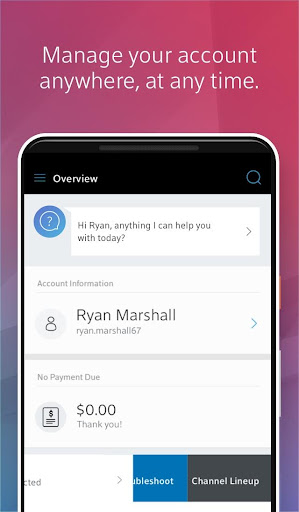
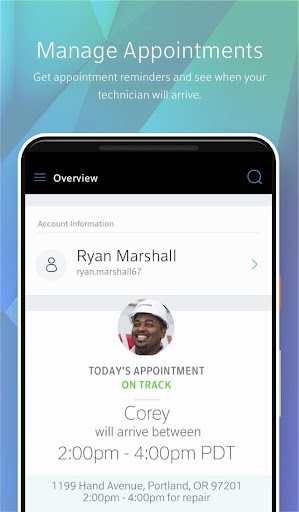
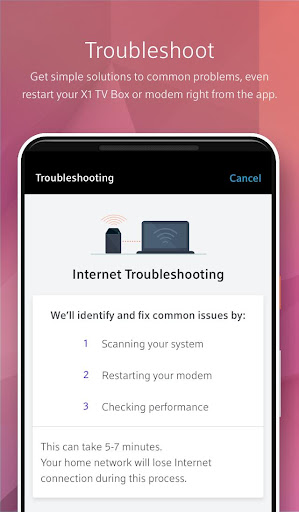
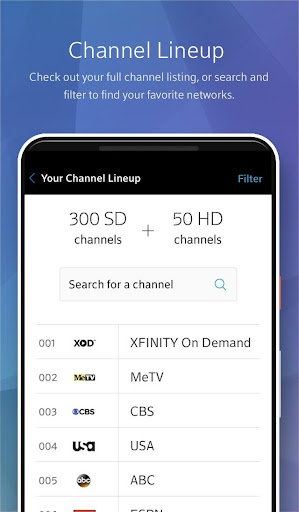
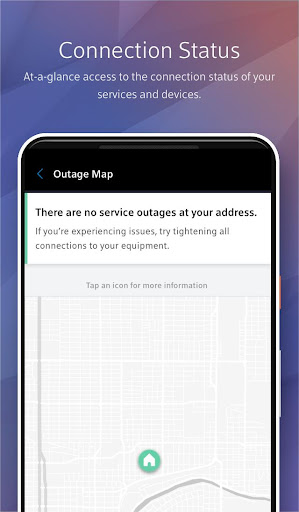
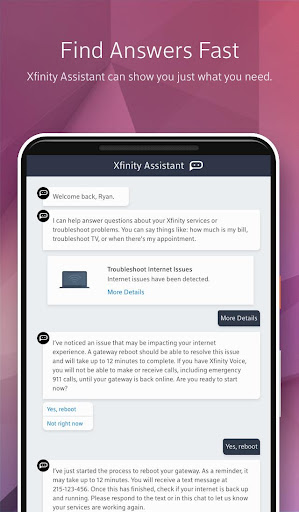
Xfinity My Account centralizes customer self-service: manage profile details (contact number, password, email), view channel lineup and internet usage, run device checks and refresh X1 TV boxes, troubleshoot service issues, and book in‑home technician appointments. It also includes handy touches like remote-control presets and customizable Wi‑Fi name/password.
Verdict
Verdict: A practical utility for Xfinity customers to self-manage services and support, but the middling rating hints at reliability and usability trade-offs.
Who is it for
Best for:
- Xfinity customers who want quick self-service for account, outages, and appointments
- Users who prefer app-based troubleshooting before calling support
- People who occasionally tweak Wi‑Fi settings or remote-control presets
Not ideal for:
- Power users seeking deep network controls beyond basic Wi‑Fi settings
- Anyone expecting consistently polished performance and flawless logins
- Non‑Xfinity users (the app is provider-specific)
Real-world User Experience
Users like it:
The convenience of checking channel lineup, monitoring usage, troubleshooting device issues, and booking technician visits without calling support; being able to refresh equipment and see outage status in one place.
Users complain about:
A 3.4 rating suggests mixed reliability—users may encounter occasional glitches, sign-in friction, or slower performance compared to expectations; some tasks may require switching to other Xfinity tools for advanced controls.
Is it Worth Paying For?
The app is free with no clear in‑app purchases; for Xfinity subscribers, it’s worth installing for self-service and support tools at no additional cost.
How it Compares to Alternatives
Compared with other provider apps (e.g., Spectrum, AT&T, Verizon), Xfinity My Account covers the essentials—billing/profile, outage checks, equipment refresh, and appointment scheduling. It is more account/support-focused than full-featured network apps like Xfinity xFi or AT&T Smart Home Manager, which offer deeper Wi‑Fi management. If you need robust home network controls, you may pair this with xFi; for account and troubleshooting basics, this app is on par with peers, albeit with a slightly lower user rating indicating more variability in day-to-day smoothness.
Summary
Xfinity My Account streamlines common customer tasks: updating profile details, viewing channel lineup and data usage, diagnosing device problems, refreshing X1 TV boxes, checking outage status, and booking technician appointments. The inclusion of remote-control presets and quick Wi‑Fi name/password changes adds practical value. Its 10M+ downloads show it’s a staple for Xfinity subscribers, while the 3.4 rating signals a solid but imperfect experience with occasional reliability or UX snags. As a free, provider-linked app, it’s a useful first stop for self-service and support—especially when you want to troubleshoot or schedule help without calling—though advanced networking needs will require complementary tools.
Ratings
Trending APP












Alternative to this app










