
Copyright 2026 © swekartor. All Rights Reserved.



Information about Cyber Cleaner
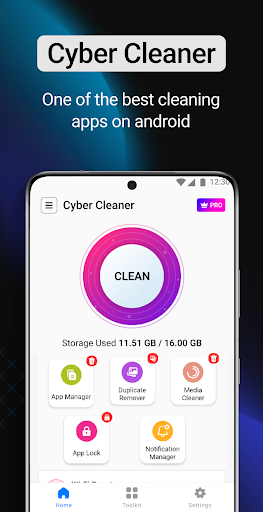
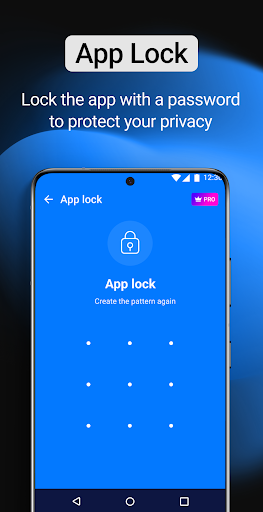
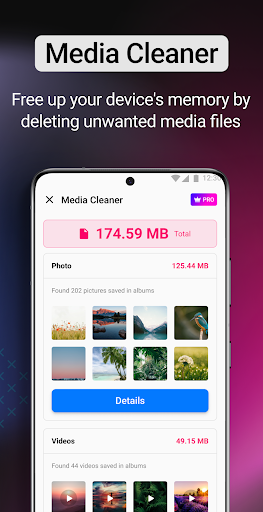
App Feature
Cyber Cleaner is a free, ad‑supported Android utility focused on storage cleanup and basic device management. Core tools include real‑time junk removal, duplicate photo and media cleaner, an app manager with uninstall/backup, a permission-based "Threat Scanner," app lock for privacy, a notification manager, and a battery saver/health monitor.
Verdict
Verdict: A capable all‑in‑one cleaner for quick storage wins, but inconsistent security claims and frequent ads limit its appeal for power users.
Who is it for
Best for:
- Users who want one-tap junk cleanup and simple app management
- Privacy-conscious users who want basic app lock and permission scanning
- Older or budget phones needing quick space recovery without subscriptions
Not ideal for:
- Power users seeking deep system tools, automation, or granular controls
- Anyone wanting certified antivirus/malware protection with proven detection
- Users who dislike frequent ads after routine actions
Real-world User Experience
Users like it:
Many report it is easy to use, cleans noticeably, and helps phones feel faster or less cluttered. Several praise simple workflows (one-tap cleaning, app lock) and say it helped when storage felt full or the device slowed. Some believe it addressed virus-related concerns and appreciate that it’s free.
Users complain about:
Frequent ads, sometimes after each cleaning step. A few note lagging, features not always showing, or limited effectiveness when storage is critically full. Security/virus removal claims are perceived but not consistently verified.
Is it Worth Paying For?
There are no in‑app purchases; the app is free with ads. Value is good if you can tolerate advertising. If you prefer an ad‑free experience or need verified antivirus, consider paid alternatives.
How it Compares to Alternatives
Compared with Files by Google, Cyber Cleaner offers more features (app lock, notification manager, permission scanner) but lacks Google’s trusted, lightweight cleanup and minimal ads. Against CCleaner or Avast Cleanup, it’s comparable on basic cleaning but trails on polish, reliability, and (for paid tiers) advanced automation. Versus SD Maid, it’s more beginner-friendly but less powerful and tunable. For actual malware defense, dedicated antivirus apps (e.g., Bitdefender, Norton) provide stronger, certified protection than Cyber Cleaner's permission-based scanner.
Summary
Cyber Cleaner bundles a wide set of utilities—junk cleaner, duplicate/media remover, app manager, app lock, notification control, and a battery saver—into a single, free package that’s easy for non‑technical users. In practice, it delivers quick storage gains and a smoother feel for many reviewers, but its ad load can be intrusive and reports of occasional lag or inconsistent features appear. Treat the "Threat Scanner" as a risk‑insight tool rather than a full antivirus engine. If you want straightforward cleanup and privacy conveniences without paying, it’s a reasonable pick; if you need ad‑free operation, deeper controls, or certified security, established alternatives are stronger choices.
Ratings
Trending APP












Alternative to this app










