
Copyright 2026 © swekartor. All Rights Reserved.



Information about Recover Deleted Photos - Files
App Feature
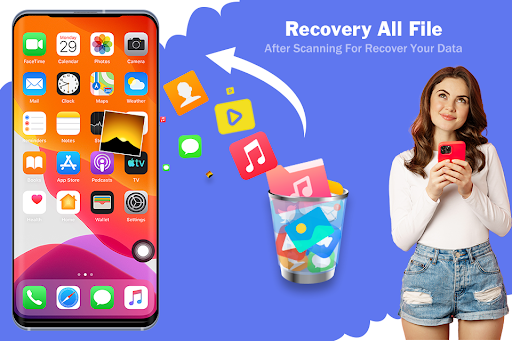
Recover Deleted Photos - Files scans your device storage to locate deleted or hidden items and attempts file recovery without requiring root access. It focuses on surfacing hidden files across directories (photos, videos, voice notes, documents) and offers a lightweight, permission-based recovery workflow.
Verdict
Verdict: A handy on-device first try for finding recently lost or hidden files, but don’t expect guaranteed recovery or advanced controls.
Who is it for
Best for:
- Users who accidentally deleted photos, videos, or documents recently
- People who want a quick, no-root scan to surface hidden files
- Those seeking a free, lightweight tool before trying desktop recovery
Not ideal for:
- Users who need guaranteed full recovery after formatting or long delays
- Power users wanting deep scanning, previews, or rich filtering
- Anyone expecting cloud backup, continuous protection, or a recycle-bin system
Real-world User Experience
Users like it:
Given its 3.5/5 rating and install count, feedback appears mixed; users tend to appreciate the simple setup, no-root requirement, quick scans, and the ability to reveal hidden files that other apps may not show.
Users complain about:
Expectations of complete recovery are not always met; some users report inconsistent results, false positives (e.g., cached or already-visible files), and the typical category downsides like ads or limited granularity when filtering results.
Is it Worth Paying For?
The app is free and no in‑app purchases are indicated here. It’s worth trying at no cost before considering paid or desktop-grade recovery tools.
How it Compares to Alternatives
Compared with well-known Android recovery options (e.g., DiskDigger, Dumpster), this app emphasizes no-root convenience and hidden-file discovery over advanced features. Alternatives may offer deeper scans, previews, recycle-bin functionality, or cloud backup, though they can require root or paid tiers. For the highest recovery chances—especially after formatting or long intervals—desktop tools (e.g., EaseUS, Recuva, Wondershare) typically outperform on-device apps.
Summary
Recover Deleted Photos - Files is a lightweight, no-cost utility designed to quickly scan storage for recently deleted and hidden files, with no root required. It’s practical for accidental deletions and for surfacing items tucked away in obscure directories, particularly photos, videos, voice notes, and documents. However, like most mobile recovery tools, it cannot guarantee full restoration—especially for older deletions, formatted storage, or heavily overwritten data. With a middling rating, expect mixed results and a straightforward feature set. Use it as a first pass before moving on to more robust, potentially paid desktop recovery solutions if critical files remain missing.




Ratings
Trending APP












Alternative to this app










