
Copyright 2026 © swekartor. All Rights Reserved.



Information about Apk Extractor
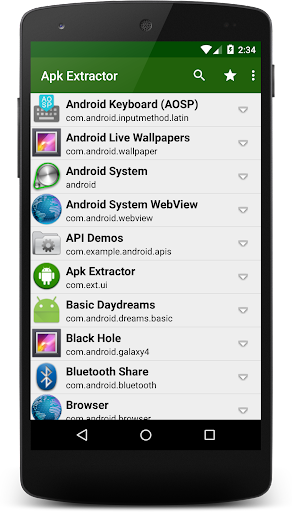
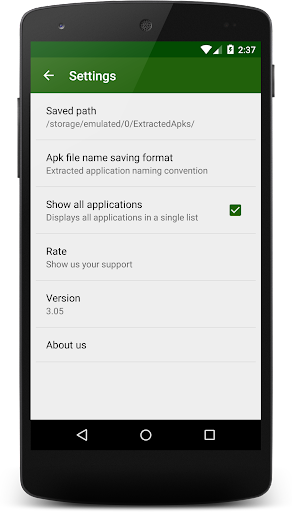
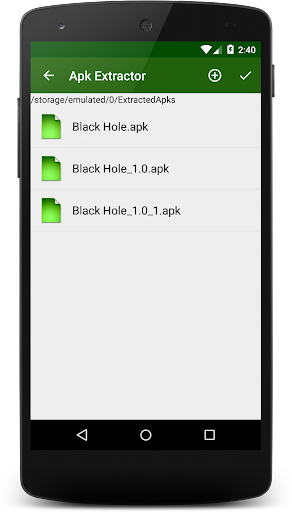
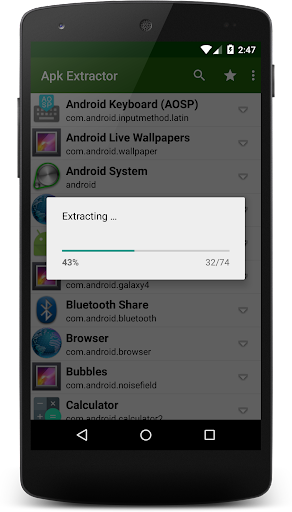
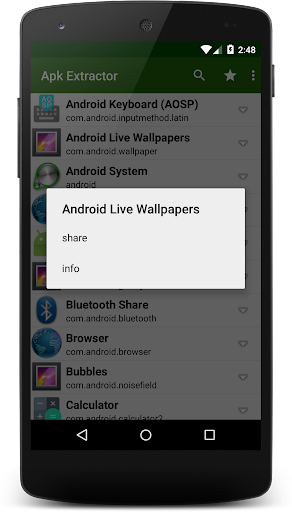
App Feature
Apk Extractor is a free utility that exports installed apps— including many system apps—into APK files and saves them to /sdcard/ExtractedApks/. It supports one‑click batch extraction of all apps or selective per‑app exports for quick backups and transfers.
Verdict
Verdict: A straightforward, high‑volume APK backup tool best for quick local exports, but light on advanced management features.
Who is it for
Best for:
- Users who want fast, one‑click APK backups of many apps
- Power users needing access to APKs of pre‑installed/system apps
- People who prefer simple, local storage over cloud features
Not ideal for:
- Users seeking cloud sync, scheduling, or versioned backups
- Those expecting full extraction on heavily locked‑down system apps
- Anyone who needs integrated restore or app‑data backup
Real-world User Experience
Users like it:
Simple interface, quick batch extraction, and reliable saving of APKs to a predictable folder; useful for sharing or backing up installed apps without extra steps.
Users complain about:
May not extract certain protected/system apps on newer Android due to OS restrictions; limited controls (e.g., destination customization, metadata management) and no built‑in restore or data backup.
Is it Worth Paying For?
It’s free and functional as-is with core extraction features; there’s no need to pay for basic use.
How it Compares to Alternatives
Compared to other APK extractors and backup utilities, Apk Extractor emphasizes speed and one‑tap batch exporting but omits extras like cloud backup, app‑data restore, automatic versioning, or rich sharing options that some alternatives offer. Its strength is minimal setup and broad compatibility; its trade‑off is fewer management and automation features.
Summary
Apk Extractor focuses on doing one job well: exporting installed (and many system) apps to APK files for quick backup or transfer. The standout feature is one‑click extraction of all apps, which is ideal for users migrating devices or archiving their library. Files are saved locally to /sdcard/ExtractedApks/, keeping the workflow simple and transparent. However, it doesn’t handle app data, lacks restore capabilities, and may be limited by Android’s security model on certain system apps. If you want a straightforward, no‑frills APK exporter, it’s a solid pick; if you need cloud syncing, scheduling, or data‑aware backups, you’ll likely prefer a more full‑featured alternative.
Ratings
Trending APP












Alternative to this app










