
Copyright 2026 © swekartor. All Rights Reserved.



Information about Photo Recovery , File Recovery
App Feature
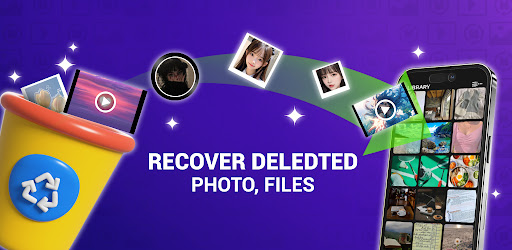
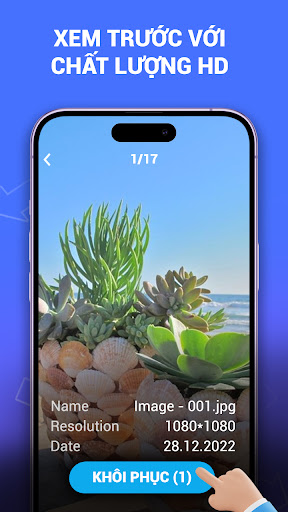
Photo Recovery , File Recovery helps you restore deleted photos and videos from your device using quick and deep scans, with a clean, beginner-friendly interface and a preview-before-restore workflow to select exactly what you want to recover.
Verdict
Verdict: A capable, easy-to-use media recovery tool that excels at recent deletions but won’t replace full desktop-grade recovery solutions.
Who is it for
Best for:
- Users who need to quickly recover recently deleted photos/videos
- People who prefer a simple, guided interface with previews
- Anyone wanting on-device scanning without cables or a PC
Not ideal for:
- Users needing forensic-level recovery or full device backups
- Those expecting guaranteed restoration of long-ago or overwritten files
- Power users who want advanced filters, file-system tools, or cloud sources
Real-world User Experience
Users like it:
The straightforward UI, clear instructions, and ability to preview files before restoring make the process approachable. Quick scans are fast and effective for recently deleted items, and deep scans can uncover additional media.
Users complain about:
Recovery isn’t guaranteed, especially for older/overwritten files; deep scans may take time and can surface duplicates. Like many free utilities, ads may appear and device permissions are required for thorough scanning.
Is it Worth Paying For?
The app is free. No paid plan is indicated, so there’s solid value if you need occasional photo/video recovery without upfront cost. If a paid tier exists in your region, only consider it if you frequently recover files or want fewer ads.
How it Compares to Alternatives
Compared to DiskDigger or Dumpster, this app emphasizes a cleaner, preview-first flow and simple quick/deep scans. DiskDigger may expose more granular file options and formats; Dumpster focuses on recycle-bin style protection. Desktop tools (e.g., EaseUS, Recuva on PC) can be more powerful on formatted drives or severely corrupted storage but require a computer. For on-device, recent media recovery, this app is competitive and easy to use.
Summary
With an intuitive interface, quick/deep scan modes, and a practical preview-before-restore feature, Photo Recovery , File Recovery delivers a stress-free way to bring back recently deleted photos and videos directly on your phone. It performs best when files were removed recently and haven’t been overwritten, and while deep scans can be slower and recovery isn’t guaranteed, the overall experience is polished for a free tool. If you want a no-fuss mobile option for everyday media mishaps, it’s a strong pick; for complex cases or full-drive recovery, pair it with desktop-class software.






Ratings
Trending APP












Alternative to this app










